Digital Processing 125
The Truncate operation shortens a sample's length by trimming off
individual samples from the beginning and/or end. Truncation is most
often used to remove unneeded portions of a sample to conserve
memory, but it can also be used to change instrument characteristics
such as removing the attack from a plucked string note or isolating a
particular section of a sample.
1. Activate Digital Processing module.
2. Select Truncate (3).
3. Truncate the desired amount of samples from the start on line
two and/or the end on line three, then press ENTER.
TRUNC secs samples
Start: 0.00 00001
End: 2.43 53610
Size: 2.43 53610
The sample size equals the difference in samples between the start and
end points. Because of this, these settings interact with the size value on
line four in these ways:
• Truncating the Start causes the size to change to maintain a constant
End Point.
• Truncating the End causes the size to change to maintain a constant
Start Point.
4. If you are not satisfied with the results, or want to compare
before and after, proceed to Digital Processing, Undo (9).
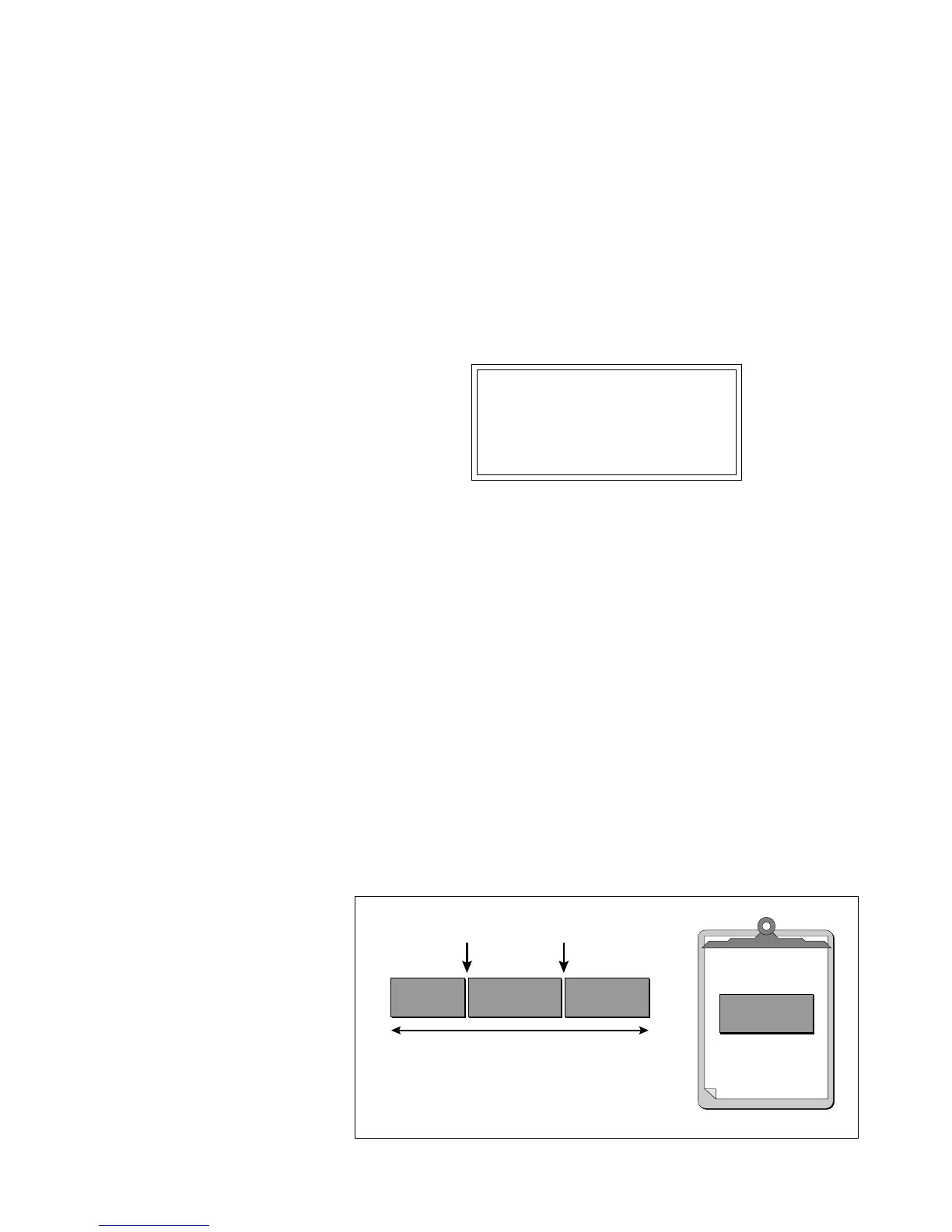
Portions of a sample can be cut, copied, and pasted to other samples, or
into the samples from which they came. The Copy function allows you
to duplicate a section of a sample, and store that duplicate in a special
part of memory called the clipboard. For more information see the
section Background: Cut, Copy, Paste, and Undo.
3. Truncate
4. Copy
Region
✱
Tip:
The left and right cursor keys will
change the start and end points so that they
fall on positive zero-crossing points in the
waveform.
Sample 00
Copy Start Copy End
Length of Sample
Copied Region is placed on the Clipboard
! Caution:
You cannot Undo the truncation
settings.



 To Next Page