136 ESI Operation Manual
3. Press YES to convert the sample to stereo or mono or NO to exit
the submodule. The ESI will return to the Module Identifier.
5. Left <-> Right
Swaps sides if the current sample is stereo or moves a mono sample to
the other side.
1. Activate Digital Processing module.
2. Select Digital Tools I (7), Swap Sides (5). The display asks if you
want to swap sides if the current sample is stereo, or move the
sample to the other side if it is in mono.
SWAP SIDES
Swap Sides? Y/N
3. Press YES to swap or change sides or NO to exit the submodule.
The ESI returns to the Module Identifier.
6. DC Filter
Removes the DC component from a sample, centering the waveform
around the zero axis.
1. Activate Digital Processing module.
2. Select Digital Tools I (7), DC Filter (6). The ESI immediately
begins scanning the current sample for DC offset.
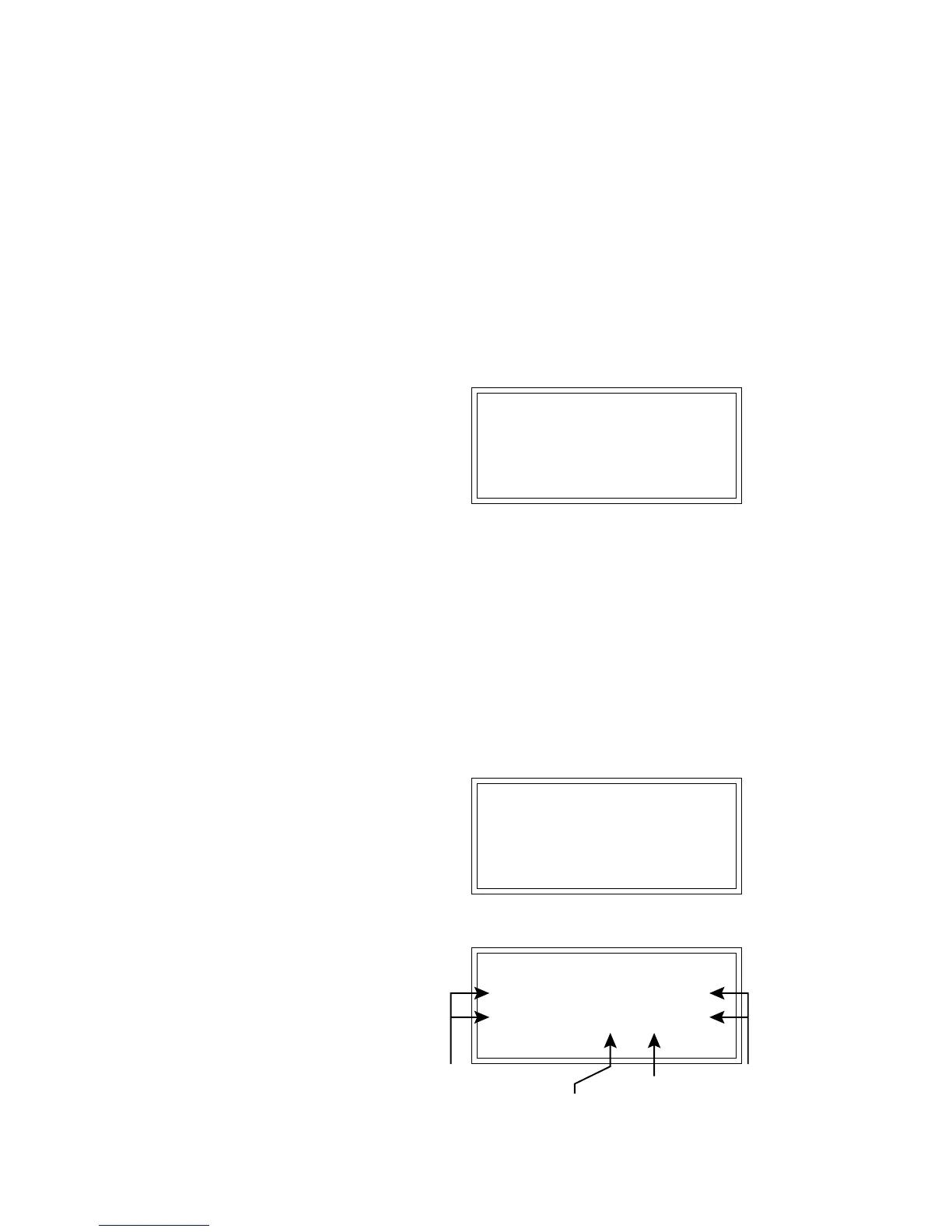
DC FILTER
Scanning...
When scanning is complete, the display will show:
DC FILTER
L-32129 25198 - 419
R-30809 28246 - 199
Hit Enter to Filter
Left/Right
Negative
Peak
Left/Right
Offset
(Samples)
Sign
Left/Right
Positive
Peak



 To Next Page