238 ESI Operation Manual
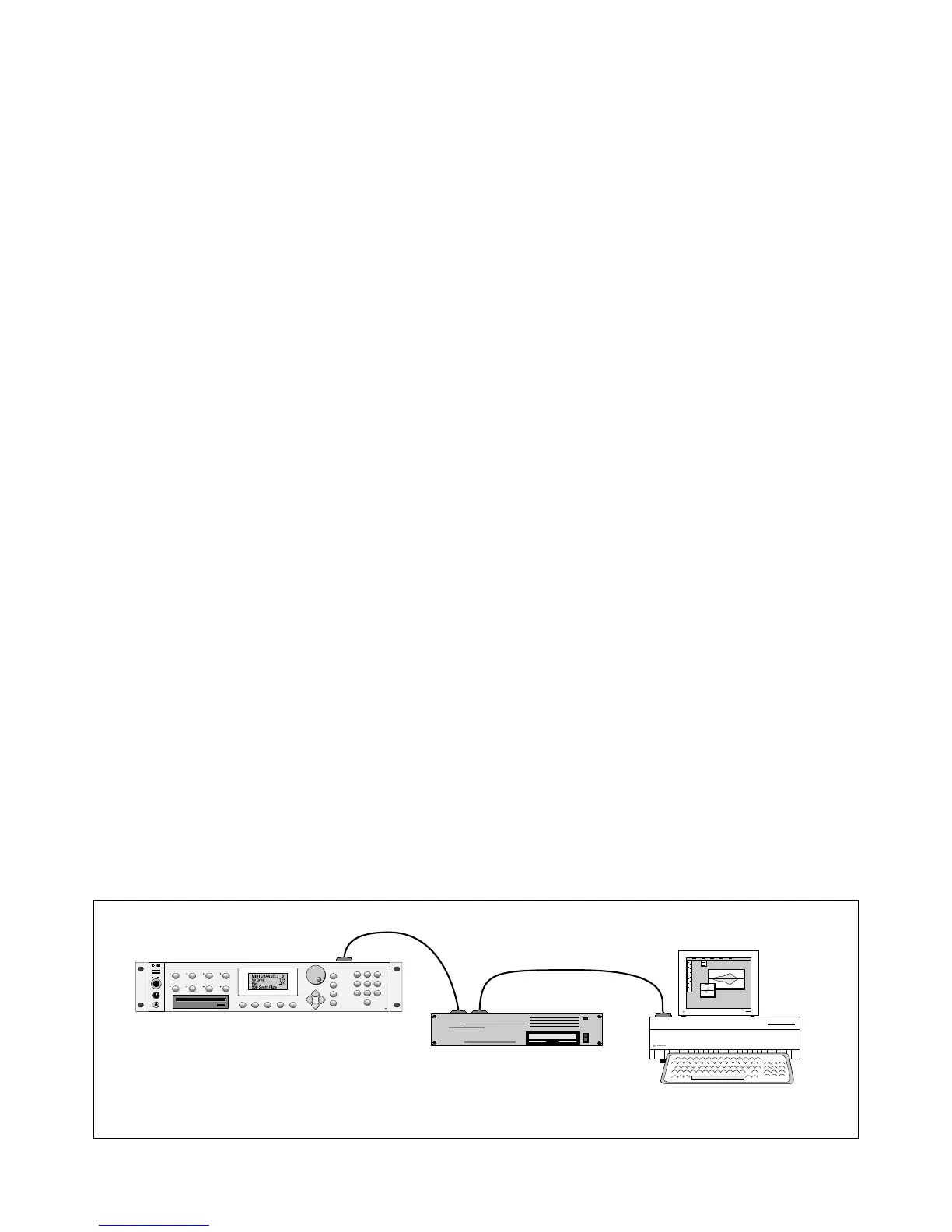
Using ESI and a Computer on the SCSI Bus
The ESI can now be connected to the SCSI along with another
ESI an EIIIX, or a personal computer. Multiple “Master” devices on the
SCSI bus is not normally allowed by the standard SCSI protocol. This is
only possible because of ESI's advanced SCSI and SMDI (or SCSI
Musical Data Interchange) implementation. The ESI's SMDI
implementaion allows sample data to be exchanged over the SCSI bus in
a way similar to the MIDI Sample Dump Standard, except MUCH faster.
The computer should normally be positioned at one end of the chain
and the ESI at the other. The SCSI chain is properly terminated at each
end by the computer and the ESI. Devices in the middle of the chain
should not have termination resistors installed.
PC Compatibles - The ESI has been tested with IBM PC compatible
computers using the Adaptec model 1542C SCSI option card. Sound
files can be transferred between a PC computer and the ESI using Sonic
Foundry's Sound Forge™ or other sample editing software.
Macintosh - Sound files can be transferred between a Macintosh com-
puter and the ESI using Passport's Alchemy™ or other digital sample
editing software. The ESI is able to access approved Macintosh internal
CD-ROM drives with CD-ROMs containing ESI compatible files. Simi-
larly, a Macintosh can access an internal ESI Zip drive with a cartridge
that has been formatted for the Macintosh.
• The ESI is strictly a “Slave Device” when using SMDI, meaning that
it CANNOT initiate SMDI transfers. This should not normally
present a problem however, since a computer based editor will
always have a facility for initiating SMDI transfers.
& Caution: A sample transferred into the ESI is automatically placed
across the entire keyboard, overwriting the current preset's sample
placement. Create a new empty preset before downloading via SMDI
to avoid trashing the current preset.
• Besides the raw sample data, additional information about the
sample is included in a SMDI file.
k Sample name and number (samples 1-999)
k Multichannel/Stereo/Mono status
k Sample length plus one set of loop begin/end points
k Sample rate, pitch and bit resolution
k Sample key placement (an E-mu extension to SMDI)
UNTERMINATED
TERMINATED
TERMINATED
✱
Tip:
You can check the “Memory
Available” screen when downloading
samples via SMDI to keep track of how much
RAM you have left.
! Caution:
You cannot transfer to or from
sample 000 (the clipboard).
! Caution:
When using Alchemy, you must
add one to the sample number you want
transferred.
ESI
External HD
I
VOLUME
PHONES
O
TRANSPOSE DIGITAL PROC SAMPLE MGT MASTER/GLOBAL
MULTIMODE PRESET MGT DYNAMIC PROC PRESET DEF
DRIVE SELECT LOAD SAVE AUDITION TRIGGER MODE
ESCAPE
MIDI
ENTER
DEC/NO
INC/YES
123
456
78
0
9
Computer



 To Next Page