80 ESI Operation Manual
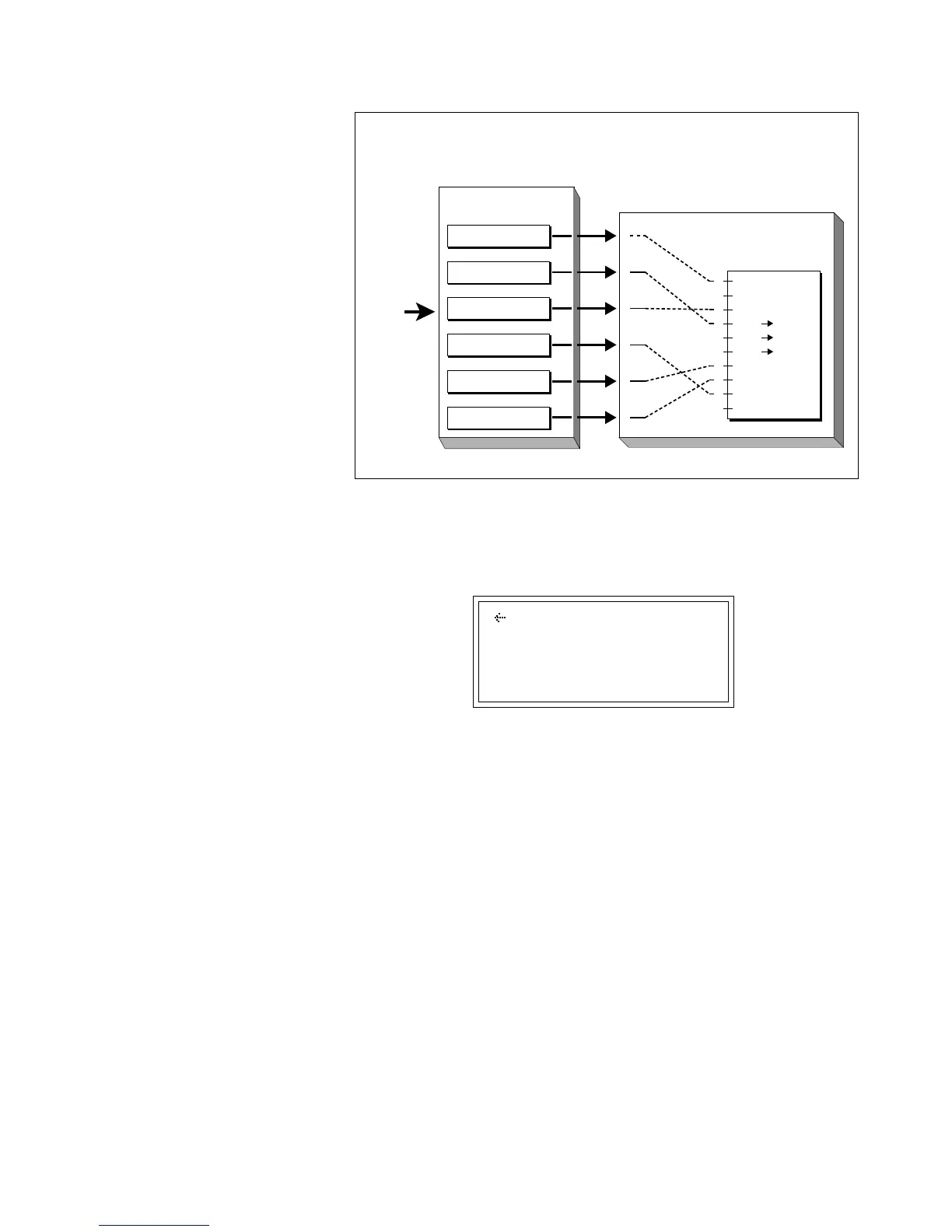
In order to use the MIDI controllers, you must assign both a source (MIDI screen) and a destination
(Realtime Controls screen).
6. Select page three by pressing the right cursor button. Page four
shows:
MIDI GLOBALS
Footswitch 1: off
Footswitch 2: 65
The footswitch assignments are like the other control assignments except
that they control switch functions (also assigned in the Preset Definition,
Realtime Control submodule) such as Sustain, Sample Cross-switch, etc..
This screen allows you to match the ESI to your MIDI controller's
footswitch numbers.
• Footswitch 1: Assign footswitch 1 to a MIDI switch controller
number. Available assignments include Off and switch controllers 64
through 79.
• Footswitch 2: Assign footswitch 2 to a MIDI switch controller
number. The process is exactly the same as assigning a switch
controller to footswitch 1.
8. Press ENTER to exit the submodule. The changes will be stored
and the ESI will return to the Module Identifier.
A few of the standardized MIDI switch
numbers are listed below.
64 - Sustain Switch
65 - Portamento Switch
66 - Sostenuto
67 - Soft Pedal
68 - Hold Pedal 2
Pitch
VCF Cutoff
VCA Level
LFO Pitch
LFO Cutoff
LFO VCA
Pan
Attack
Crossfade
1
2
3
4
5
6
7
8
9
1
2
3
4
5
6
Note-On Q10
Preset Definition
(Realtime Controls)
Pitch Control (pwh)
Mod Control (1)
Pressure (chp)
Pedal Control (4)
MIDI A (6)
MIDI B (2)
Master/Global
(MIDI Globals)
MIDI
IN
MIDI controller numbers
are assigned here…
What the controllers actually
do is assigned here.



 To Next Page