9
English
o Never use commercially-available CD stabilizers. Doing so could
make the disc unplayable or damage the unit.
o Do not use cracked discs because they could damage the unit.
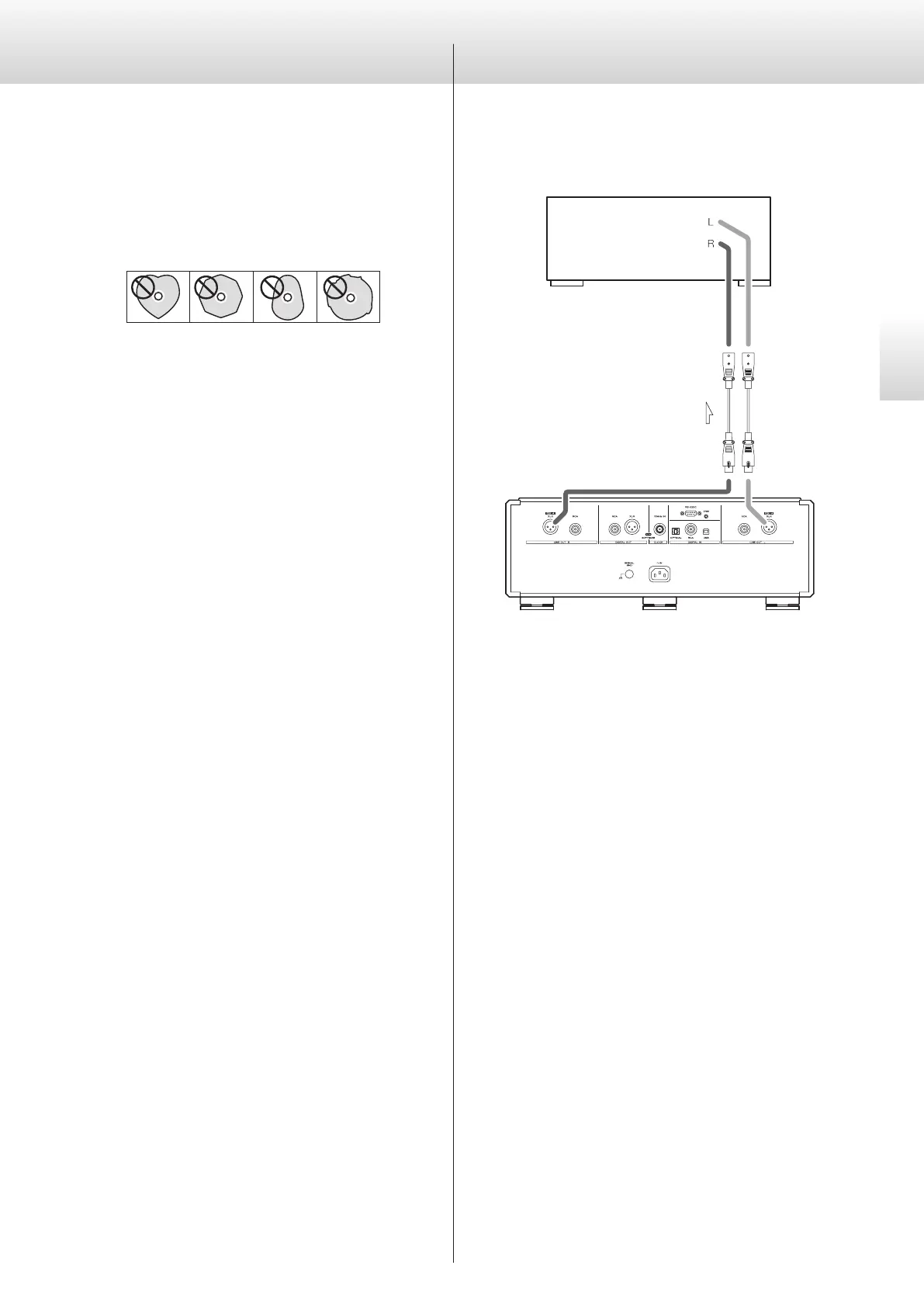
o Never use discs with irregular shapes, including heart-shaped and
octagonal discs, because they could damage the unit.
o Do not use printable discs, which allow printing on the label
side. Since the surface of such a disc has been specially treated, if
loaded, it might become stuck in the unit or damage the unit.
If you have any questions about how to handle a CD-R or CD-RW disc,
contact the manufacturer of the disc directly.
Connections
Connecting using ES-LINK Analog
Amplifier with ES-LINK
Analog (ESL-A) connectors
XLR cables
ES-LINK Analog
(ESL-A) connectors
Use XLR cables to connect the analog audio output (XLR/ESL-A) con-
nectors on this unit to an amplifier that has ES-LINK Analog (ESL-A)
connectors.
o Set this unit’s analog output (AOUT) to ESLA.
o You can also connect using XLR or RCA connectors. Select the
connection type that provides the audio quality you prefer.
ES-LINK Analog overview
The current transmission method utilizes the performance of HCLD
buffer circuits that feature the ability to supply strong current at high
speed. This suppresses the impact of impedance on signal paths,
enabling pure and powerful transmission of signals.
o Ordinary balanced cables (with XLR connectors) are used for
connection. These connectors can only be used with compatible
devices, however, because the transmission format is unique.


 To Next Page