15
English
Display parts and functions
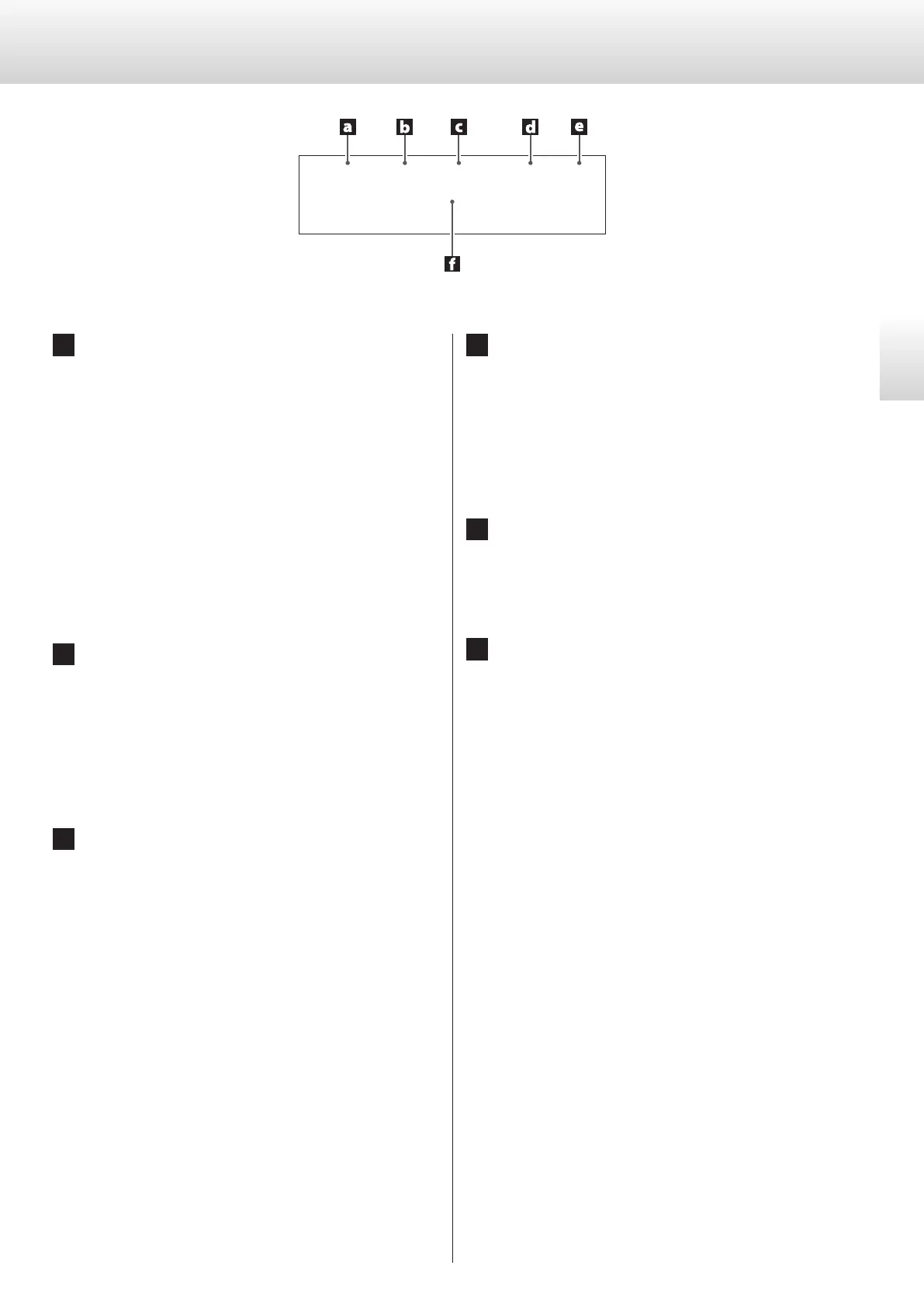
a Input source
When the input source is CD/SACD
This shows the type of disc that is currently loaded.
SACD: Super Audio CD
CD: Audio CD
o When a hybrid Super Audio CD is loaded, the playback area
type is shown (page17).
When the input source is COAXin/OPTin/USBin
This shows the input source name.
When the menu is open
This shows “MENU1” or “MENU2” according to the menu item
being set.
b Playback mode
When the input source is CD/SACD
This shows the playback/repeat playback mode (pages19 and
20).
When the input source is USBin
“Bulk Pet” will be shown when it is in use.
c Information
During Super Audio CD playback or DSD signal input
“DoP” will be shown during DoP playback when a DSD signal is
being input.
Then, the DSD filter setting will be shown (page27).
During CD playback or PCM signal input
This shows the digital filter setting (PCMF>) during PCM play-
back (page25).
During MQA-CD playback
This shows MQA information.
d Clock mode
This shows the external clock setting (page25).
No indicator:
When CLK is set to OFF
CLK10M:
Shown when CLK is set to ON
e Analog output setting
This shows the analog output setting (page25).
Nothing appears when set to OFF.
f Message area
The playback time and various messages appear here.
SACD
0
:
29
r
T
1
ESLA
DSD FLT OFF
Clock
10M


 To Next Page