13
LIVE VIEW / SNAPSHOT / EVENTS
Set a PIN code when launching the APP.
1. Enable “Enable lock when starting” and enter your PIN code.
2. Confirm PIN code entered.
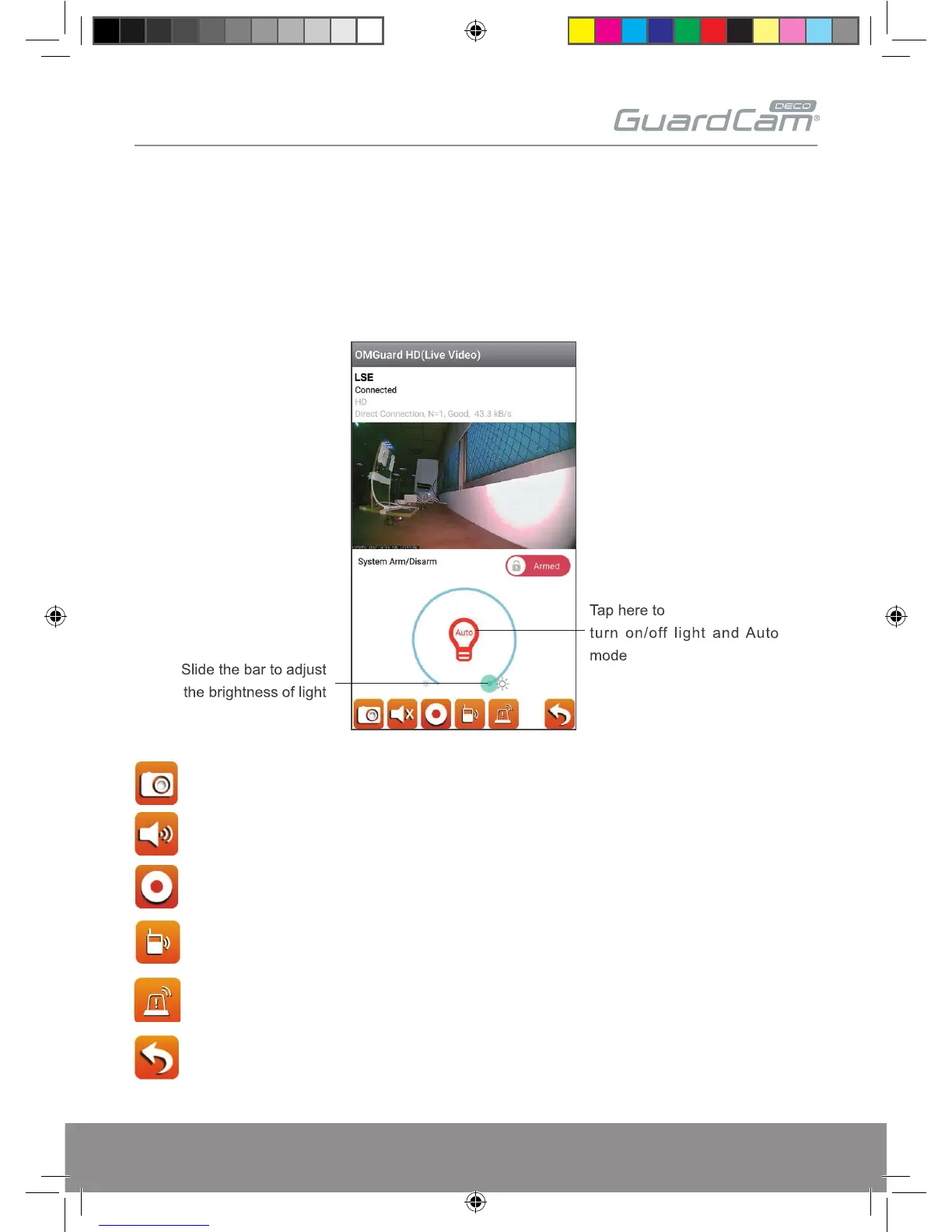
Live View
Tap to take snapshot image(s) of the video. The captured snapshots on the mobile device.
Tap to turn ON/OFF the volume.
Tap to Start/Stop recording. The recorded video file will be stored in the memory card of
your camera.
Tap once to speak with visitor in hand-free mode, tap again to mute.
Manual Alarm trigger.
Return to main page.
GUARDCAMDECO Manual.indd 13 12/03/2018 14:23:53


 To Next Page