12
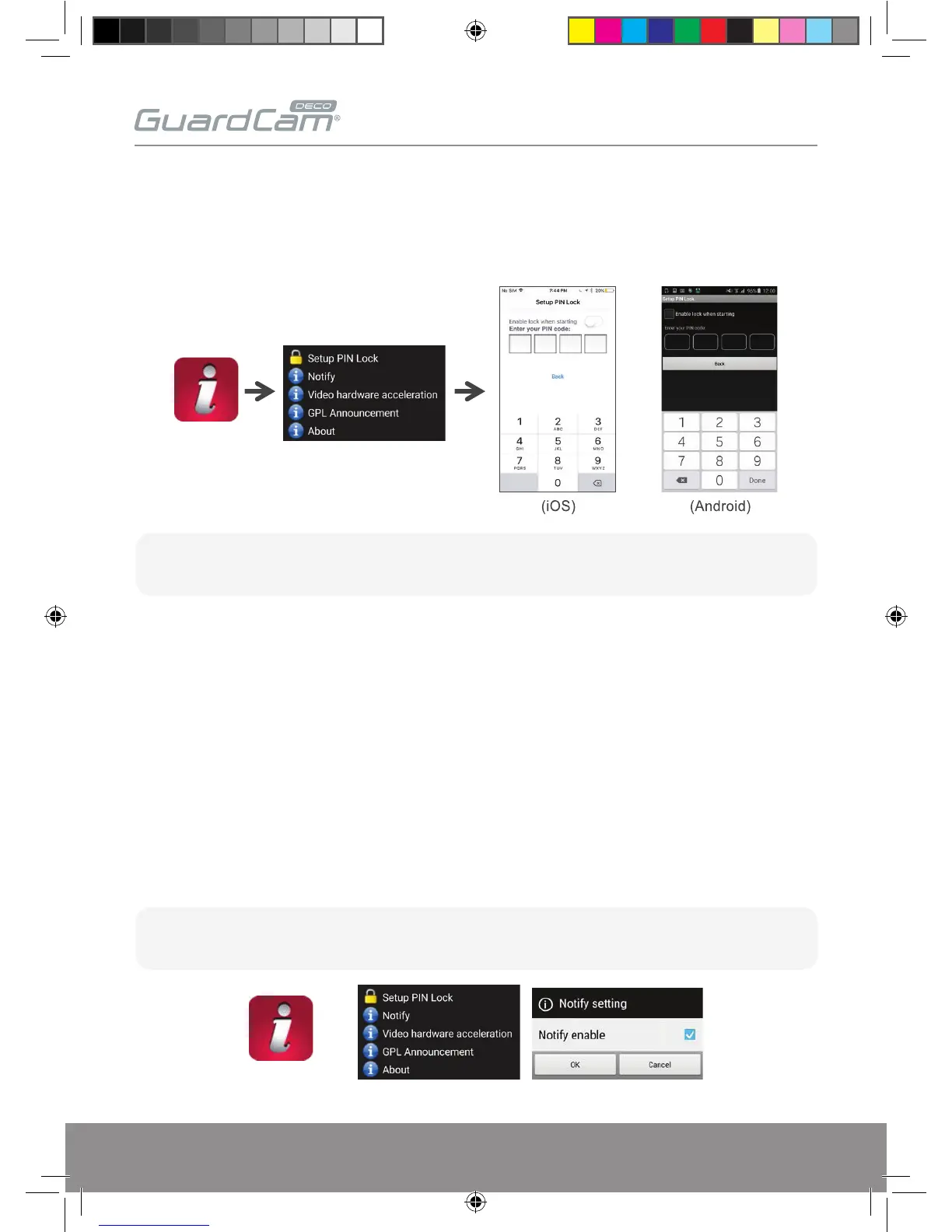
SETUP PIN LOCK
Set a PIN code when launching the APP.
1. Enable “Enable lock when starting” and enter your PIN code.
2. Confirm PIN code entered.
PUSH NOTIFICATION
The camera supports motion detection. When motion is detected, you’ll receive push notification
on the mobile devices for the event recognized by the camera.
For Android
To Enable;
1. Launch Settings from your Home screen.
2. Tap Notifications.
3. Find & select ‘ESP GuardcamDECO’
4. Adjust the notification settings, such as On/Off, Sounds, Alert Display, etc.
Note:
If you forgot the PIN code, please delete and reinstall the app.
Note:
It takes time for the changes to take effect in iOS.
GUARDCAMDECO Manual.indd 12 12/03/2018 14:23:53


 To Next Page