9
APP INSTALLATION (CONTINUED)
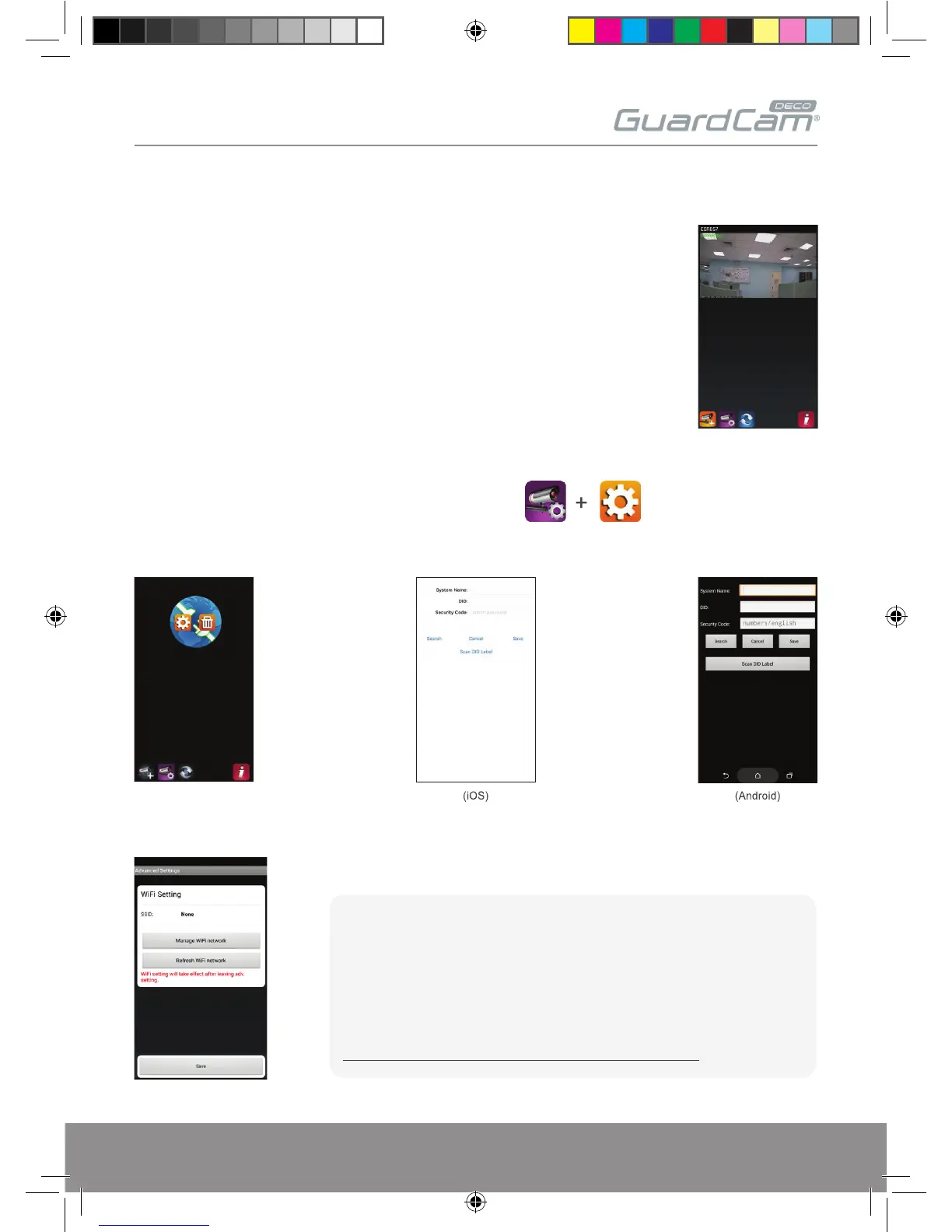
9. The APP will now display the GuardcamDeco’s camera image;
10. Select the camera icon and then the setting option
11. Select the ‘Advanced’ setting and use the default Admin Password ‘123456’
12. Scroll down to the Wi-Fi setting page, select the router, enter the password and select save;
Please follow the additional steps to connect the device to the intended network.
Note:
If you do not see your Wi-Fi router in the WI-FI SETTING section, please
enable your router's SSID broadcasting function, which usually is the name
of your HOME WI-FI NETWORK. Most of the Wi-Fi routers broadcast the
Service Set Identifier (SSID) by default.
The unit can only accept SSID composed with English alphabet characters.
Non-English characters (! @#$%^&*) cannot be accepted.
GUARDCAMDECO Manual.indd 9 12/03/2018 14:23:52


 To Next Page