19
5.3 Marking Lever
5.3.1 Operating Instructions
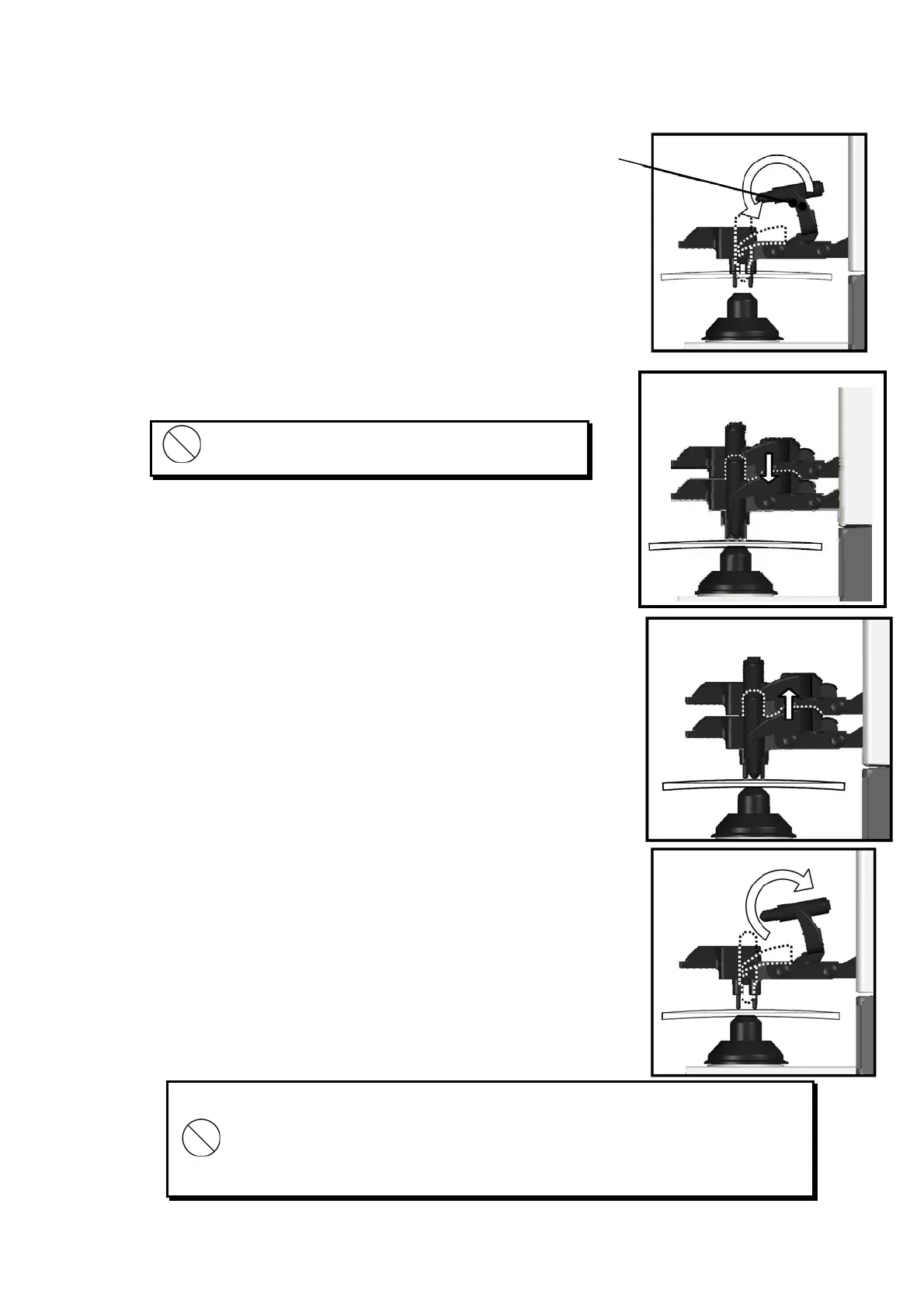
(1) Turn and lower the marking lever.
(2) Place the tips of the marking pens on the lens
surface softly.
(3) Release the finger after marking.
(4) The marking lever returns to the initial position.
Do not mark several times at the same point.
The marking pen may be worn out quickly.
Avoid the followings since they may damage the tips of the marking pens.
・ Perform marking roughly
・ Operate the marking lever without a lens set.
・ Touch a tip of the marking pen during cleaning.
Marking lever


 To Next Page
 Loading...