22
5.4.2 Installation and Replacement of Printer Paper
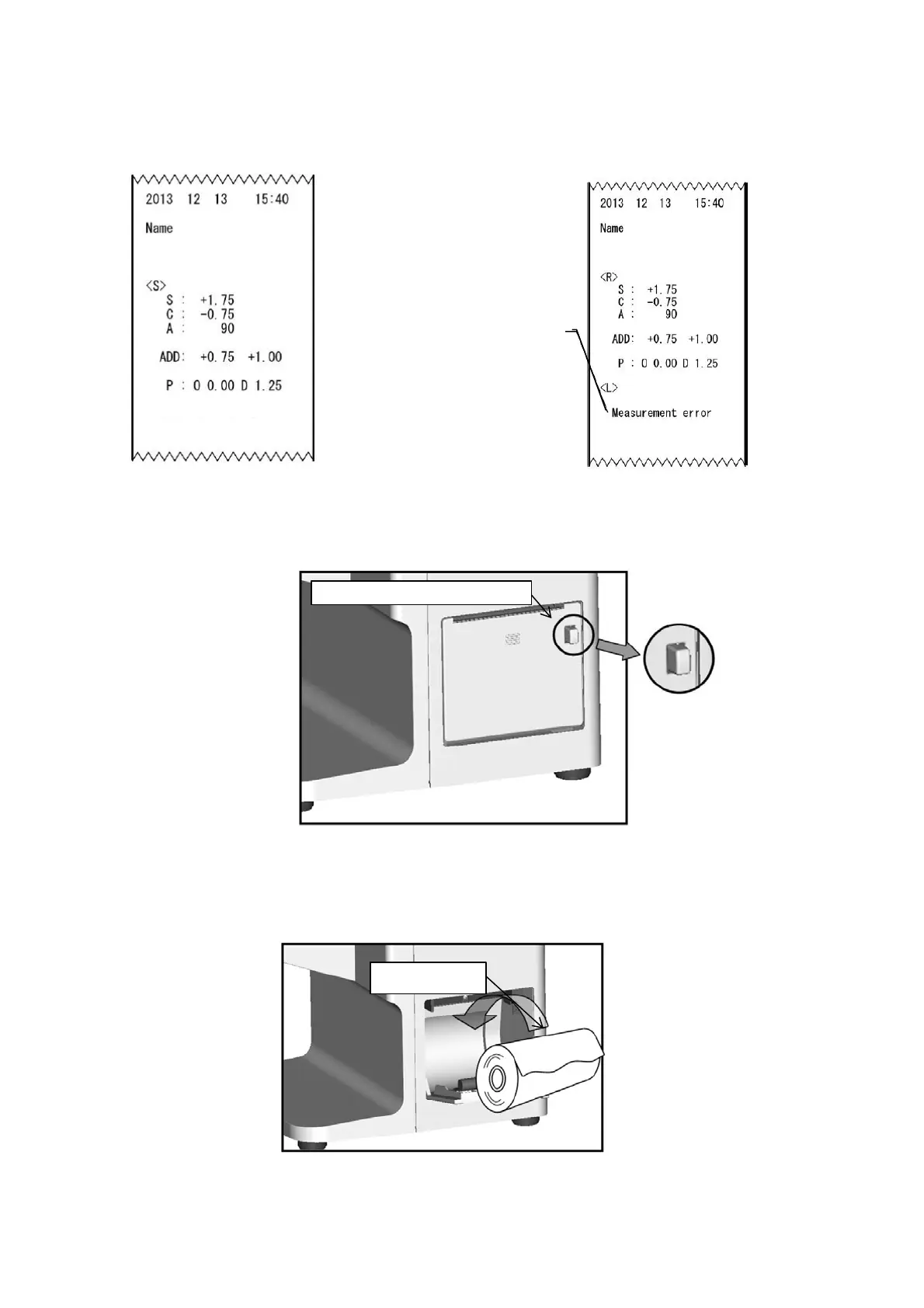
(1) Open the printer cover by pressing the printer cover button.
(2) Insert the printer paper with attention to the winding direction.
Note) Insert the printer paper so as that the printer paper comes out from the upside.
Printer paper
Printer cover button
【Printout sample when
unprocessed lens is measured】
【Printout sample in case of
measurement error】
ESSILOR ALM700
ESSILOR ALM700
Error display
Other error displays
・SPH Over
・CYL Over
・Prism Over
・Center Error


 To Next Page
 Loading...