24
6. Measurement
6.1 Checkup before Measurement
The lens holder is set properly.
The lens under the lens stand is clean.
(In case that the lens is dirty, clean it with
a soft cloth.)
Plug the power cord to the outlet.
Set the printer paper in the printer.
(Refer to “5.4.2. Installation and Replacement of Printer Paper”.)
Confirm that the lens is not placed on the lens stand.
Turn on the power switch. The screen is displayed in seconds.
Always connect the earth terminal to a ground.
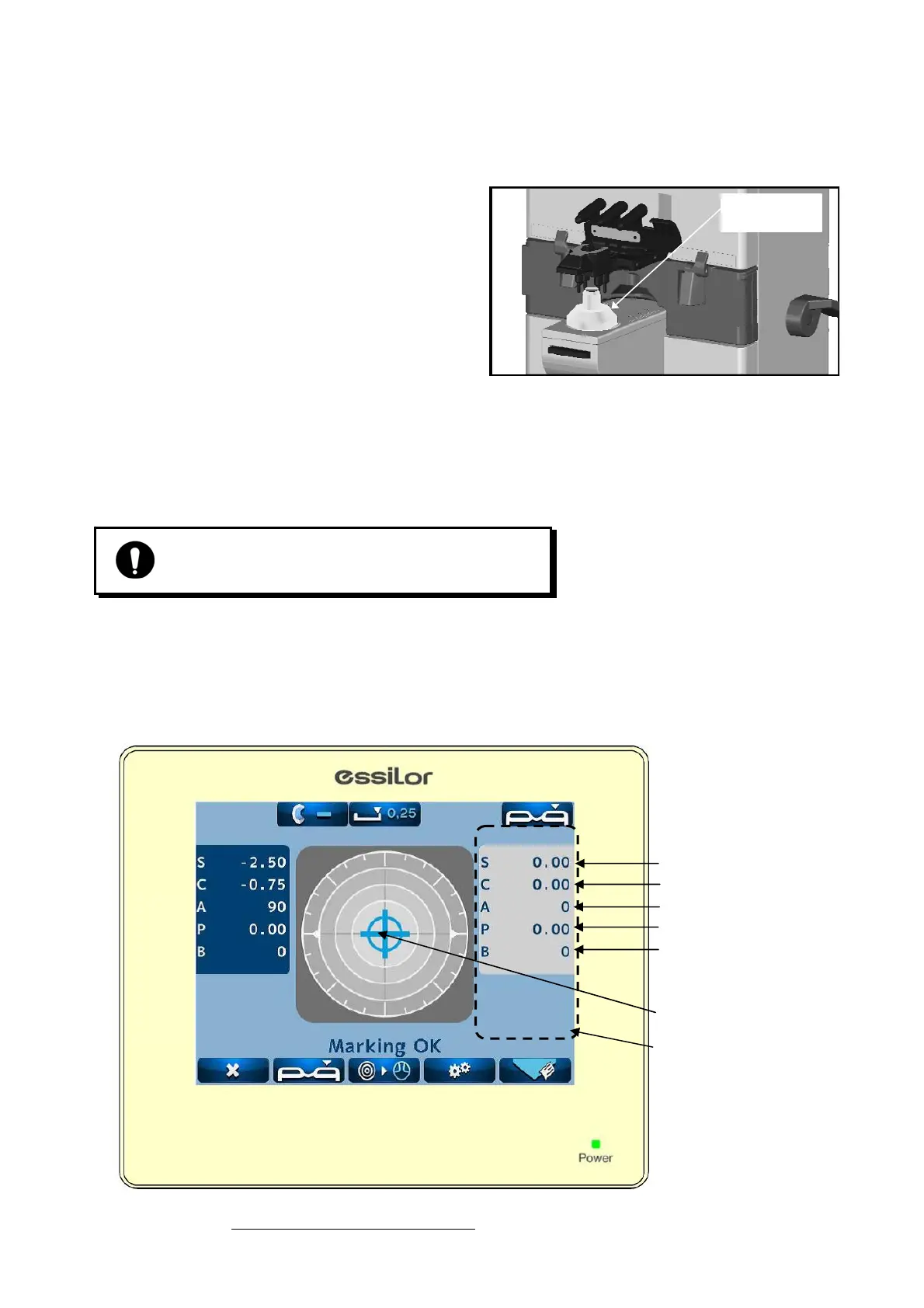
Lens stand is removed
Single lens measurement screen
Spherical degree
Cross cursor
Cylindrical degree
Cylindrical axis
Prism value
Basal angle
Measurement value
display area
Lens under
lens stand


 To Next Page
 Loading...