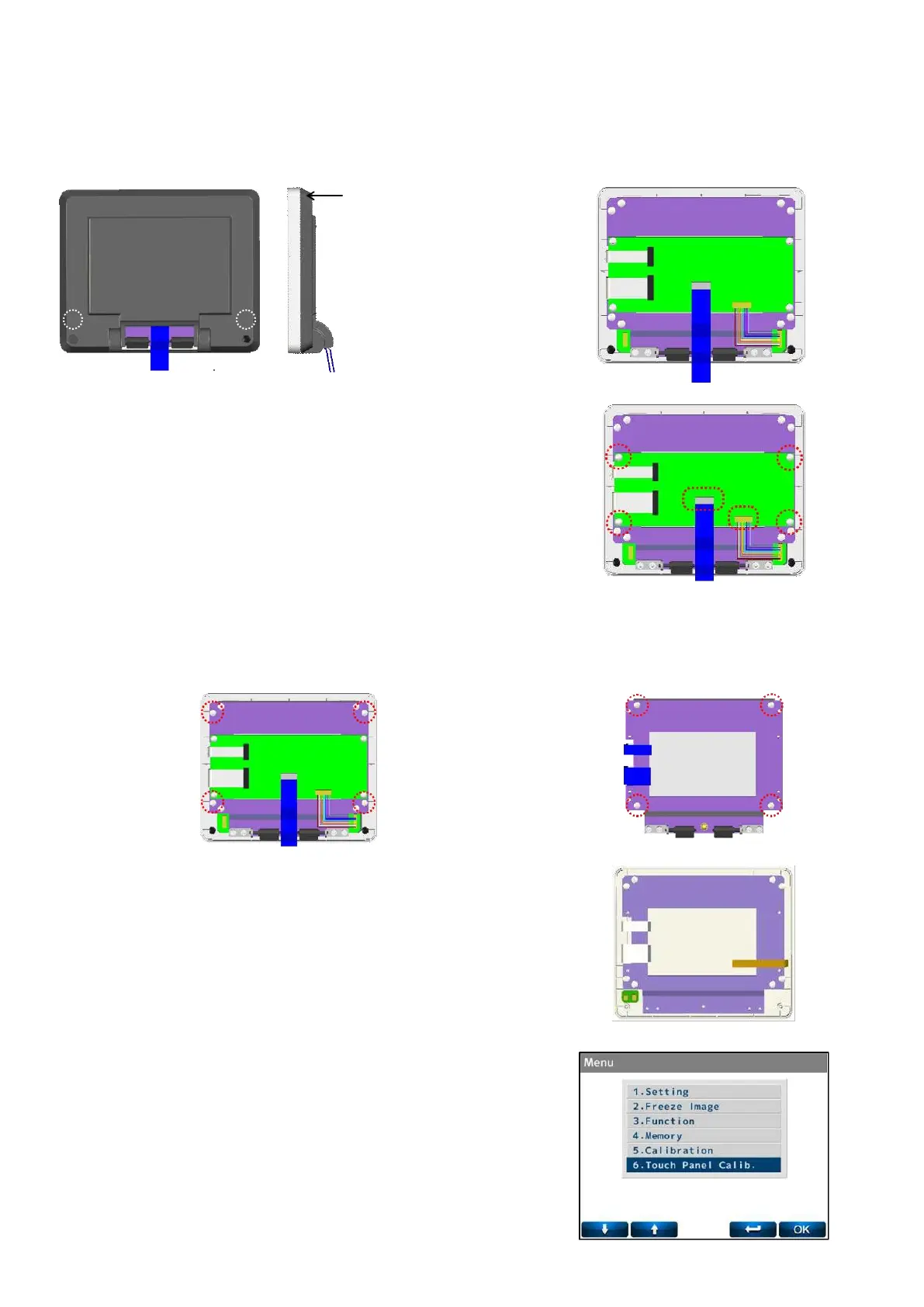
5.3. LCD assy.
Remove the LCD Assy. (Refer to ‘4-2 Removal of LCD Assy.)
Remove the LCD bottom cover by unscrewing the screws (cross-recessed bind head tapping screw 3×8) after
removing the screw hidings.
1) Replacement of LCD Relay Board Assy.
Disconnect the harness connected to the LCD relay board
Assy.
Replace it by unscrewing 4 screws (cross-recessed bind
screw M3×5 black) fixing the board.
2) Replacement of LCD
Unscrew 4 screws (cross-recessed bind head tapping screw
3×10) fixing the LCD BKT. :Fig. 1
Replace it by unscrewing 4 screws (cross-recessed bind head
tapping screw 3×8) fixing the LCD. :Fig. 2
3) Replacement of LCD Top Cover/ Protection Plate/ LCD unit
(ALM700).
The LCD top cover, protection plate and operation switch
board Assy. cannot be replaced separately.
They can be only
replaced as a set.
Remove and replace the LCD BKT in the manner of 2).
In case of ALM700, LCD top cover/ protection plate/ operation
switch board Assy. cannot be replaced because it is touch
panel. It can be replaced as LCD unit.
4) In case of replacing the LCD top cover/ protection plate (with
touch panel), it is necessary to adjust the touch panel.
The adjustment can be performed in ‘6. Touch Panel Calib.’ on
Menu in the dealer mode.



 To Next Page