Distance of X axis concession.
Repeat times required by this step.
F function configure output
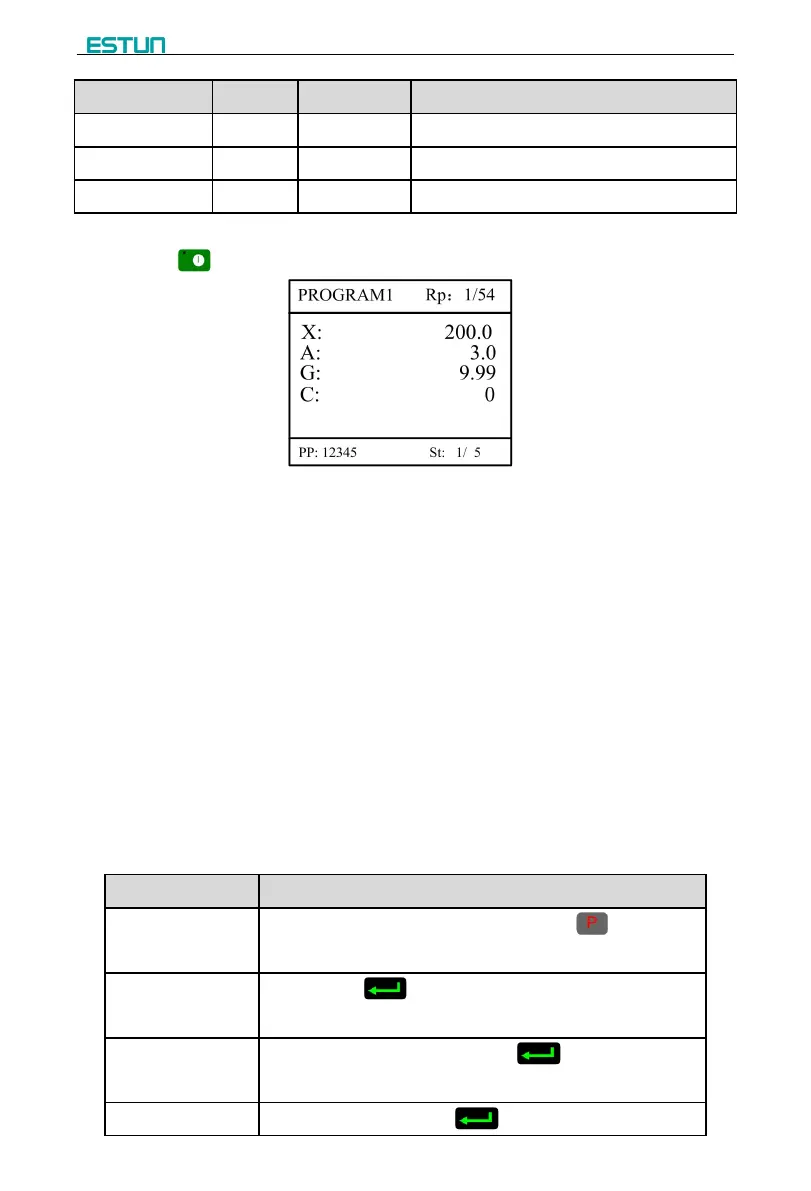
Step 9 Click , system will operate according to this program, as shown in Figure 2-7.
Figure 2-7 Multi-step programming operation page
----End
Operation example
[Background] One work piece requires processing 50 as shown below;
[Analysis] according to work piece and technological conditions of machine tool:
First shear: X axis position is 50.0mm, concession 50mm;
The second shear: X axis position is 100.0mm, concession 50mm;
The third shear: X axis position is 300.0mm, concession 50mm;
Edit processing program of this work piece on No. 2 program.
Operation procedure is shown in Table 2-4.
Table 2-4 Operation steps of multi-step programming example
On single step parameter setting page, press to enter
program selection page.
Input “2”, click , enter multi-step general parameter setting
page of program 2.
Select “Program step”, input “3”, click , the setting takes
effect.
Select “PP”, input “50”, click , the setup takes effect.


 To Next Page