Summa Series Servodrive Product Manual
Document Version: V1.01
(Dec, 2019)
© 2019 ESTUN Automation Co., Ltd. All right reserved.
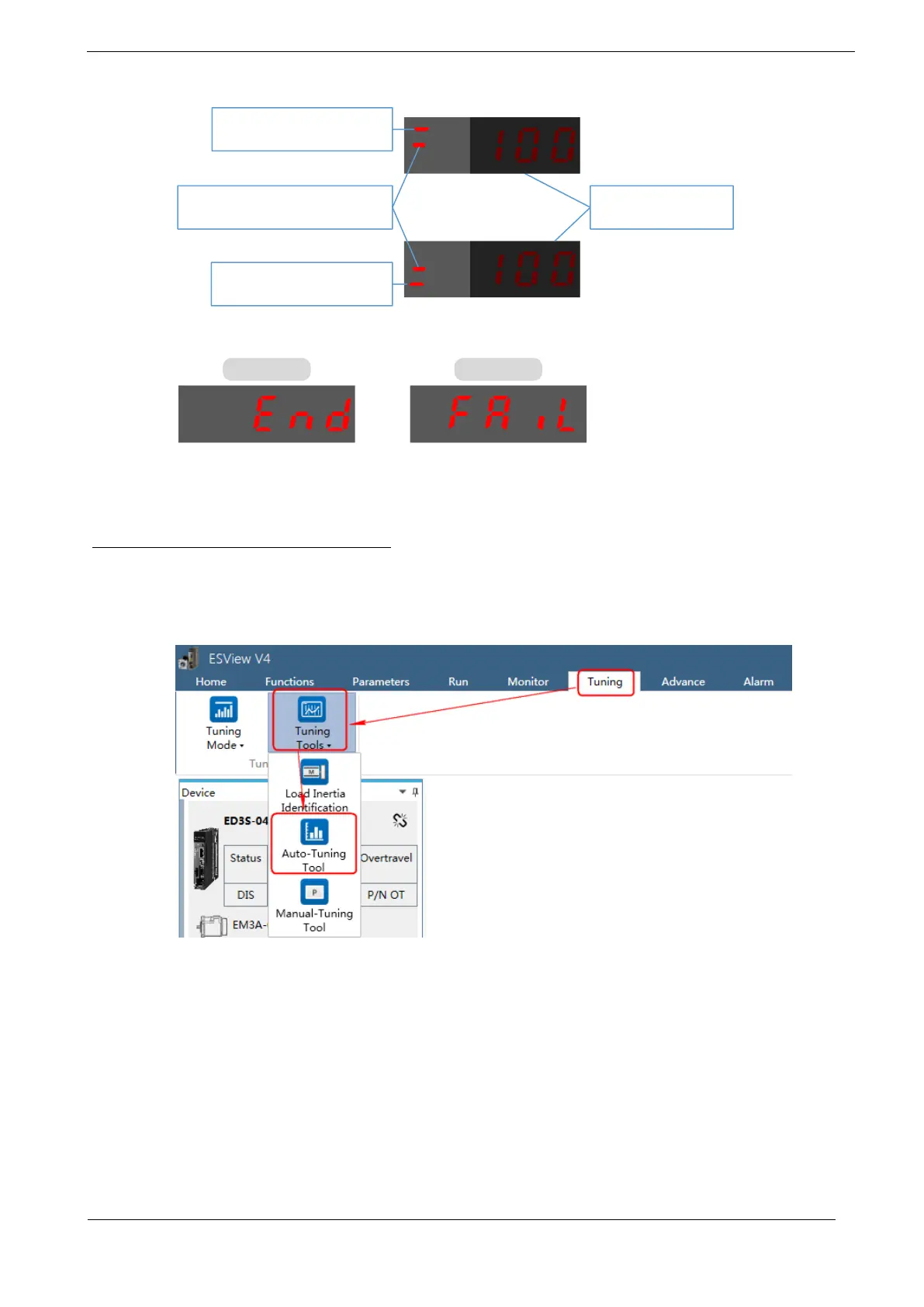
Step 4 Press [M] key to execute this operation, and Panel Operator display as below.
The last 3 digits are
the gain value.
Lit for that the last 3 digits
are position loop gain.
Lit for that the last 3 digits
are speed loop gain.
Lit for that the automatic
vibration suppression is enabled
Step 5 When this operation has been completed, Panel Operator will display the result of execution.
Step 6 Press [◄] key to return to the display of the Fn017.
Operation Procedure: Use the ESView V4
By using the Auto-Tuning Tool, the Drive can automatically perform the round-trip (forward and
reverse) operation to adjust for machine characteristics.
Step 1 Select Tuning → Tuning Tools → Auto-Tuning Tool in the Menu Bar of the ESView V4 main
windows.



 To Next Page