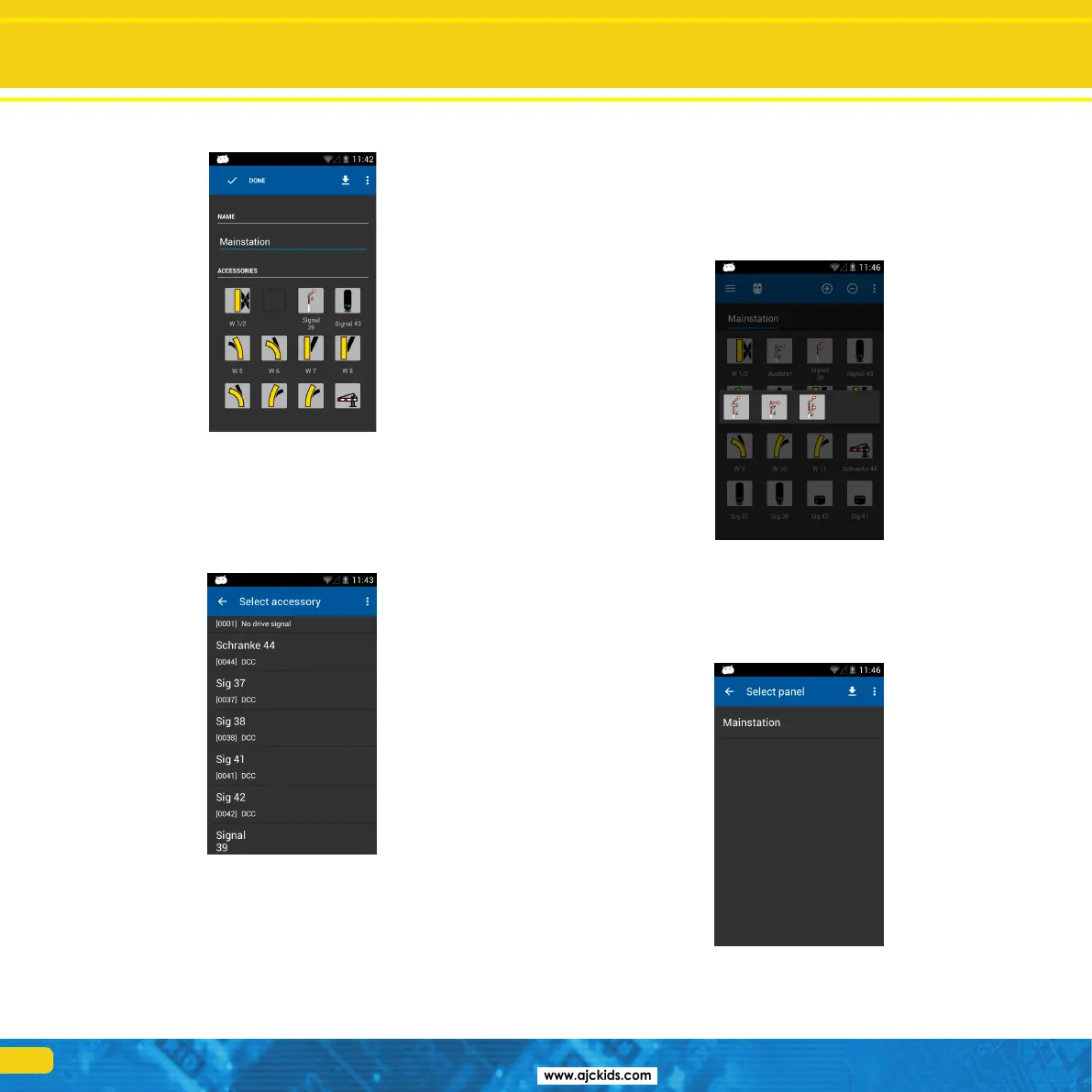
Configuration menu
After a few moments the signal-box “Mainstation” on your mobile Control
will look exactly like the one on your ECoS.
12.2.2. Placing accessories
Of course you may now modify the signal-box to your liking and link more
accessories.
•Touchthedesiredpositionforplacingthenewaccessory.
•AlistshowingallaccessoriessetuponyourECoSwillopen.
•Selectthedesiredaccessory.
•Onceyouhavecompletedconguringthesignal-box,pressthe“Finish”
button in order to return to the main screen.
Placing accessoires
12.3. Switching accessories
After successfully configuring the signal-box all accessories can be switched
by touching the appropriate icon.
•Theaspectoftwo-aspectaccessorieswillbedirectlychangedfromoneto
the other.
•Threeorfour-aspectaccessories:Asmallwindowwithallpossibleaspects
opens. Select the desired aspect. The window closes and the accessory will
be switched.
12.4. Select signal-box
Similar to the locomotives you may toggle between signal-boxes
•Wipeintheareaofthesignal-boxtotheleftortotherightinorderto
select the respective signal-box before or after.
•Pressthe“+”buttoninordertoaddanewsignal-boxintothequickac-
cess list.



 To Next Page