Software update
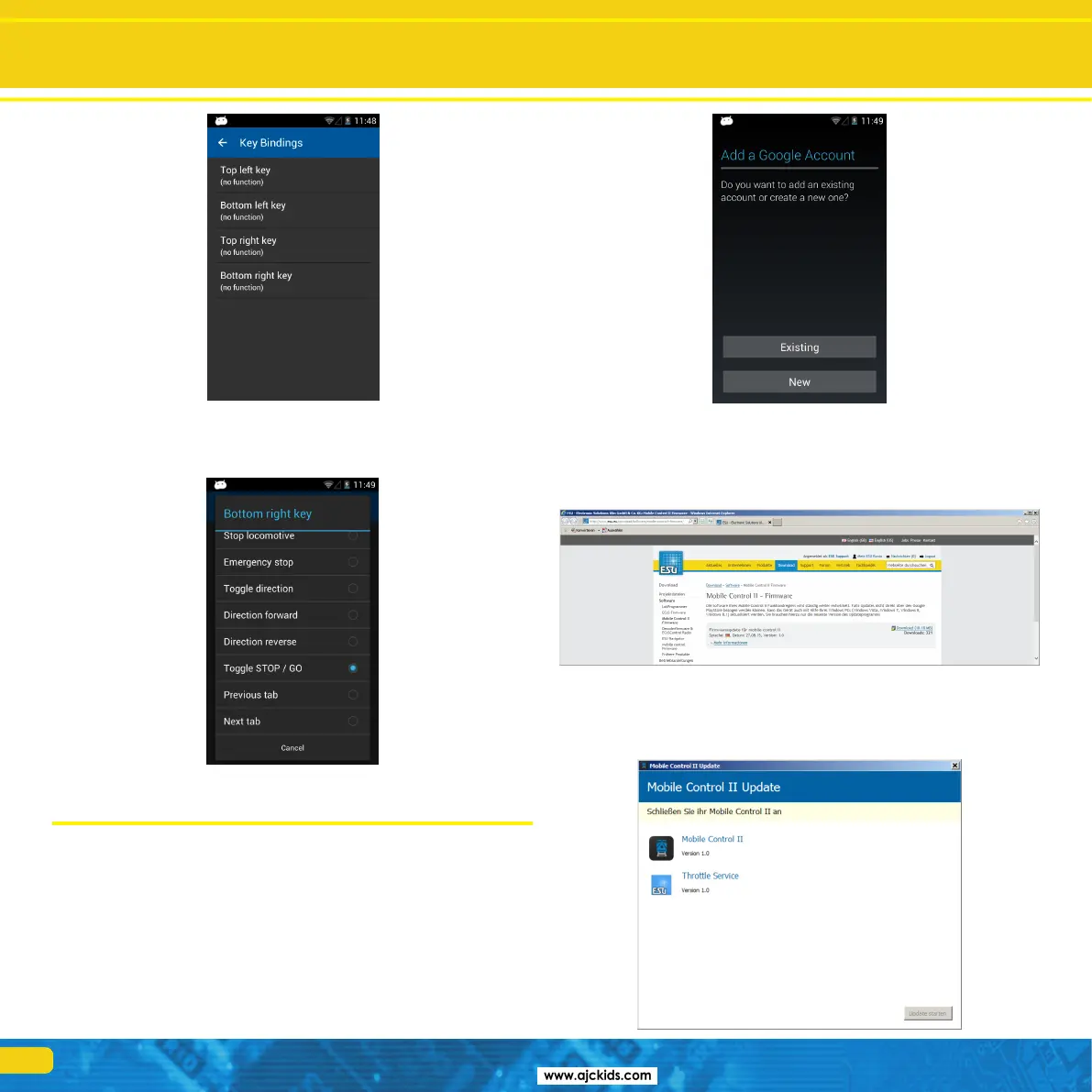
•Selectthebuttonyouwanttoassignafunctionto.
•Choosethefunctiontobeassignedtothisbuttonfromthelist.
15. Software update
Due to ongoing development your Mobile Control hand set will need a soft-
ware update from time to time. There are two options, which we want to
present here.
15.1. Google Play Store
If you have connected your Mobile Control with your home network, then
you should link it to your Google Play account respectively establish a new
account. Only then the Mobile Control will be able to download the latest
version of the App from the Google server.
15.2. PC Software
In many instances the Mobile Control will only be directly connected to the
ESU ECoS command station and therefore cannot be updated automatically.
Should this be the case you can download the latest firmware version from
the Download section of the ESU website.
First install the update software on your PC. It may be necessary to download
and install certain Micorsoft.Net components from the Microsoft website. In
this instance the installation will take a bit more time. After the installation
has been completed you can start the software, which will search for a Mo-
bile Control at a USB port.



 To Next Page