34
BASIC FUNCTIONS
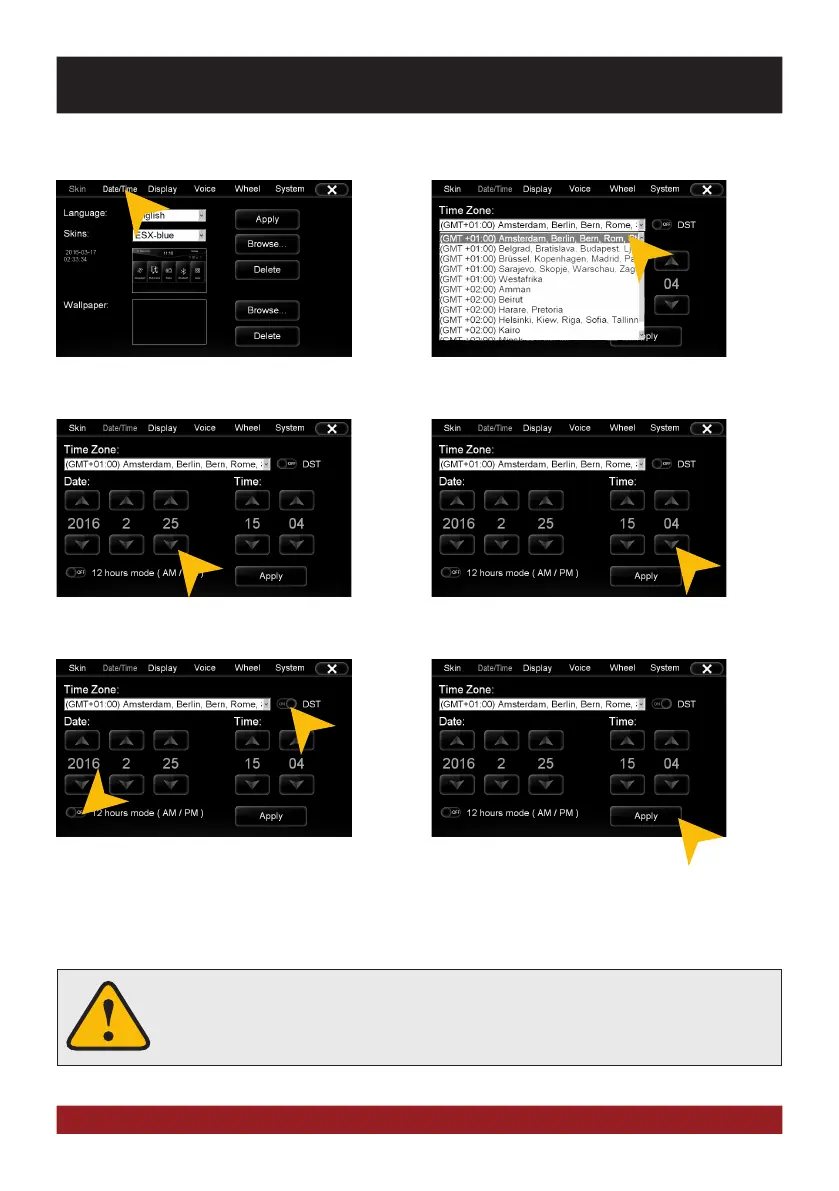
Tap on the checkbox right to set on daylight
saving time.
Tap on the checkbox left to set the time for-
mat to 12-hours (AM / PM).
Tap on „Date/Time“.
Date/Time
Select the desired time zone.
Set the current date. Set the current time.
Tap on „Apply“.
Please operate complex settings as a driver generally only if you have parked the
car, otherwise the traffic safety is endangered. Otherwise you can not react in time,
to avoid occuring danger situations.



 To Next Page