9
2 31
4
5
6
7
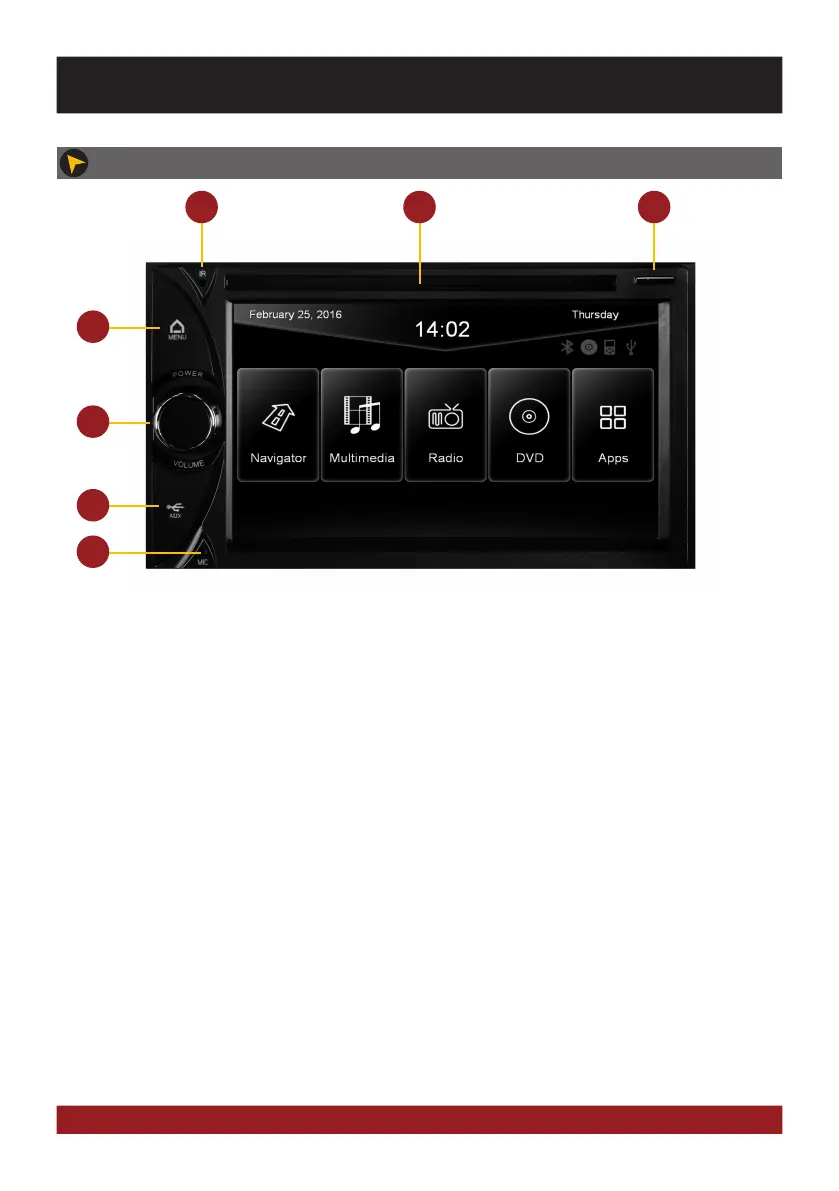
1. Infrared sensor for the remote control
2. Slot for CD/DVD disks (Ø 12 cm).
3. MicroSD card slot
4. Tap briefly: Opens voice control
Tap and hold: Opens main menu
5. Rotate: turn down or turn up the volume
Press briefly: Mute
Press and hold: the device switches to
stand-by (push and hold - no audio, display
darkens, running navigation stops, Bluetooth
connection interrupts)
When ignition is off, press and hold:
Device turns on for 30 minutes.
6. Behind the cover (open to the left), the reset
button, the 3,5 mm AUX- and front USB input
are located
7. Internal Bluetooth™ microphone
OPERATING ELEMENTS VN630D
BASIC FUNCTIONS



 To Next Page