ETC Setup Guide
Eos Rackmount Devices
Eos Rackmount Devices Page 4 of 12 ETC
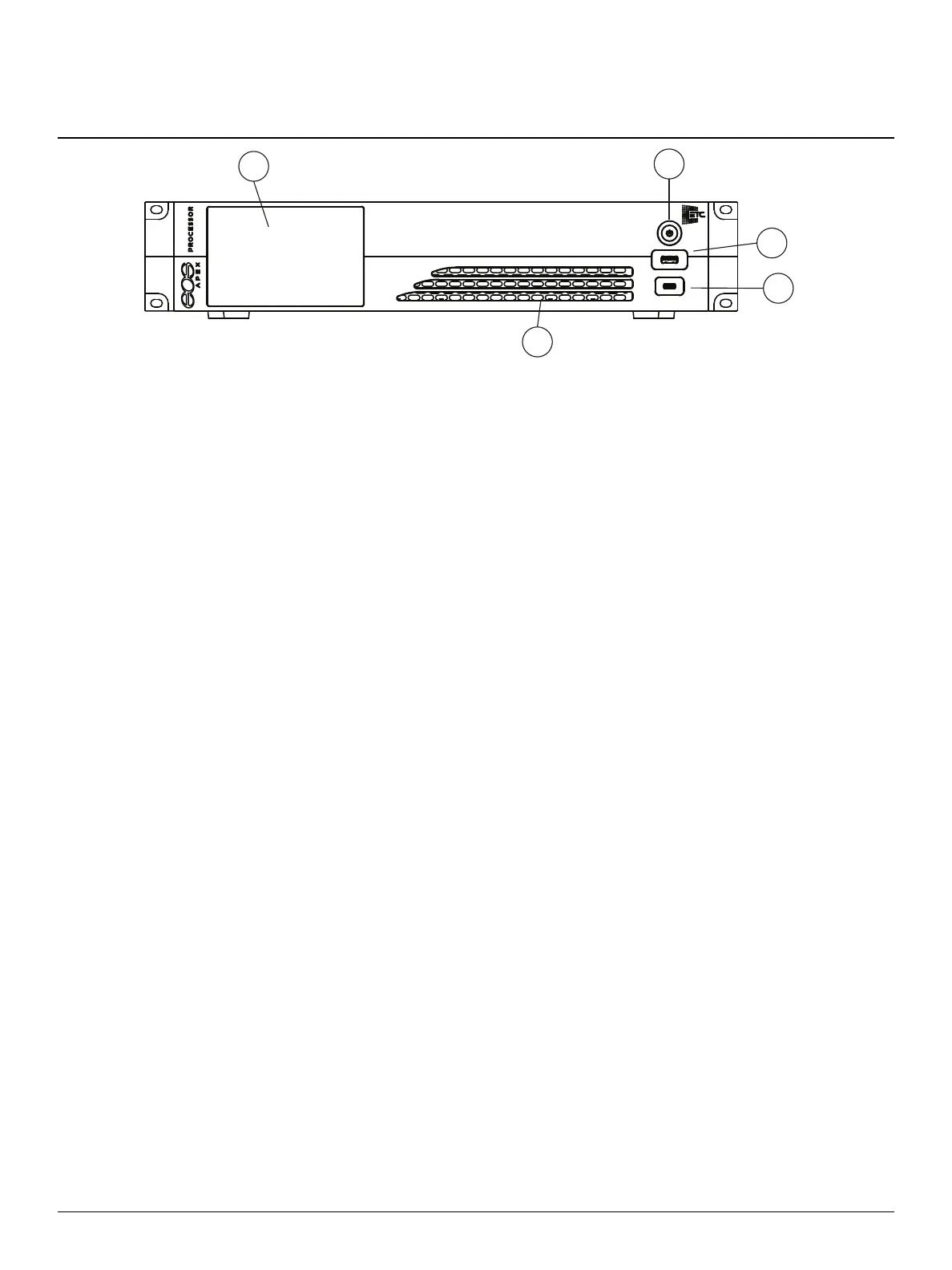
1. Haptic touchscreen
2. Soft power button
3. USB-Aport
4. USB-C port
5. Vent with highlight lamp
Press the soft power button on the front of the device. By default, it will boot into the Eos
environment in Primary mode. If you wish to designate your device as a backup or client, you must
exit the Eos environment and choose a different designation from the Eos Configuration Utility
(ECU) welcome screen.
For more information about console modes and multi-console setups, please refer to the Multi-
Console and ECUchapters of the Eos Family Operations Manual.



 To Next Page