ETC Setup Guide
Eos Rackmount Devices
Eos Rackmount Devices Page 9 of 12 ETC
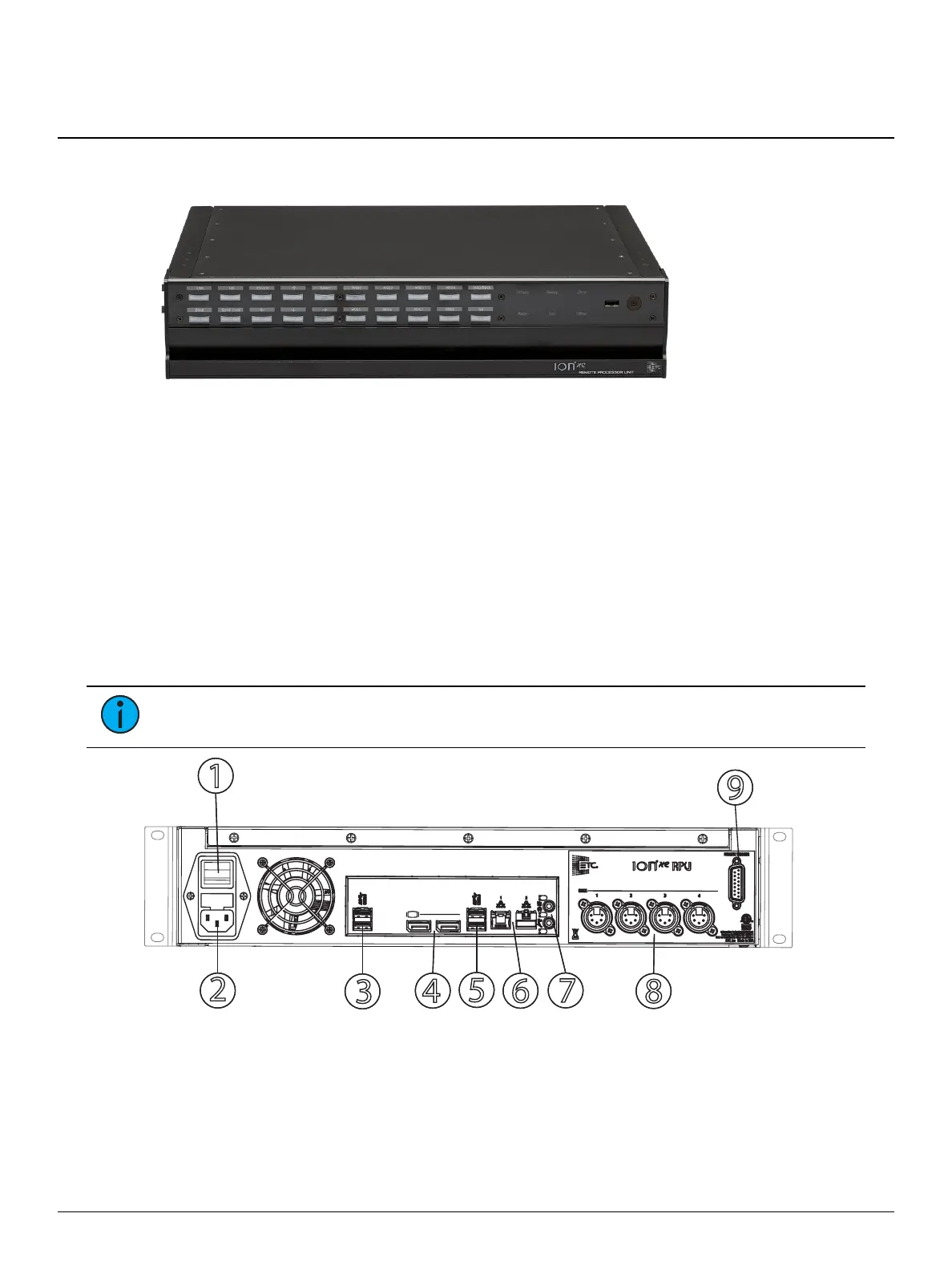
Ion Xe Remote Processor Unit
The Ion Xe RPU can be used as a primary, backup, or client processor with any Eos Family desk. It
can also be used for independent playback applications.
The Ion Xe RPU ships with the following:
One three-button scroll mouse and mousepad
Alpha-numeric keyboard
Locking regionalized IEC power cord
Two active display port to DVI adapters
Two 19-inch rack-mount ears and mounting hardware
Four rubberized feet (for desktop use)
Augment3d AR target kit
Hardware Setup
Note:
For information on mounting the Ion Xe RPU in a rack, see Rack Mounting.
1. Hard power switch
2. IECpower connector
3. USB ports
4. Display Ports
5. USBports
6. Ethernet ports
7. Audio ports (not currently enabled)
8. DMX512A / RDMports
9. Remote trigger



 To Next Page