40E700 -14
Installation
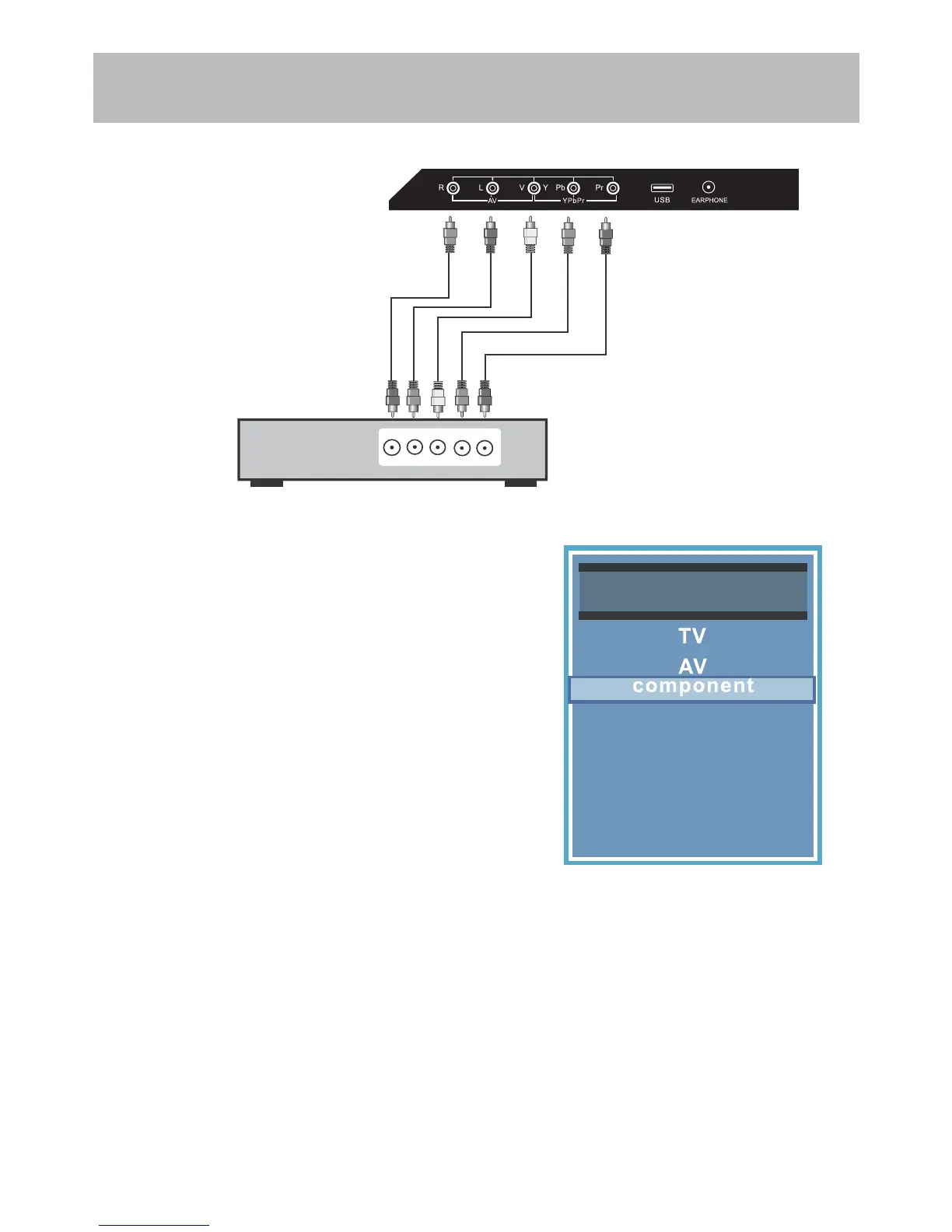
Connection to Component
YPbPr Input
How to Connect
• Match and insert the green (Y), blue (Pb), and red (Pr) cables into
the device and TV. Next, connect the red and white (L & R) audio
cables.
*NOTE: The picture will be black & white if hooked up incorrectly.
You must hook up audio cables separately.
How to Use
• Press the INPUT button on the TV remote. Then use the qp
arrow buttons to highlight Component. Press ENTER.
Connecting a device with a Component connection.
Optional Component cables
(not included)
Digital set top box, gaming console or DVD
R L Y Pb Pr
Input Source
PC
Media
HDMI1
HDMI2
HDMI3


 To Next Page