40E700-15
Installation
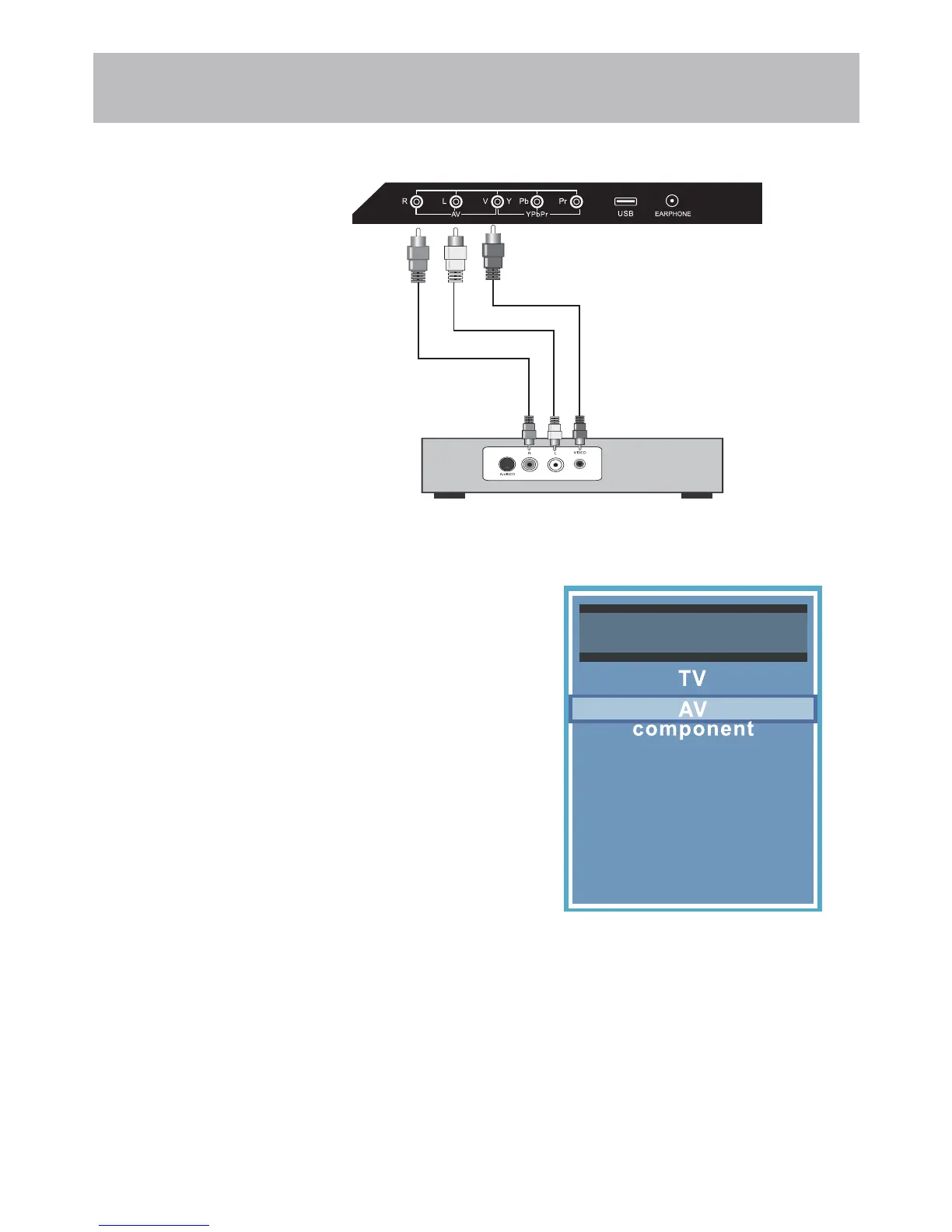
Connection to Composite Input
Connecting a device with a Composite connection.
How to Connect
• Match and insert the yellow, red, and white A / V cables into the
device and TV.
How to Use
• Press the INPUT button on the remote. Then use the qp arrow
buttons to highlight AV. Press ENTER.
Audio Video Cable (included)
Digital set top box, gaming console or DVD
Input Source
PC
Media
HDMI1
HDMI2
HDMI3


 To Next Page