40E700-19
TV Setup
Initial Setup Wizard
Initial Setup Wizard
IMPORTANT NOTE: If your TV is connected to a Cable or
Satellite set top box DO NOT run the “Channel Auto Scan”
NOTE: the Setup Wizard only appears when turning on the TV for the first time.
How to Navigate the Setup Menus:
Use the pq arrow buttons on the remote to move to the menu selection.
in STEP 3.
After connecting your TV antenna or cable wire, turn the television ON.
The quick Setup Wizard will display on-screen to help guide you through the 3 steps listed below:
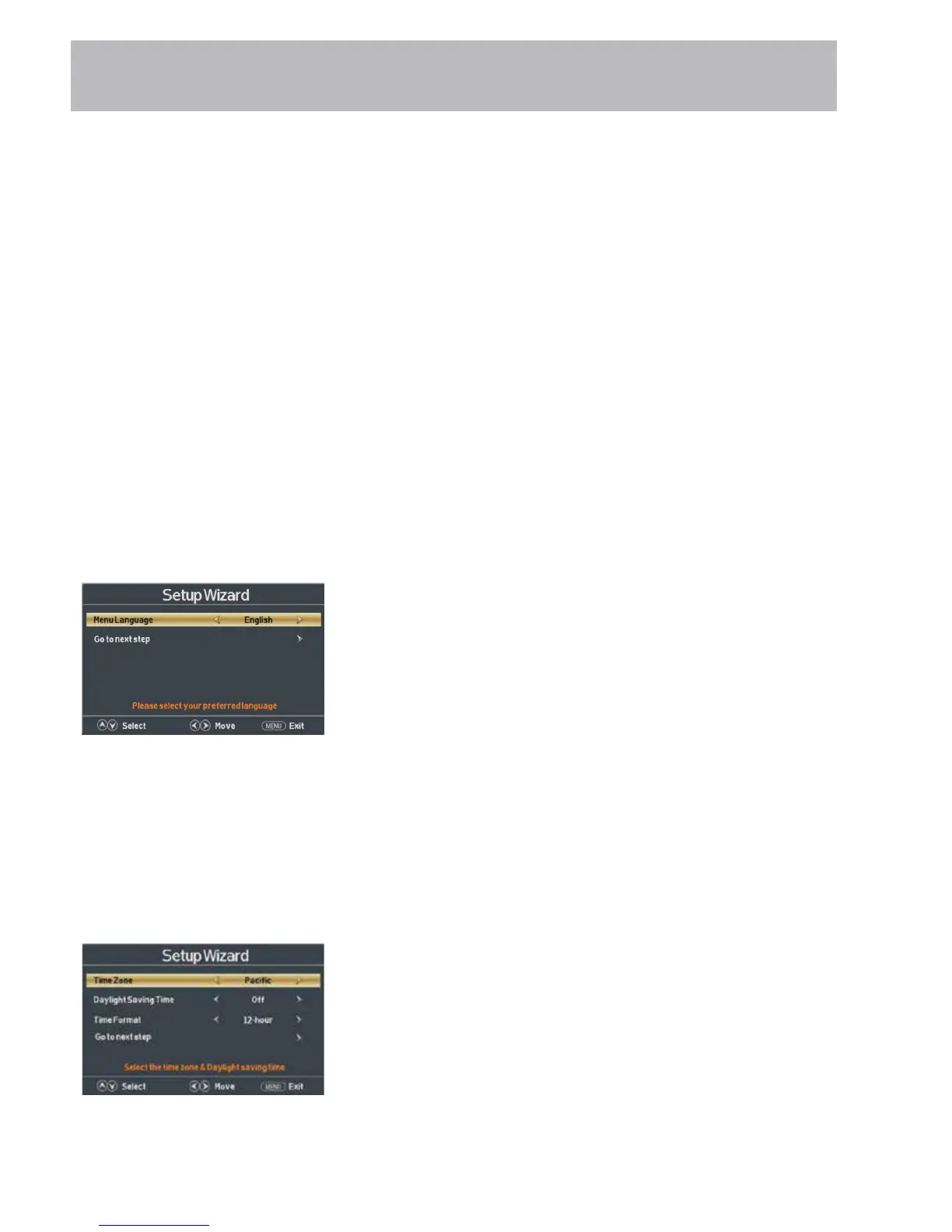
STEP 1: Choosing a Menu Language
Use the tu arrow buttons on the remote to choose the desired menu option.
Use the pq arrow buttons to select Menu Language.
Use the tu arrow buttons to select English > Francais > Espanol.
˜
Use the q arrow button to seletct Go to next step and press the
u button to complete the step.
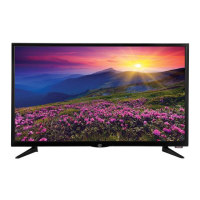
STEP 2: Setting the Time
Use the pq arrow buttons to select Time Zone, Daylight Saving
Time, and Time Format selections.
Use the tu arrow buttons to select the desired setting.
Use the q arrow button to seletct Go to next step and press the
u button to complete the step.


 To Next Page