40E700-20
TV Setup
Initial Setup Wizard
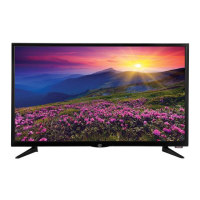
STEP 3: Setting Air/Cable and Channel Auto Scan
Use the tu arrow buttons to select Air or Cable based on your
type of connection (Antenna or Cable without a set top box).
For Antenna & Cable Connections WITHOUT a set top box:
Use the q arrow button to seletct Go to next step and press the
u button to begin the Channel Auto Scan.
Note: Your type of television connection will determine if you should complete the
Channel Auto Scan part of this step.
Channel Auto Scan may take several minutes to complete.
For Cable/Satellite Connections WITH a set top box:
Press the MENU button on the remote control to exit the Setup
Wizard.
NOTE: You will see the message “PLEASE RUN AUTO SCAN”
on the screen. Ignore this message as this is not necessary
when using a set top box.
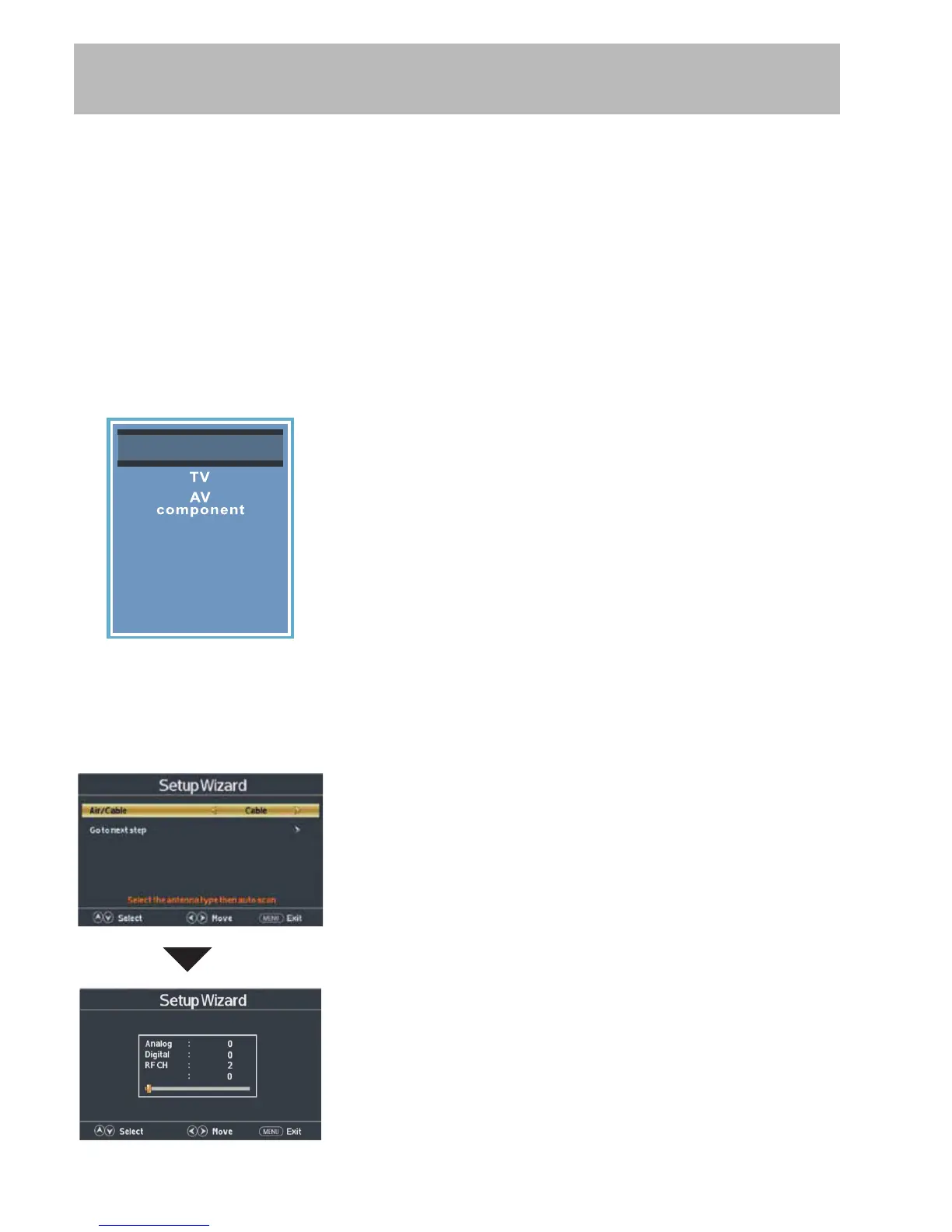
Press the INPUT button on the remote control to display the
Next
Total Found
Input Source screen illustrated to the left.
Use the pq arrow buttons to highlight the input where the
set top box was installed. Press ENTER to select the desired
input.
Once Channel Auto Scan has ended, Initial Setup is
complete. You may now begin enjoying your TV, or
make further adjustments to the TV settings which are
explained in the following pages of this manual.
Input Source
PC
Media
HDMI1
HDMI2
HDMI3
Initial Setup is now complete. You may now begin enjoying your
TV, or make further adjustments to the TV settings which are
explained in the following pages of this manual.


 To Next Page