40E700-30
Menu Adjustments
Parental Control
In the Lock menu, you may block television and movie programming based on Canadian TV and movie rating guidelines.
To gain access and select your preferences within the Parental menu make certain your input is set to TV.
How to Navigate:
Press the MENU button on the remote control. Navigate using arrow t u buttons to select Lock. Gain access to
rating options by pressing the downq arrow button to highlight Enter Password. Enter your 4 digit code (factory
default code is “0000”) unless previously changed.
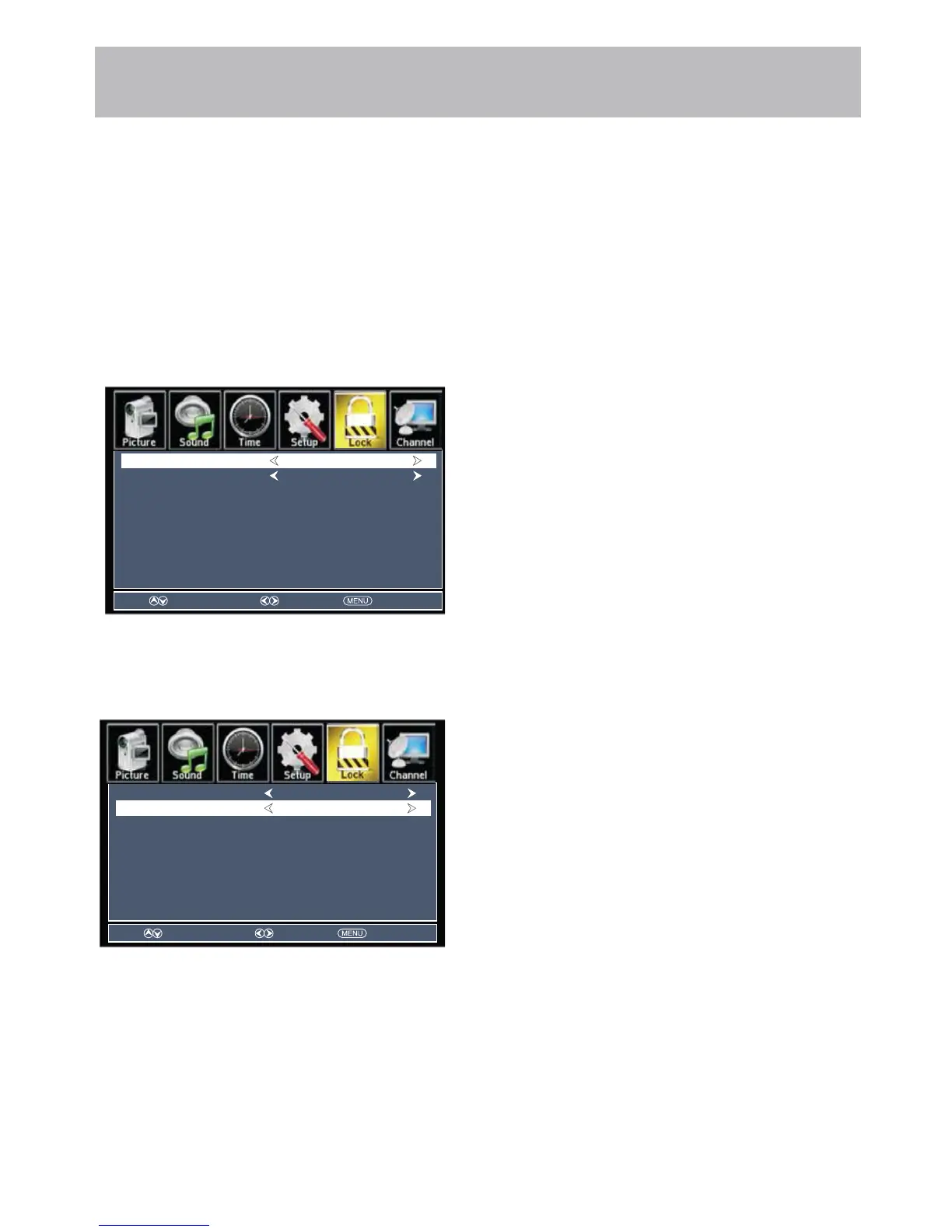
Then press the qp arrow buttons to highlight Canada. Navigate using the t u buttons to highlight Canada English.
• Navigate using down q arrow button to highlight
Canada English then press the t u arrow button
repeatedly to select your ratings preference.
Off Turn off
C Appropriate for all children
C8+ Appropriate for everyone 8 years old and up
G General Audience
PG Parental Guidance
14+ Appropriate for Children over 14 years old
18+ Mature Audience Only
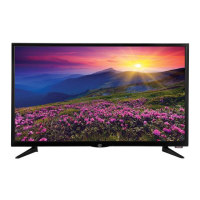
• Navigate using down q arrow button to highlight
Canada French then press the t u arrow button
repeatedly to select your ratings preference.
Off Turn off
G General Audience
8 ans+ Appropriate for Children 8 years old and up
13 ans+ Appropriate for Children 13 years old and up
16 ans+ Appropriate for Children 16 years old and up
18 ans+ Mature Audience Only
Note: When adjustments are completed, you may select another menu by pressing the Menu button.
Select Move Exit
Canada English
Canada French Off
Off
Canada English
Canada French Off
Off
Select Move Exit


 To Next Page