10 / 36
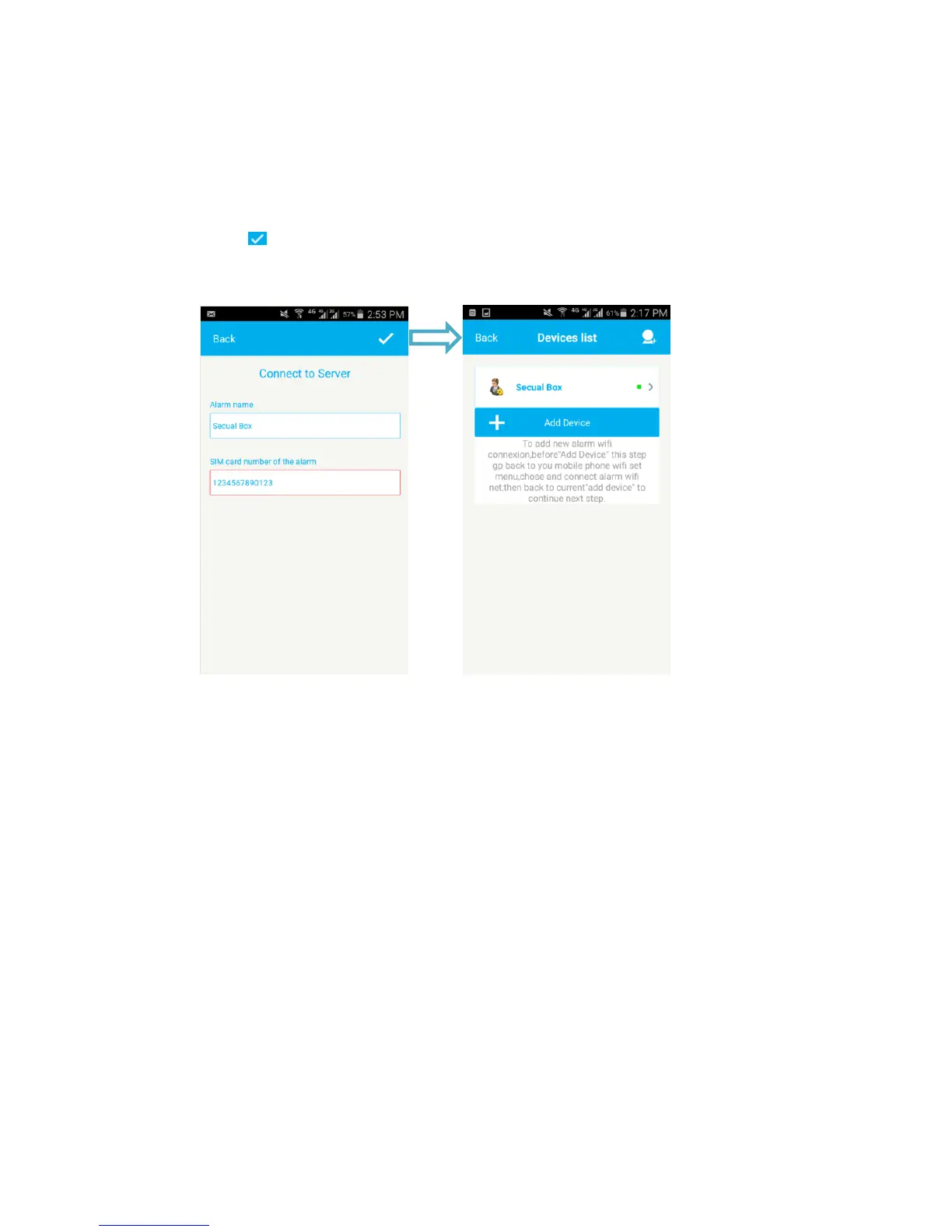
Step 6: Connect control panel to the Server
1. “Alarm name”: Enter a name for the control panel.
2. “SIM card number of the alarm”: Enter the mobile number of the SIM card installed
in the alarm system. This will enables you control the alarm system via SMS.
3. Press “ ” to save the settings. After setting successful, you will find the “control panel”
in the Devices list. Now you can select the Alarm name to enter the operation interface
to control your alarm system.


 To Next Page