24 - Legend 548 Assembly and User Manual
30068-02A
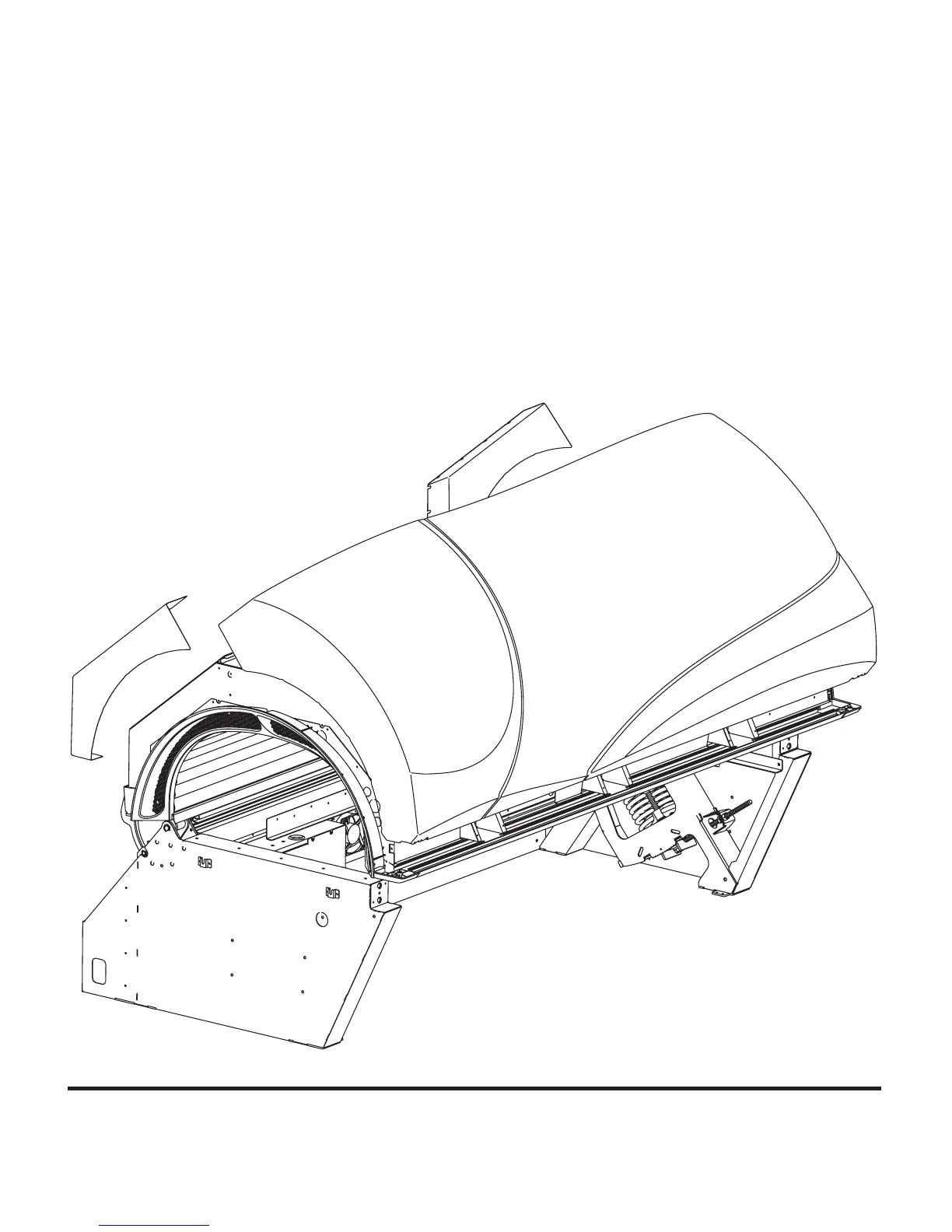
If you retightened the screws for the Total
Access Panel during disassembly, loosen
them again now and slide the canopy cover
panel behind the access panels. The front of
the canopy cover sits in the front aluminum
channel. Secure the cover by tightening the
loosened screws. The front is held in place
with (2) #10-32x1” fl at head screws inserted
up through the front ends of the endcaps.
As with the access panel screws, if you re-
tightened the screws for the rear corner cov-
ers, loosen them now. Slip the rear corner
covers into place and tighten the screws to
secure them.



 To Next Page