EasyManua.ls Logo

EUFY G50 Series - User Manual

EUFY G50 Series
17 pages
Print Icon
To Next Page IconTo Next Page
Loading...
1. About Your G50 Series
1.1 Product Dierentiation
1.2 What's in the Box
1.3 Overview
1.4 Buttons Control
1.5 LED Indication
2. Preparing Your G50 Series
2.1 Important Tips Before Use
2.2 Preparation
3. Using Your G50 Series
3.1 Download the App
3.2 Reset the Wi-Fi Connection
3.3 Start / Pause Cleaning
3.4 Start Cleaning in Auto Mode
3.5 Schedule Cleaning (Available on App only)
3.6 Select a Suction Power Level
4. Using the Mopping System (Available to T2212 Only)
5. Using RoboVac with Amazon Alexa / The Google Assistant
6. Enabling / Disabling Child Safety Lock
7. Cleaning and Maintenance
7.1 Clean the Dust Box and Filter
7.2 Clean the Mopping Cloth and Water Tank (Only Applicable to T2212)
7.3 Clean the Rolling Brush
7.4 Clean the Side Brush
7.5 Clean the Sensors and Charging Pins
8. Troubleshooting
9. Specifications
10. Customer Service
Question and Answer IconNeed help?

Do you have a question about the EUFY G50 Series and is the answer not in the manual?

Overview

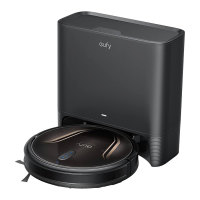
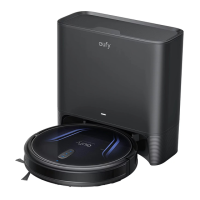
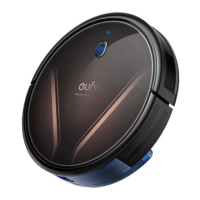
This document provides a comprehensive guide for the eufy G50 Series RoboVac, including the G50 (T2210) and G50 Hybrid (T2212) models. It covers product differentiation, setup, usage, maintenance, troubleshooting, and specifications.

Function Description

The eufy G50 Series RoboVac is an automated cleaning device designed to vacuum and, in the case of the G50 Hybrid (T2212), mop floors. It features smart navigation, app control, and compatibility with voice assistants like Amazon Alexa and Google Assistant. The RoboVac is capable of cleaning various floor types, automatically returning to its charging base, and can be scheduled for cleaning tasks. The BoostIQ™ feature allows it to automatically increase suction power on thicker carpets.

Important Technical Specifications

  • Input: 20V, 0.6A
  • Battery Voltage: 14.4V
  • Power Consumption: < 45W
  • Suction Power: 4000Pa
  • Battery Type: 4S1P
  • Dust Box Capacity:
    • T2210: 600ml
    • T2212: 400ml
  • Water Tank (T2212 only): 200ml
  • Cleaning Time: ≥120min
  • Charging Time: ≤5h
  • Charging Base Input: 100~240V, 60Hz/50Hz, 0.5A max
  • Charging Base Output: 20V, 0.6A
  • Wi-Fi Connection: Supports 2.4GHz and 802.11b/g/n bands (5GHz band not supported).

Usage Features

The RoboVac can be operated via physical buttons on the device or through the eufy Clean app.

Buttons Control:

  • Power On/Off & Start/Pause Cleaning: Long press (3s) for power, short press for start/pause.
  • Return to Charging Base & Child Safety Lock: Short press to return, long press (3s) to enable/disable Child Safety Lock.
  • Reset Wi-Fi Connection: Long press power and recharge buttons simultaneously (3s).

LED Indication:

  • Solid white: Working normally, standby, current task pauses.
  • Pulsing white (when attached to Charging Base): Charging.
  • Flashing white: Returning to Charging Base.
  • Flashing red slowly: Error, low battery.
  • Flashing white quickly: Wi-Fi connection is being reset.
  • Solid red: Wi-Fi connection has dropped.
  • Off: Powered off, sleep mode, updating firmware.

App Control (eufy Clean app):

  • Download: Available on App Store (iOS 11.0+) and Google Play (Android 8.0+).
  • Features: Select cleaning modes (Quiet, Standard, Turbo, Max), adjust suction power, schedule cleaning (Sunday to Saturday), view system status, receive notifications, access additional features.
  • BoostIQ™: Automatically increases suction on thicker carpets; can be disabled.
  • Find My Robot: Locates the device if it gets stuck.

Mopping System (G50 Hybrid T2212 Only):

  • Preparation: Wet and wring the mopping cloth, attach it to the mopping module, fill the water tank, attach the mopping module to the dust box, and install the water tank into the RoboVac.
  • Restrictions: Do not use mopping mode when no one is home or on carpets.
  • Functionality: Sweeps and mops in selected mode.

Voice Control (Amazon Alexa / The Google Assistant):

  • Setup: Connect RoboVac to eufy Clean app, then use the "Smart Integrations" feature in the app to link with Alexa or Google Assistant.
  • Requirements: Compatible smart device (e.g., Amazon Echo, Google Home) and respective app installed.

Child Safety Lock:

  • Activation/Deactivation: Press and hold the spot cleaning button for 3 seconds. Locks all buttons to prevent accidental operation. Also available via the eufy Clean app.

Maintenance Features

Regular cleaning and maintenance are crucial for optimal performance. Turn off the device and unplug the adapter before maintenance.

  • Dust Box and Filter:
    • Cleaning: Detach dust box, open lid, remove filter, empty dust box, shake filter, rinse filter with running water.
    • Drying: Sun dry filter completely before next use.
    • Frequency: Dust box after each use; filter once a week (twice a week if you have a pet).
    • Replacement: Filter every 6 months or after 50 rounds of cleaning.
  • Mopping Cloth and Water Tank (T2212 Only):
    • Cleaning: Remove dust box, detach mopping module, empty water tank, detach mopping cloth, wash mopping cloth with water.
    • Drying: Sun dry mopping cloth completely.
    • Frequency: After each use.
  • Rolling Brush:
    • Cleaning: Turn over main unit, unlock brush guard, take out rolling brush, clean hair/debris with scissors, rinse brush and guard with water.
    • Drying: Sun dry brush and guard.
    • Frequency: Once every week.
    • Replacement: Every 6-12 months.
  • Side Brush:
    • Cleaning: Remove with screwdriver, unwind/pull off hair/substances, clean with water.
    • Drying: Air dry.
    • Frequency: Once every month.
    • Replacement: Every 3-6 months (or when visibly worn).
  • Brush Guard:
    • Frequency: Once every month.
    • Replacement: Every 3-6 months (or when silicone rubber strip is visibly worn).
  • Sensors and Charging Pins:
    • Cleaning: Dust off with a soft dry cloth or cleaning brush.
    • Frequency: Once every month.
  • Swivel Wheel:
    • Frequency: Once every month.

EUFY G50 Series Specifications

General IconGeneral
BrandEUFY
ModelG50 Series
CategoryVacuum Cleaner
LanguageEnglish

Related product manuals