Standby / Cleaning / Returning to charging base
Low power and returning to charging base
Flashing / Solid red +
Beeping
● RoboVac powers off.
● To save power, the light automatically turns off:
○ When RoboVac is not docked to the
charging base and has been inactive for
10 minutes;
○ After RoboVac is docked to the charging
base and has been fully charged for 10
minutes.
- Turn off the power switch if RoboVac will not be used for a long period of time. To preserve the
battery’s lifespan, recharge at least once every 3 months.
Start / Stop Cleaning
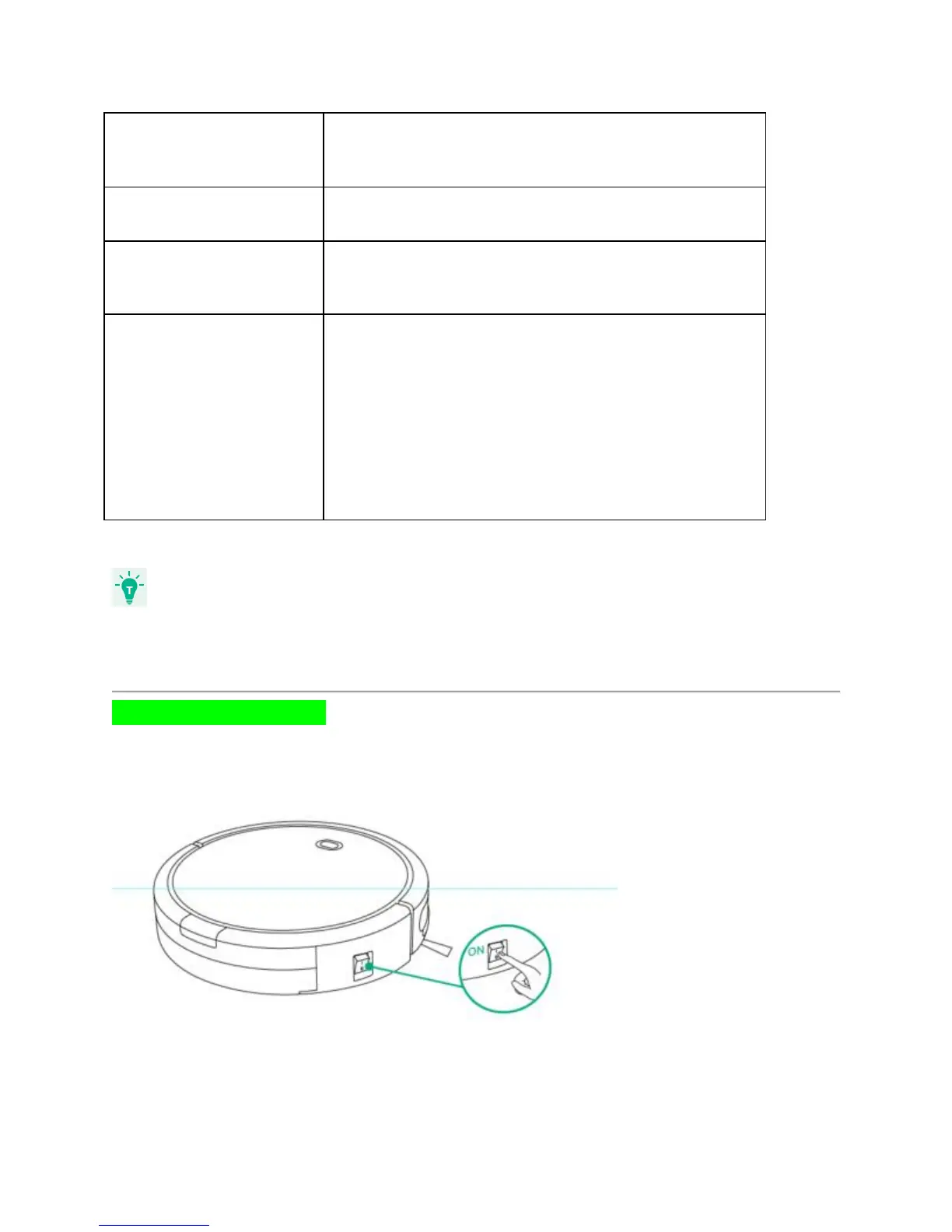
1. Turn on the main power supply
Press the main power switch on the side of RoboVac to turn on the main power supply.
2. Start cleaning











 To Next Page