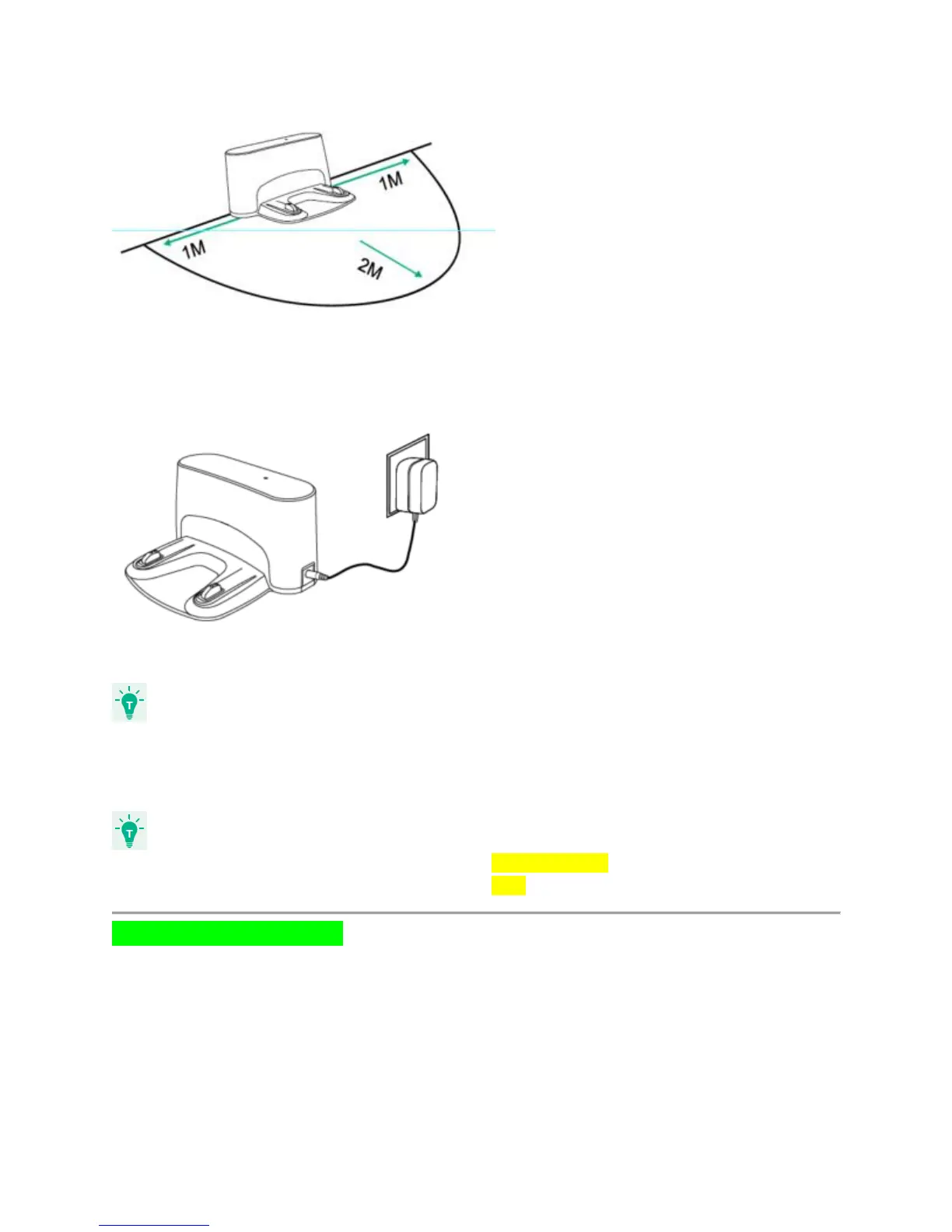
3. Connect the round connector of the adapter into the power socket on the Charging Base and
the other end into a wall outlet.
- Install the Charging Base in a location that RoboVac can easily access.
- Always keep the Charging Base plugged in, otherwise RoboVac will not automatically return to
it.
- The LED indicator on the charging base is SOLID GREEN when RoboVac is not docked.
- The LED indicator on the charging base is OFF when RoboVac is docked.
Charge Your RoboVac
● RoboVac has a pre-installed rechargeable battery that has to be fully charged before
use.
● RoboVac returns to the Charging Base at the end of a cleaning cycle or when its battery
is running low.
● Make sure the main power switch on the side of RoboVac is turned on before charging.











 To Next Page