Getting Started
110118-0001A 11
For further details about this board, please consult the
Bitsy Personality Board User's Manual, Eurotech
document #110111-8001.
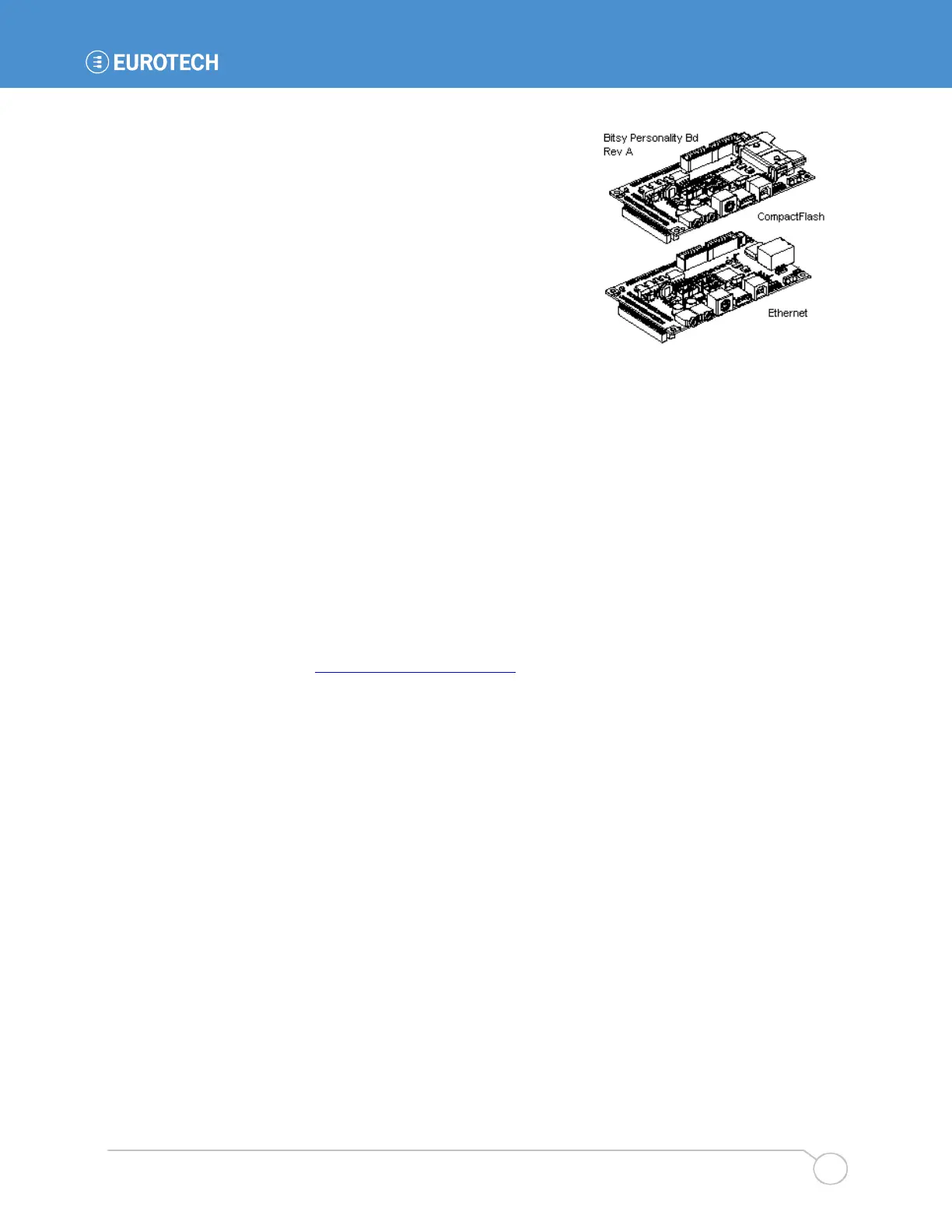
Eurotech Ethernet Personality Board
The Ethernet Personality Board uses the same circuit
board as the Eurotech CF Personality Board. An RJ-45
jack replaces the CF socket, and the board adds an
SMSC LAN91C111 10/100 Ethernet chip and associated
line drivers. Otherwise, the board is identical to the CF
Personality Board.
Eurotech Quad UART Ethernet Personality Board
The Quad UART Personality Board removes the CompactFlash socket from the CF/Ethernet
board described above and replaces it with four EIA-232 serial ports. In all other respects, the
board is identical to the Eurotech Ethernet Personality Board.
2.2 Frequently Asked Questions
The following are some of the most commonly asked questions about development systems:
Q: When I plug in power, my screen is white and nothing comes up on it.
A: Check the connector seating. The flat panel connector may have come loose in shipping.
Press it firmly into the panel and reapply power to your system.
Q: Is there online support?
A: Yes. Information about the BitsyXb hardware and software is available on the Eurotech
support site at http://support.eurotech-inc.com/
. See section 2.4 for further details.
Q: When I plug in power, my screen stays black.
A: If your system has supercapacitors installed (section 5.3.3), your system may be asleep. Try
waking up the system by shorting the wakeup signal (J3 pin 45) to ground. Development systems
include a two-pin header on the personality board whose pins can be shorted together to wake the
system. You may also press the reset button to fully restart the system.
Q: When I plug in power, the LED doesn't turn on.
A: Your system may still be booting. The LED is software controlled and is not necessarily
turned on at boot.
Q: Do I have to turn off the system before I insert a PCMCIA or CompactFlash card?
A: No. The BitsyXb supports hot-swapping of PCMCIA and CompactFlash cards. Consult the
operating system documentation for details.
Q: Do I need to observe any ESD precautions when working with the system?
A: Yes. If possible, work on a grounded anti-static mat. At a minimum, touch an electrically
grounded object before handling the board or touching any components on the board.
Q: What do I need to start developing my application for the system?
A: You will need a flash ATA card (32 MB or larger, 128 MB recommended) and the cables
supplied with your system to interface your development station to the system. For further
direction, consult the Eurotech guide for the installed operating system.



 To Next Page