Page 6 of 13
www.ev-hub.com.au
3.3 Description
• BusinessLine is connected using either a built-
in or remote dual band Wi-Fi connection or a
cellular modem.
• To start or stop a charging session, use a
registered RFID (Smart Charge) charge card,
key fob, or the Smart Charge app.
• When used in Autostart mode, a registered
charge card, key fob, or Smart Charge app is
not required. Charging starts automatically
when the charging station is connected to a
vehicle.
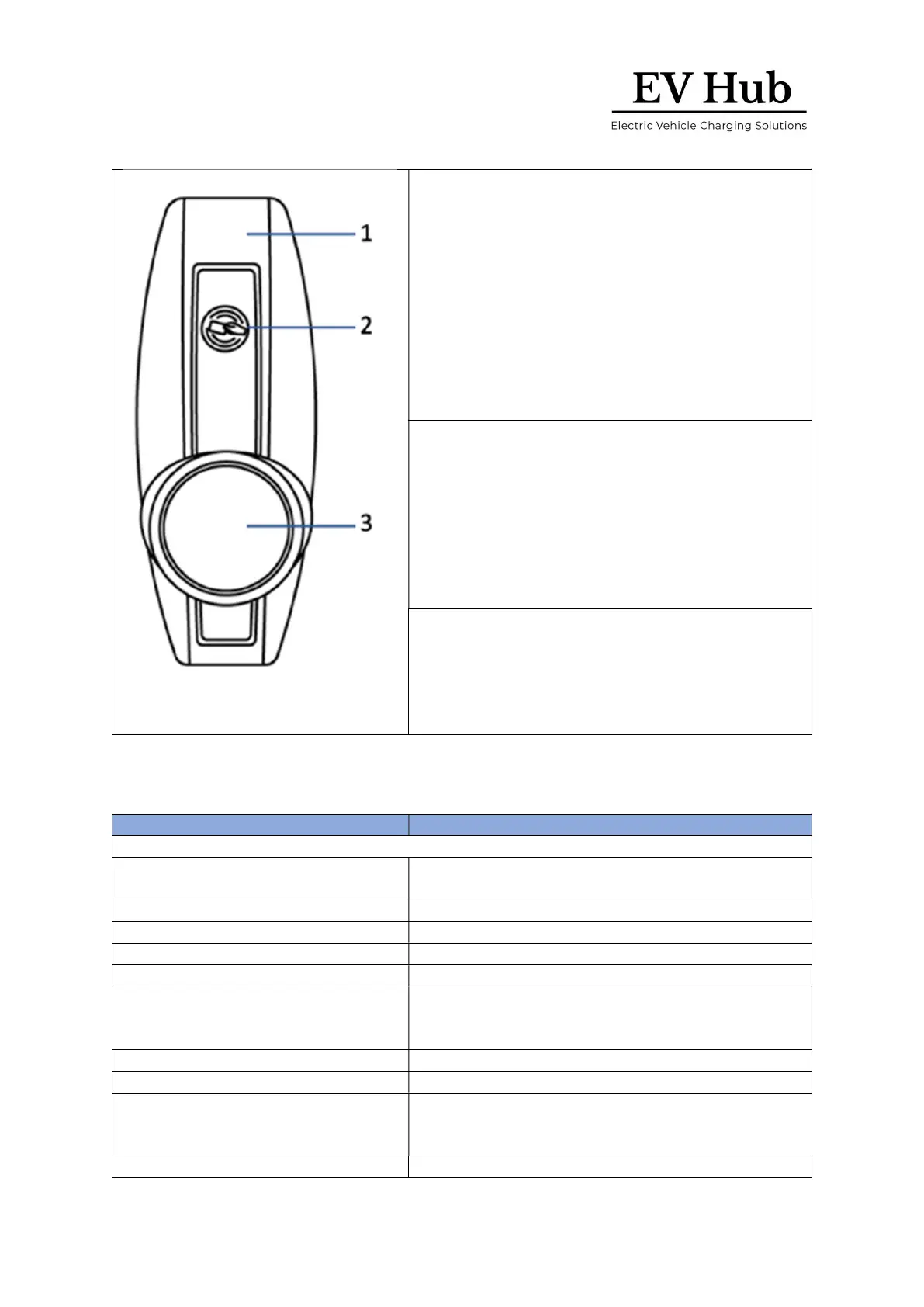
• This is the area where you scan an RFID card or
key fob.
• The BusinessLine reads the data from the card
or fob to start or stop a charging session. If the
charging station is not connected to a vehicle
and is not activated by the RFID card or fob,
there is no voltage on the socket and the
charging session will not start.
LED indicator ring and socket
• The LED indicator ring around the socket shows
the status and mode of the charging station at
all times. The socket lets you use your own
charging cable. The socket is a standard Type 2
with an optionally integrated shutter system.
4 Technical specifications
Charging capacity per socket
Maximum 7.4 kW, 11 kW or 22 kW, depending on
installation and set-up.
phase, 50 Hz, between 2.5
Residual direct current detecting device
Complies with IEC 62955, with 6 mA smooth residual
DC detection and additional 30 mA residual AC
detection
Operating temperature range
GPS / GSM / UMTS / LTE cellular data, Wi
and GPS module controller with RFID reader (in hub
type)





 To Next Page