11
EN
Troubleshooting
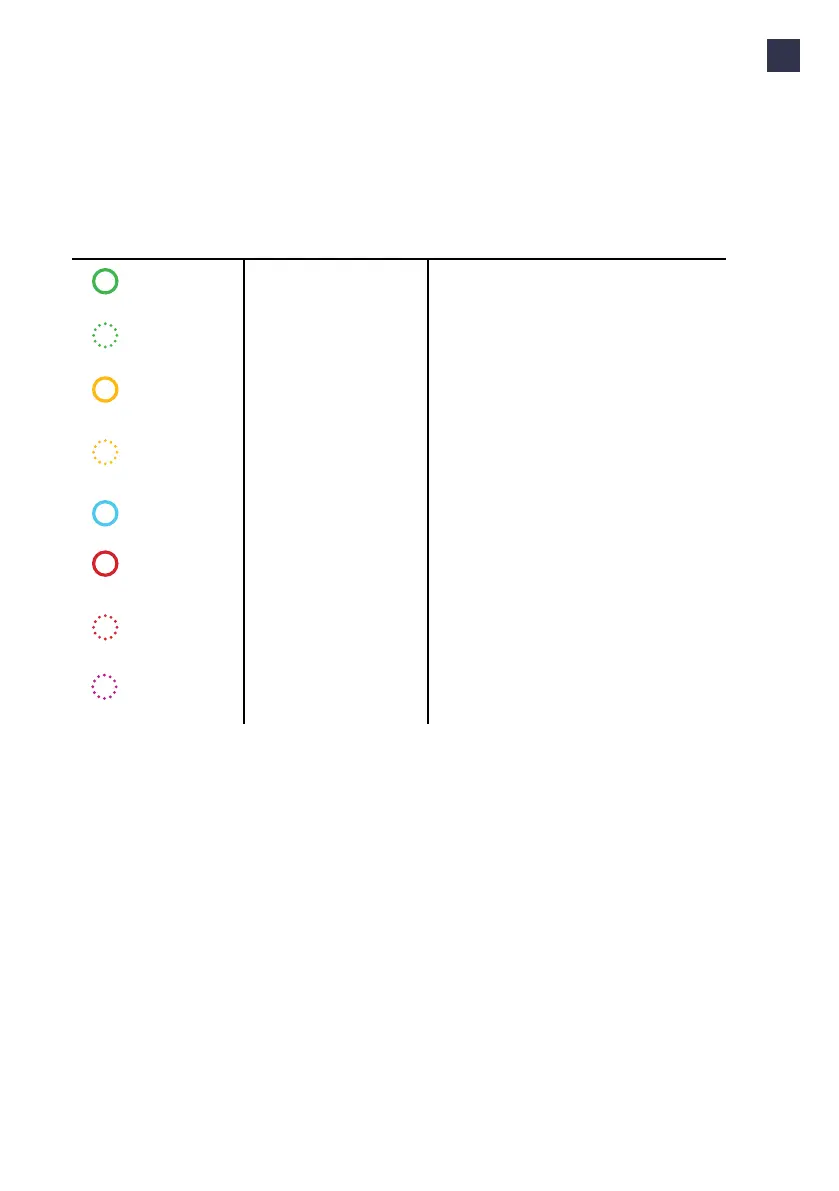
What you see What it means What to do
LED ring off
or green
Wall box is ready for use. Plug the charging cable into the wall box.
LED ring
green, ashing
Your charge card is being
veried.
Wait until LED ring turns blue.
LED ring
yellow
The car is fully charged. Unplug the charging cable on the EV side.
Refer to the vehicle’s user manual.
LED ring
yellow, ashing
Charging session is in queue
(applicable in the Smart
Charging environment only).
When power becomes available, charging will
start or resume, and the LED ring will turn blue.
LED ring
blue
Wall box is charging the car. The car is charging.
LED ring
red
Wall box is experiencing
an error.
Check the troubleshooting chapter in this man-
ual for solutions. If this does not solve the issue,
contact your installer or supplier.
LED ring
red, ashing
Your charge card is not
authorized to charge.
Check the troubleshooting chapter in this man-
ual for solutions. If this does not solve the issue,
contact your installer or supplier.
LED ring
purple, ashing
The wall box identies itself
to the user during the blue-
tooth pairing process
Continue the bluetooth pairing process.
Led ring status
Part number: 9835662780



 To Next Page