EVCO S.p.A. EVlink Wi-Fi | Installer manual ver. 1.1 | Code 144IF25TWXE114
page 9 of 18
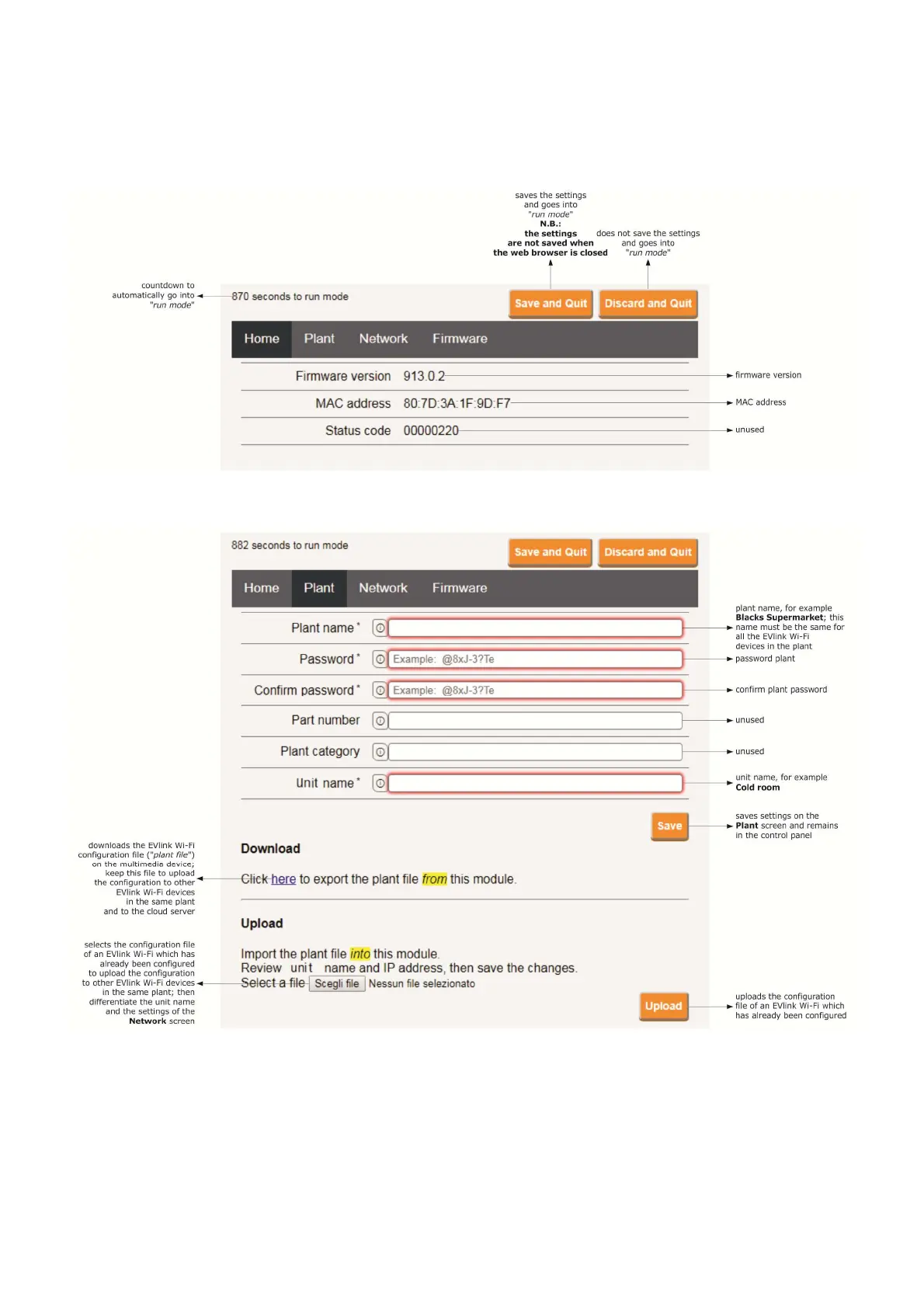
9. The Home screen of the EVlink Wi-Fi control panel will be displayed.
EVlink Wi-Fi will go into temporary set-up mode. During this mode:
- EVlink Wi-Fi acts as an access point but it cannot be accessed with another multimedia device
- there is no connection with the cloud server.
After 5 min in set-up mode, EVlink Wi-Fi will automatically go into run mode if the control panel has not been accessed.
10. Select the Plant screen on the EVlink Wi-Fi control panel. The fields in red are mandatory.


 To Next Page