ä
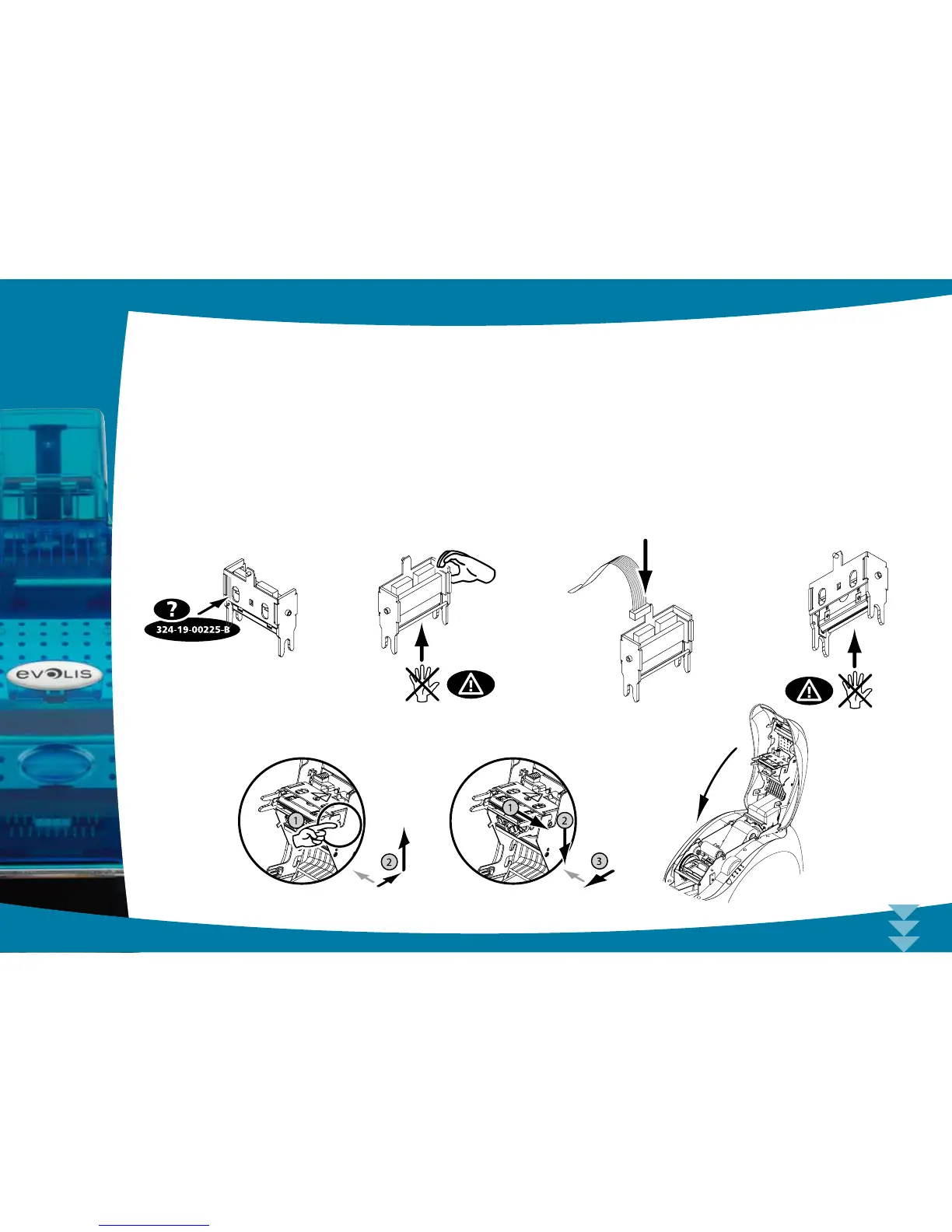
Step 2 - Installing the new print head
Ê
Note the code shown on the white label stuck on the print head. You will be asked for this code in Step 3.
Ë
Pick up the new print head and turn it towards you, with the white connector visible.
Ì
Connect the cable into its socket, making sure it is the right way round. Do not use any force, as this part is relatively
fragile.
Í
Turn the head so that the logo is visible (be careful), the connector can no longer be seen.
Î
Insert the head vertically between the two guides so that the fork lugs are held within the slot.
Ï
The head is back in position.
Ð
Close the cover. The print head is now tted.
4
37
Ê
Î Ï Ð
Ë Ì Í



 To Next Page