3
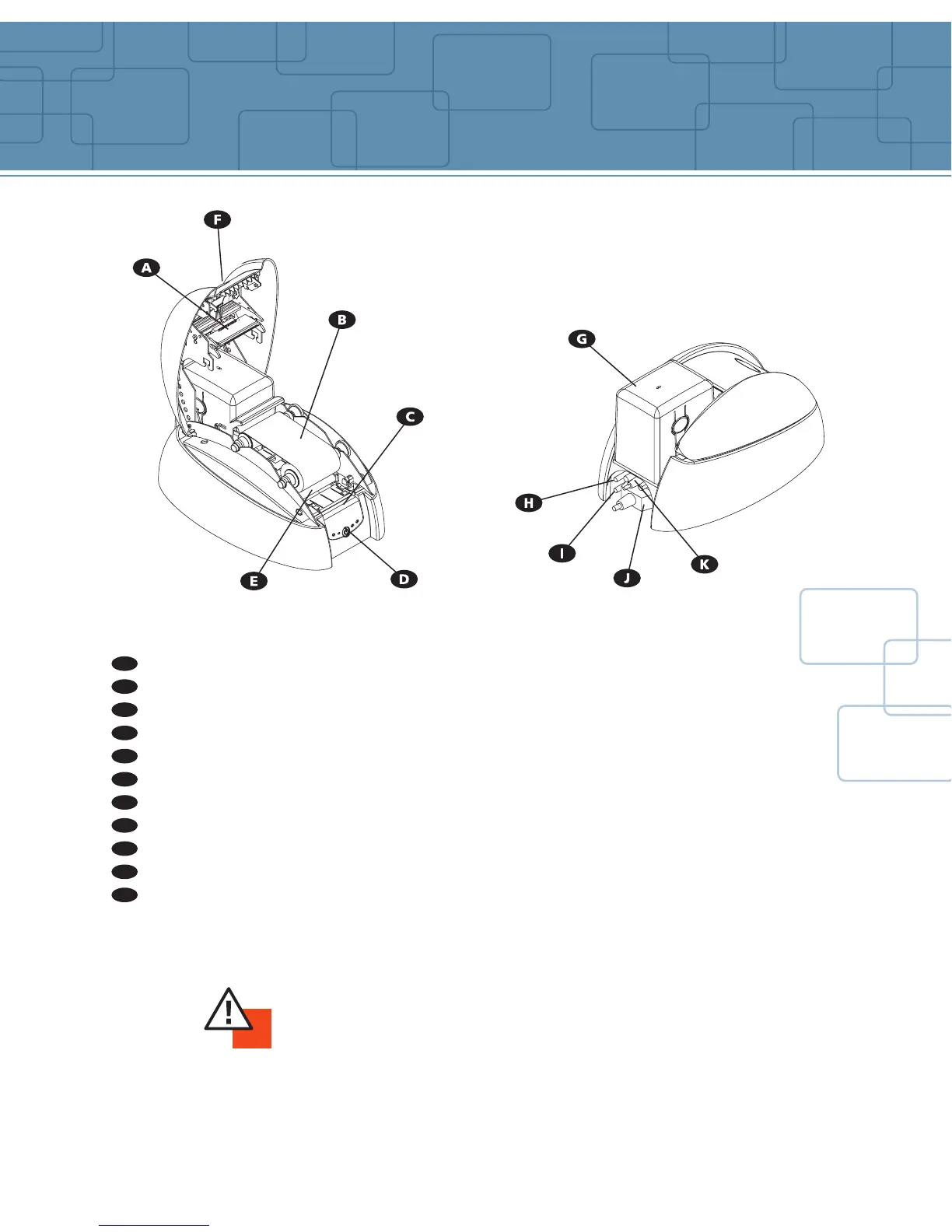
Thermal Transfer Print Head For printing cards
Media Thermal Transfer Monochrome Ribbon
Control Panel Shows the printer activity
Push Button Shows power ON/OFF and clears error
Cleaning Roller Removes dust before printing the cards
Cover Button Opens the cover
Card Feeder Holds the cards before printing
Electrical Connector For connecting the printer to the power supply
USB Port (optional) Enables data to be received and sent from and to the computer
Parallel Port (standard) Enables data to be received and sent from and to the computer
Serial Port (optional) Enables connection to a keyboard
Printer description
IMPORTANT !
The printer must be placed on a flat surface, in a dust free environment.
It is essential to be able to access the printer from all sides for its installation.
A
B
C
D
E
F
G
H
I
J
K



 To Next Page