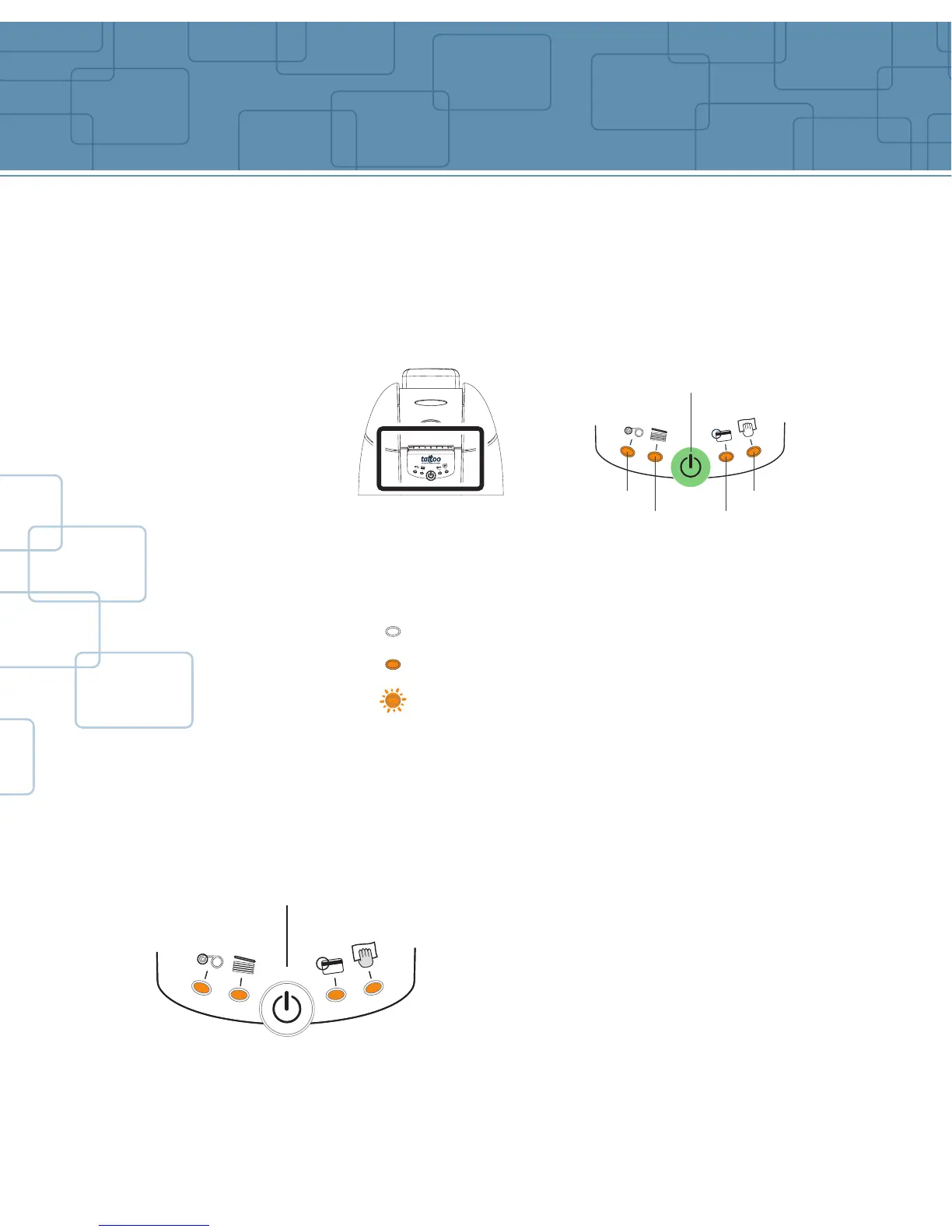
There is a control panel on the front of the printer with four LED’s. Each is
associated to a symbol showing the Tattoo activity during printing or/and
personalizing of the magnetic stripe.
The lights show:
The control panel LED’s are in either of the following conditions:
The push button allows re-initialization in case of:
Indicators
6
Push button
Magnetic encoding error
SWITCHED OFF
SWITCHED ON
FLASHING
Cleaning cycle required
No card
in feeder
Ribbon is
finished
MECHANICAL PROBLEM
MAGNETIC ENCODING ERROR
CARD EJECTION
It also allows:
- Printing of a test card
- Running of a cleaning cycle
- Switching off of the printer
Push button



 To Next Page