7
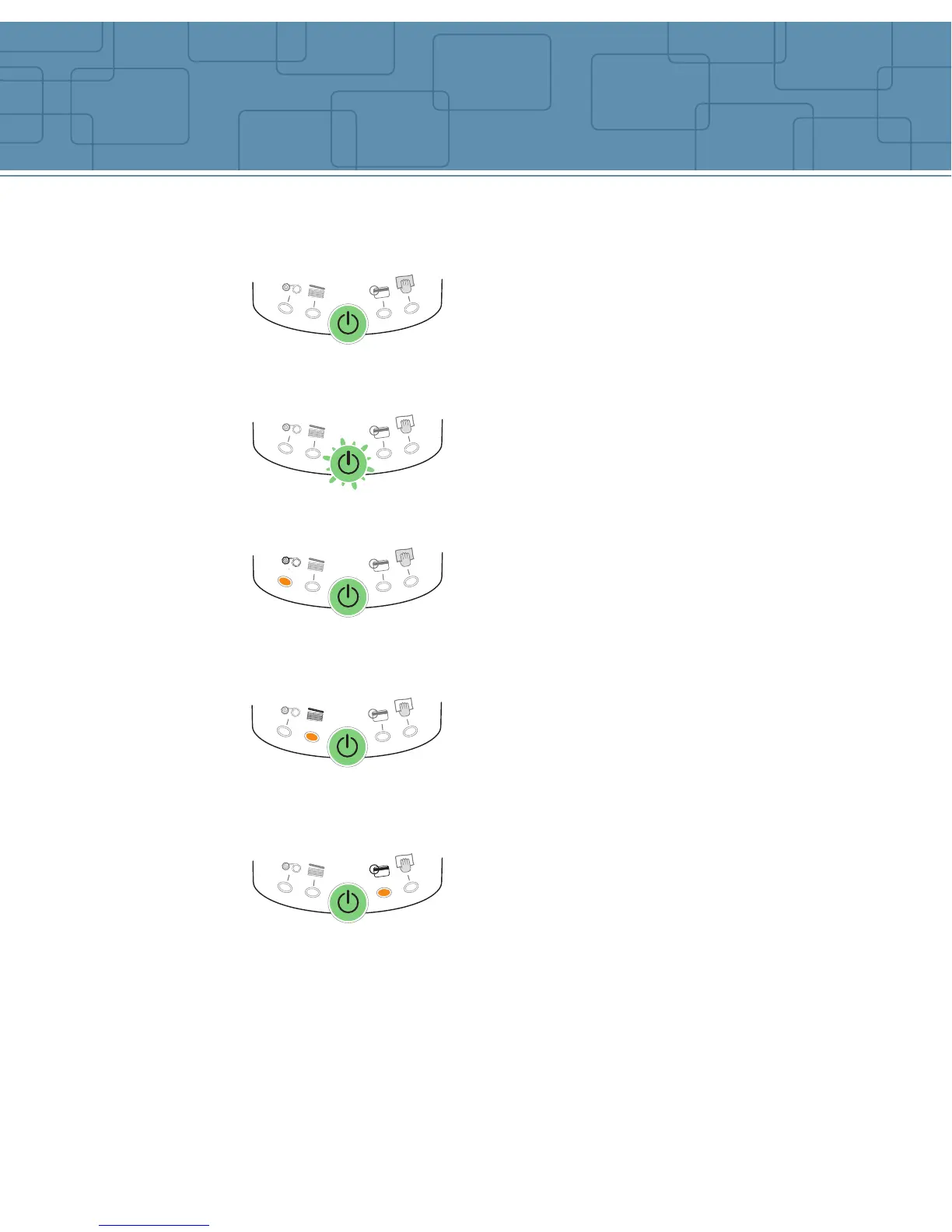
Indicators
PRINTER READY
END OF RIBBON
NO CARD
PROCESSING
The printer is ready to process
Note: After 10 minutes without activity, the
printer returns to the sleep mode. All the LED’s
turn off. To re-activate power, push one second
on the button.
The printer is receiving data.
There is no ribbon inside the printer.
The ribbon is finished.
The ribbon has been incorrectly installed.
Printing will start again after the ribbon has
been checked out.
There is no card in the feeder.
The feeder has been incorrectly installed in
the printer.
Press on the push button for one second.
Printing will start again after the feeder has
been checked out.
The magnetic stripe card orientation in the
feeder is incorrect.
The type of encoding is incorrectly set (HICO
or LOCO).
The encoding data does not comply with ISO
7811 Norms.
Press one second on the push button. The
current magnetic encoding job will start again.
If the problem still occur, call for technical
assistance.
Refer to the following conditions to determine the status or current activity of
your printer.
MAGNETIC ENCODING ERROR



 To Next Page