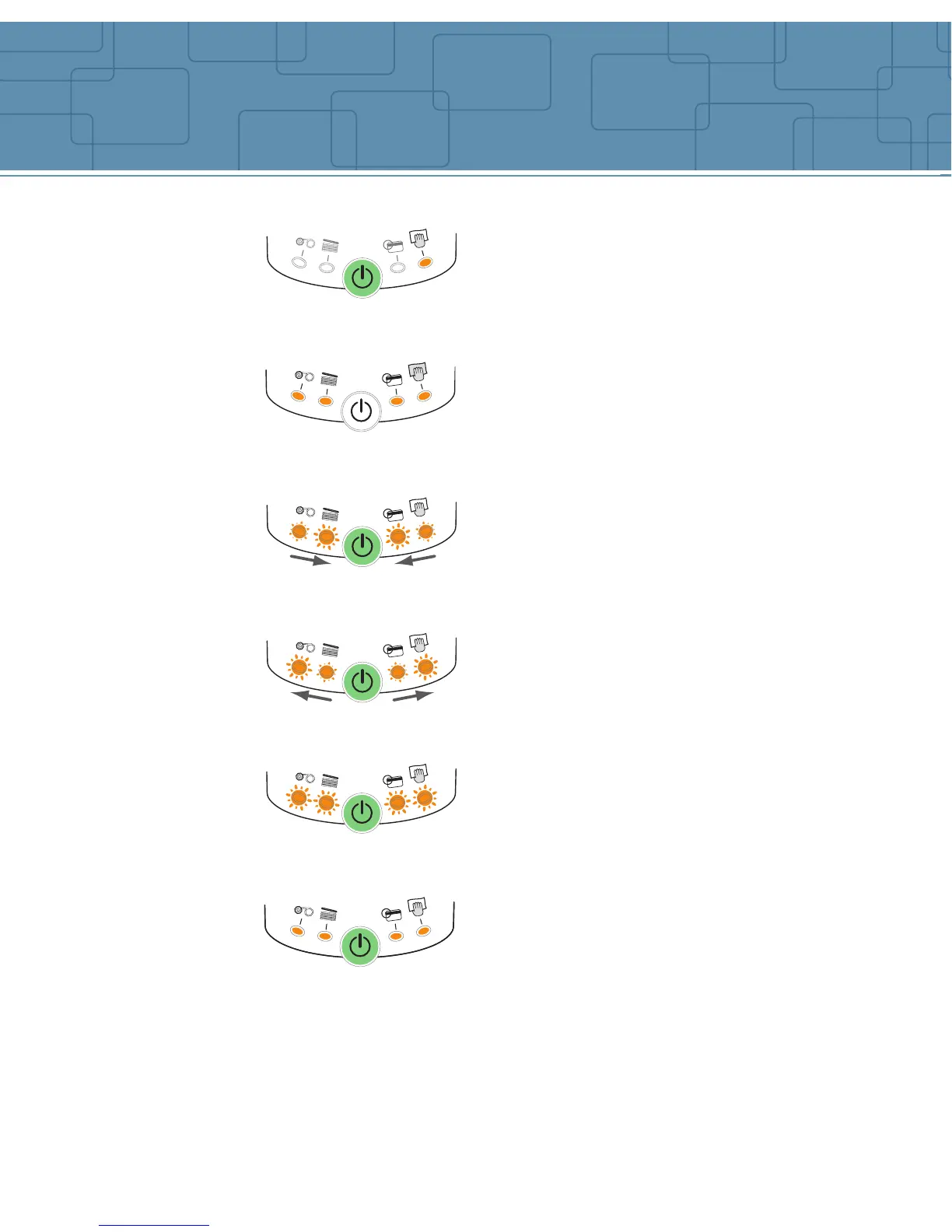
A cleaning cycle is required.
See Cleaning section for more information.
A card is jammed inside the printer.
A mechanical part is defective inside the
printer.
Press one second on the push button. If the problem
still occur, call for technical assistance.
The printer is waiting for a card to be
manually inserted in the feeding mouth.
The printer is waiting for the card to be
taken out of the feeding mouth.
Note: the next printing job will be stopped until the
card is removed from the feeding mouth.
The print head system is cooling down.
Note: Printing stops. The pending printing job starts
again automatically after a few seconds.
The printer cover is opened.
8
COOL DOWN MODE
PRINTER COVER OPENED
MECHANICAL PROBLEM
CARD INSERTION SIGNAL
CARD TO BE TAKEN OUT
PRINTER CLEANING ALERT
Indicators



 To Next Page