+1.317.845.5710
+5255.56080817
+44.1438.310163
USA (Corporate Headquarters)
Mexico
Europe/Middle East/Asia
15
4 Config (Setup) Page Overview
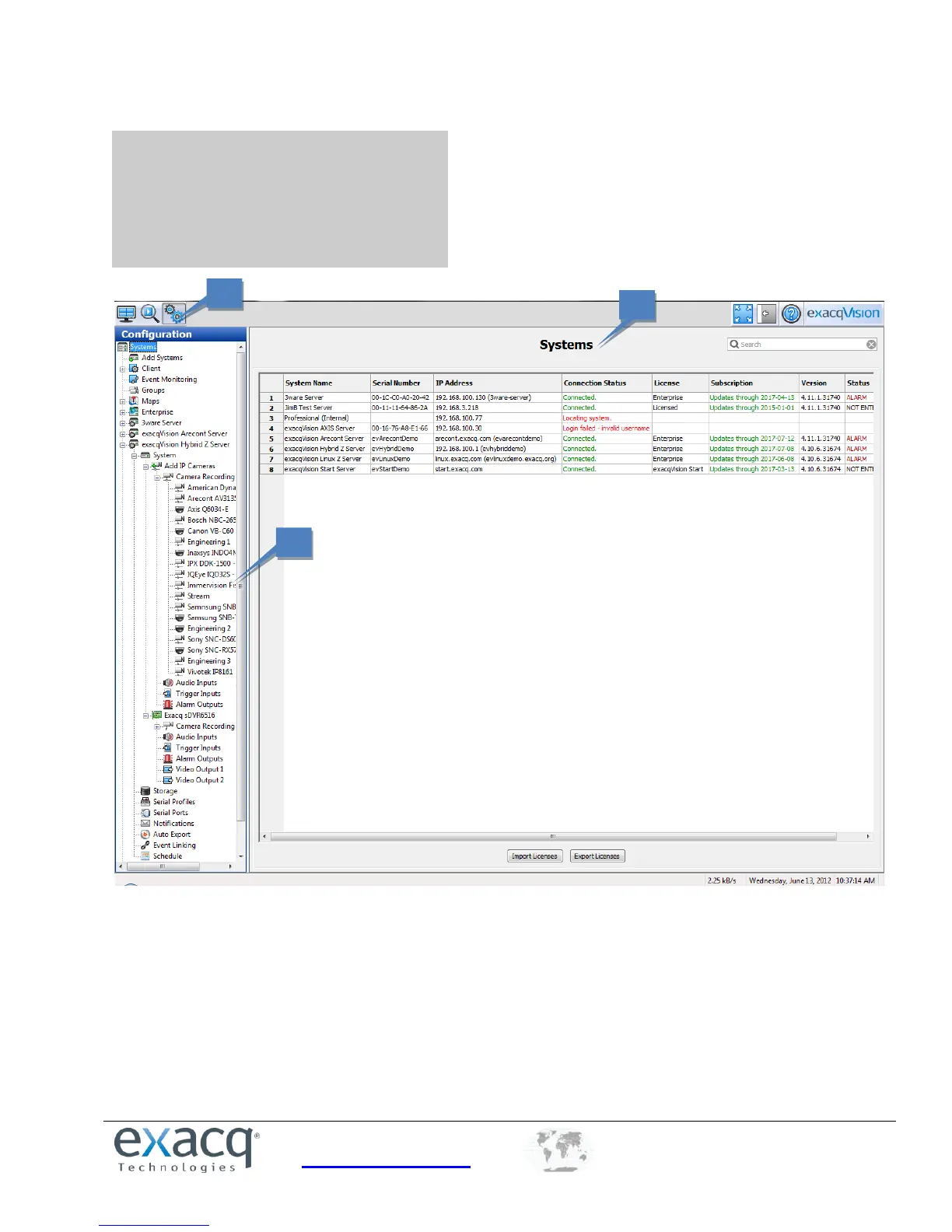
The Config (Setup) Page allows you to configure systems, cameras, and other devices.
1. Config (Setup) Page Icon. This button opens the Config (Setup) Page.
2. Configuration Tree. This tree allows you to open the various configuration pages for each connected
system. Each of the pages are described in detail in the following sections.
3. Systems. This default Config page displays systems that have been added.
NOTE: Connected S-Series storage servers are also listed in the tree, but only those configuration pages that are
applicable to storage are available for each one. The options on each S-Series configuration page are also restricted as
needed.


 To Next Page