+1.317.845.5710
+5255.56080817
+44.1438.310163
USA (Corporate Headquarters)
Mexico
Europe/Middle East/Asia
40
Video Output
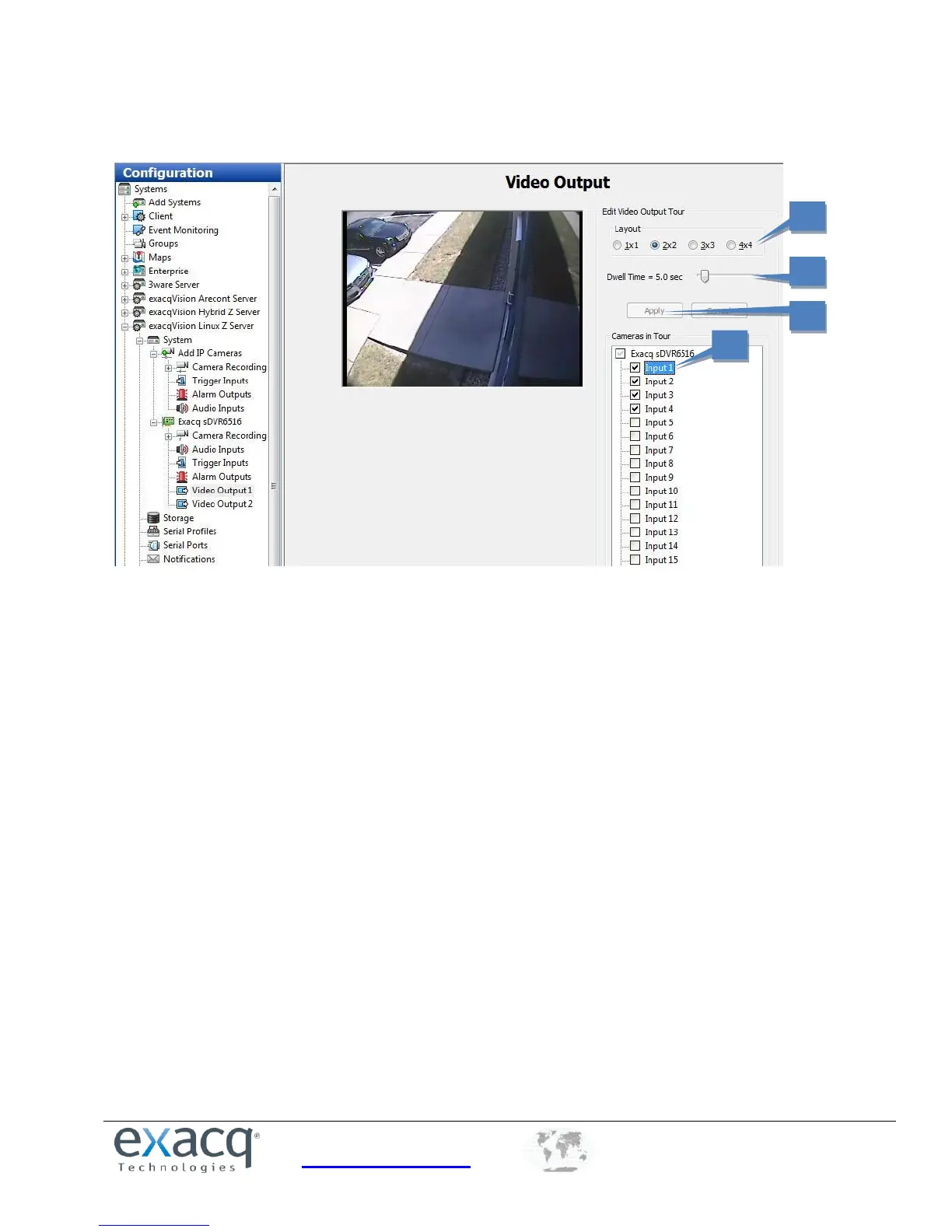
On hybrid systems, the Video Output page allows you to configure your security spot monitor for touring (switching)
between analog video cameras in various display modes.
1. Select the cameras that you want to include in the tour from the Camera in Tour check box. This displays video
from the camera in the video window.
2. Select a Layout mode.
3. Move the Dwell Time slider to configure the length of time before the monitor switches to the next camera. The
Dwell Time range is from 1 to 60 seconds.
4. When you are finished configuring the video output, click Apply to start the tour.


 To Next Page