+1.317.845.5710
+5255.56080817
+44.1438.310163
USA (Corporate Headquarters)
Mexico
Europe/Middle East/Asia
74
Tours
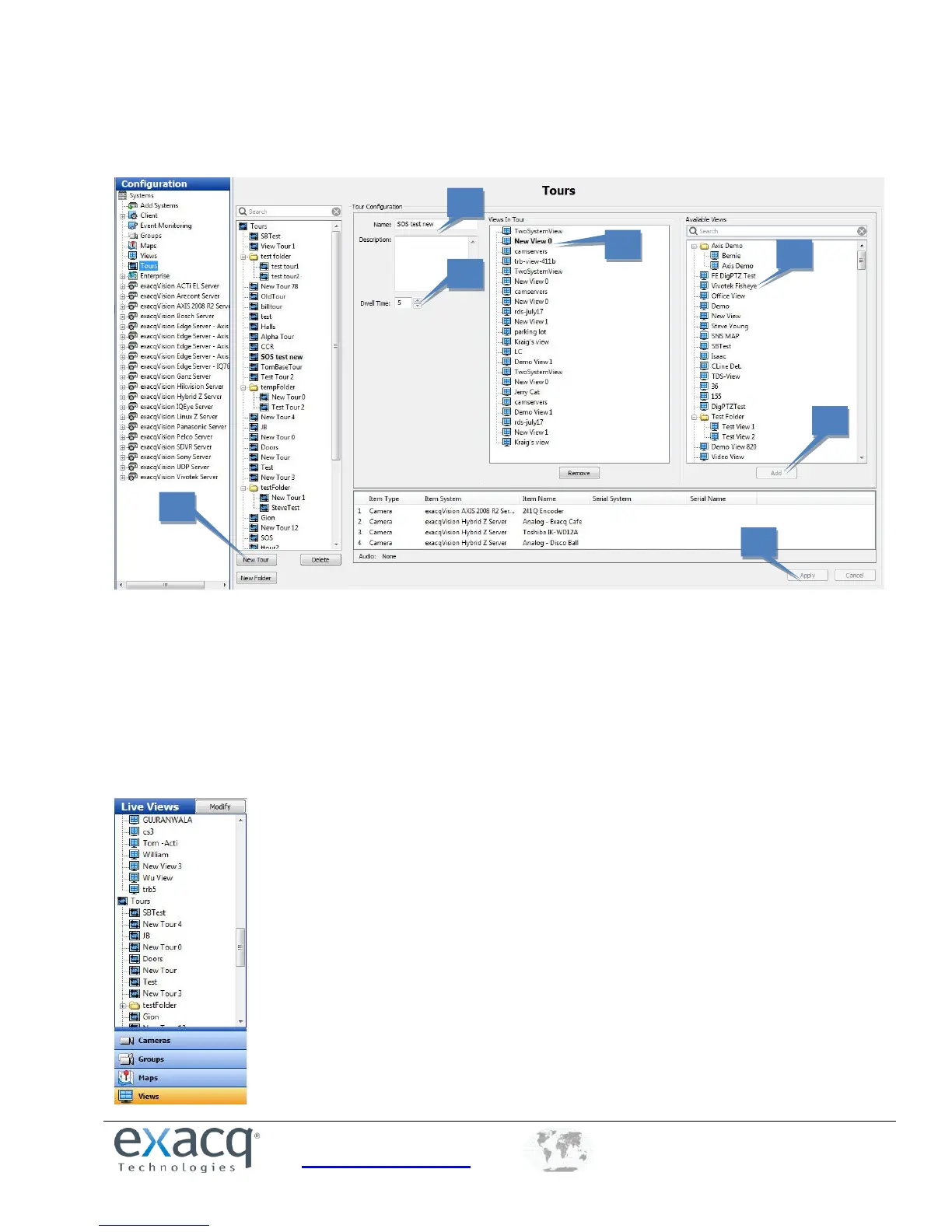
The Tours page allows you to configure an automated tour of camera views.
1. Click New Tour.
2. Enter a unique name and description for the tour.
3. Select a view from the Available Views list.
4. Click Add to include the view in the Views In Tour list. Repeat for additional views.
5. Drag and drop views to change their order in the list.
6. Select a Dwell Time. This is the amount of time, in seconds, that each view will be displayed.
7. Click Apply to save the camera view tour.
You can now activate the tour by clicking its name in the Live Views section of the site tree.


 To Next Page