+1.317.845.5710
+5255.56080817
+44.1438.310163
USA (Corporate Headquarters)
Mexico
Europe/Middle East/Asia
39
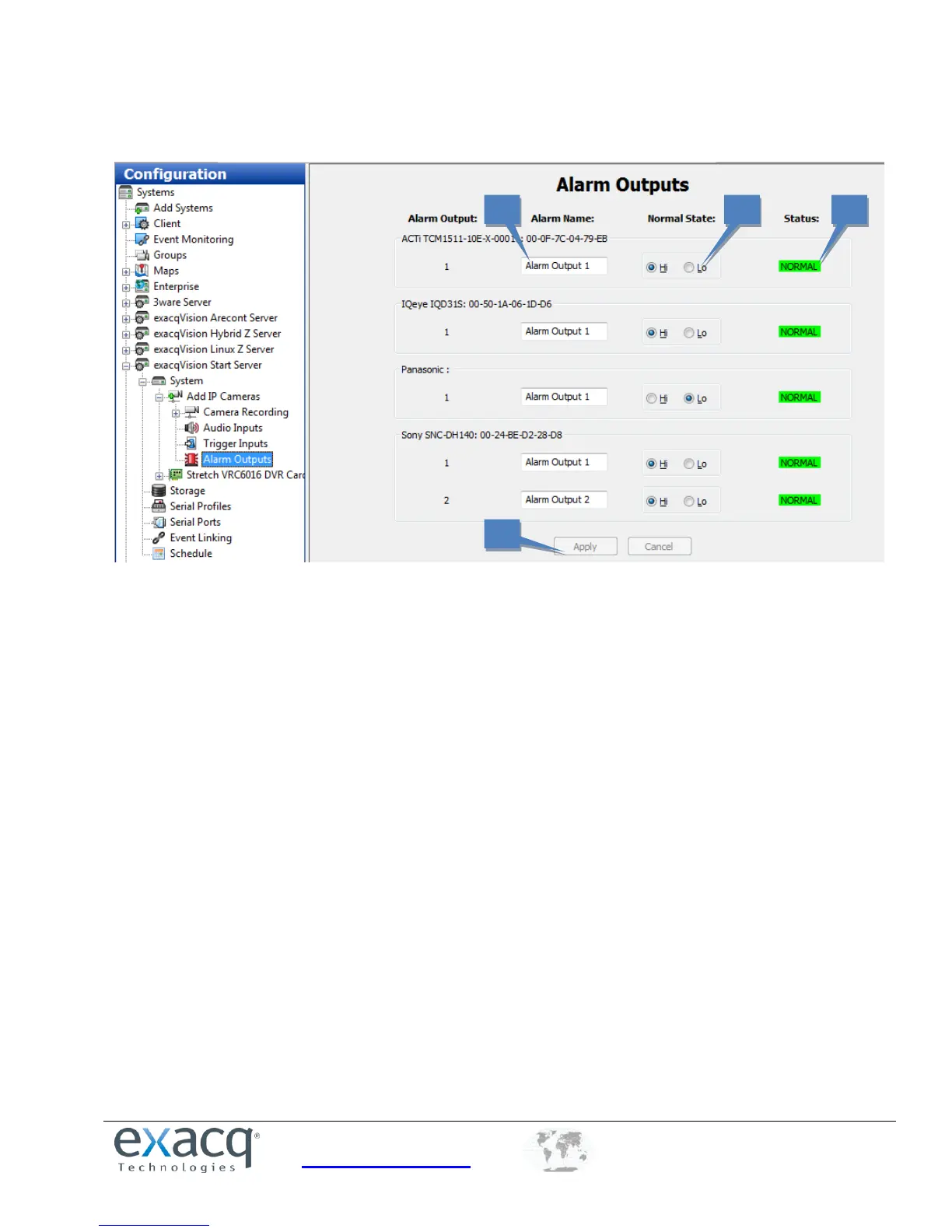
Alarm Outputs
The Alarm Outputs page allows you to assign a name and configuration to the alarm outputs on hybrid systems and
certain IP cameras.
1. Enter a name for each alarm output in the Alarm Name column.
2. Configure the alarm output’s Normal State as Hi (5VDC) or Lo (0VDC).
3. The Status column indicates whether the alarm output is in its normal (green) state or in its alarm (red) state.
The output can be triggered to alarm state by an event configured on the Event Linking page.
4. When you are finished configuring alarm outputs, click Apply.


 To Next Page