+1.317.845.5710
+5255.56080817
+44.1438.310163
USA (Corporate Headquarters)
Mexico
Europe/Middle East/Asia
73
Views
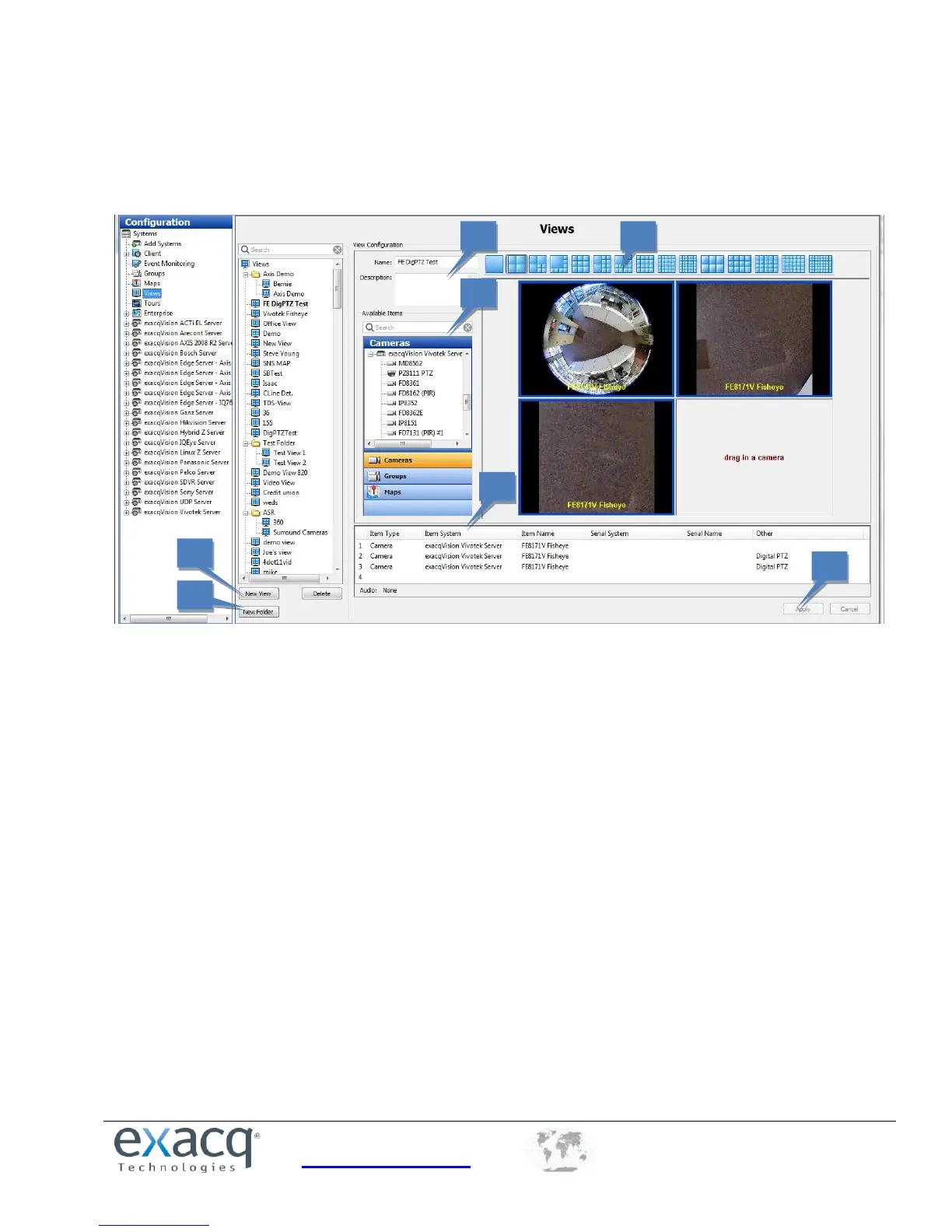
The Views page allows you to create and name combinations of cameras, groups, and maps that can be displayed with a
single click.
The Views page allows you to do the following:
1. Change the name or description.
2. Search for cameras, groups, and maps and drag and drop them into the view.
3. Select a video window configuration.
4. View a list of items in the view and the system that they are associated with.
5. Create a new view.
6. Create a new folder. You can then drag and drop existing views into the folder.
7. Click Apply after you have finished configuring the view as desired.


 To Next Page