+1.317.845.5710
+5255.56080817
+44.1438.310163
USA (Corporate Headquarters)
Mexico
Europe/Middle East/Asia
18
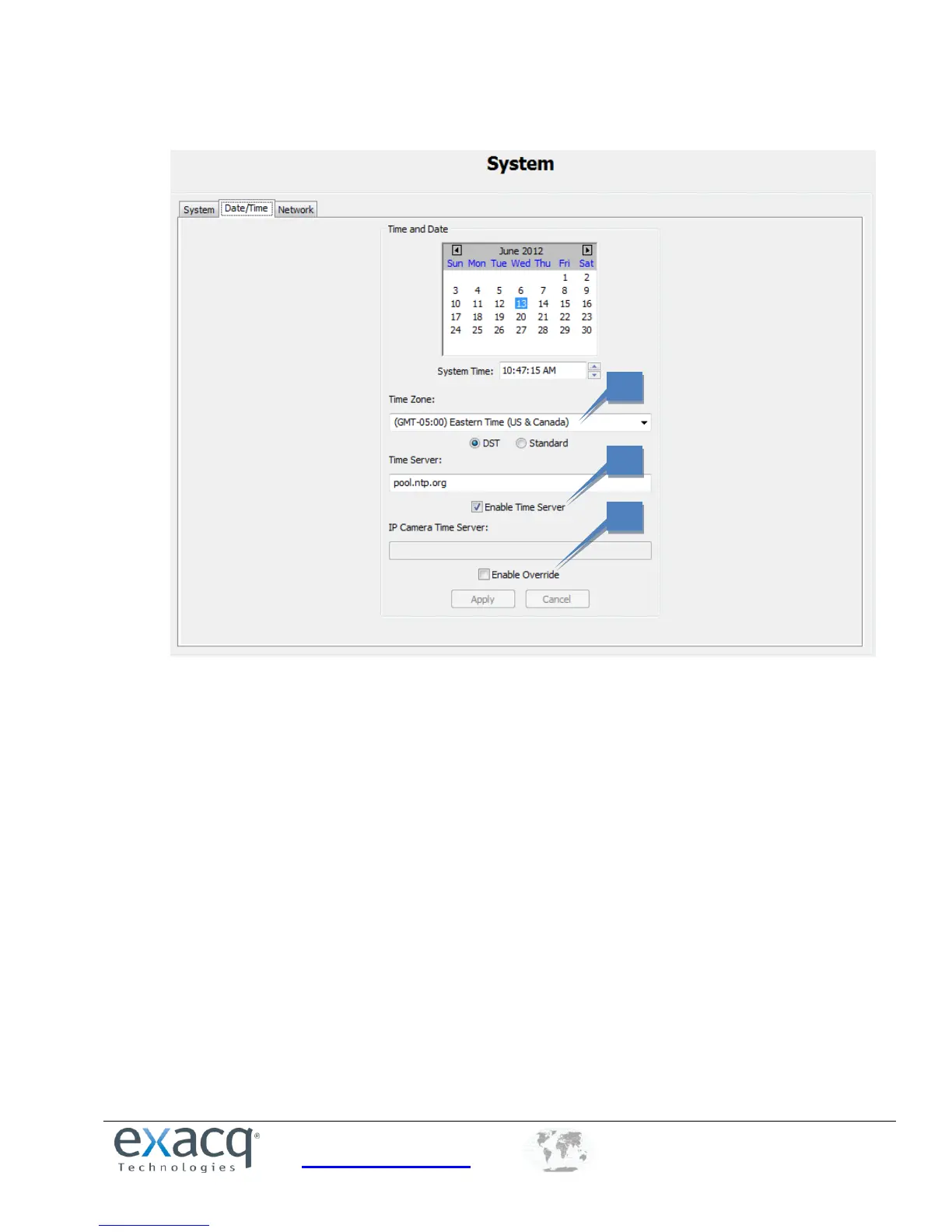
The Date/Time tab displays the exacqVision server’s time information.
1. Select the time zone and daylight saving time (DST) information for the server’s location.
2. On systems with Internet access, select Enable Time Server and enter a valid Internet time server. On
systems without Internet access, select Enable Time Server and enter an internal time server (see your
network administrator for more information).
3. If the IP cameras on the network need to synchronize with a time server other than the exacqVision
server, select Enable Override and enter the server address.


 To Next Page