12
Height setting
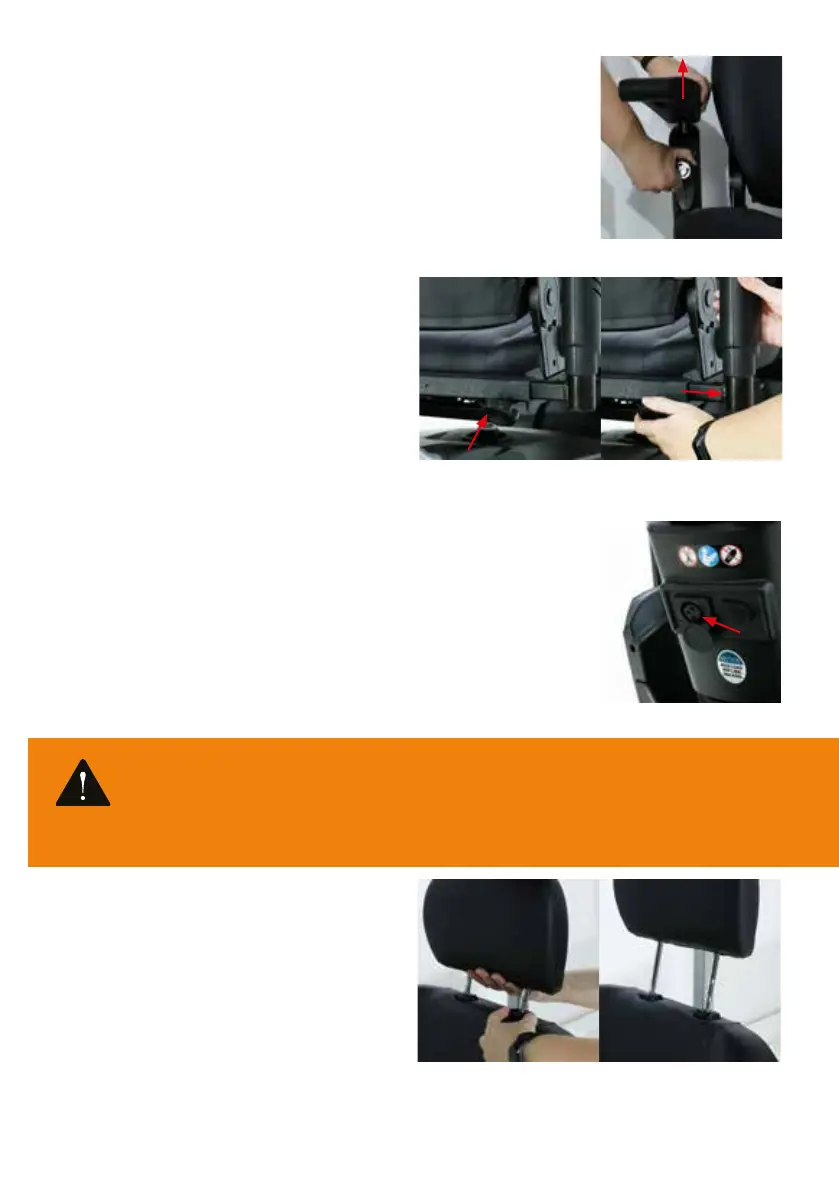
In addition to being foldable, the armrests of the Excel Outback are also adjustable in
height. To adjust the height of the armrest, loosen the black knob on the back of the
armrest and at the same time pull it out slightly (Photo 13). You can then move the
armrest (while pulling the knob) up or down. Once the armrest is in the desired position,
let the knob spring back (so you don’t pull it out again) and tighten the knob again.
Width setting
The Excel Outback is also equipped with a width
adjustment. A black button is attached under the seat
(Photo 14). To adjust the width, loosen this knob and then
lightly pull the armrest. Then move the armrest in or out for
the desired width (Photo 15). Once the armrest is in the
desired width, re-tighten the knob. It is also possible to
completely remove the armrests. If you want to remove the
armrests completely, you must slide the armrest completely
out of the tube it is in when you have loosened the width
adjustment knob.
5.4 The battery
The Excel Outback is equipped with a closed battery pack. Excel Mobility recommends
that you fully charge the batteries before using your scooter. We recommend that you
do this continuously for at least 12 hours.
• You should charge the batteries as follows to extend their life;
• Turn o the scooter.
• Slide the cover open on the charging point (see Photo 16). The charging point is
located on the steering column.
• Connect the battery charger to this and place the charging plug in the socket.
• The battery indicator shows how far the battery is charged.
• If you will not be using your scooter for a week or more, fully charge the batteries
and disconnect them from the scooter.
5.5 The seat
The Excel Outback features a comfortable, height-
adjustable, 360-degree swivel seat with headrest. The
headrest mainly serves to protect your head and neck.
The headrest must be set to the correct height to prevent
neck complaints. To place the headrest in the correct
position, press the black button (Photo 17). Whilst holding
the button, move the headrest up or down. Once the
headrest is in the desired position, release the black
button. At that point, the system is locked.
EXCEL OUTBACK | Photo 16
Warning
Only use the charger supplied by Excel Mobility. Using any other charger will void the warranty. A dierent charger can
also damage the batteries of your scooter.
EXCEL OUTBACK | Photo 18EXCEL OUTBACK | Photo 17
EXCEL OUTBACK | Photo 13
EXCEL OUTBACK | Photo 14
EXCEL OUTBACK | Photo 15


 To Next Page