7
2. General information
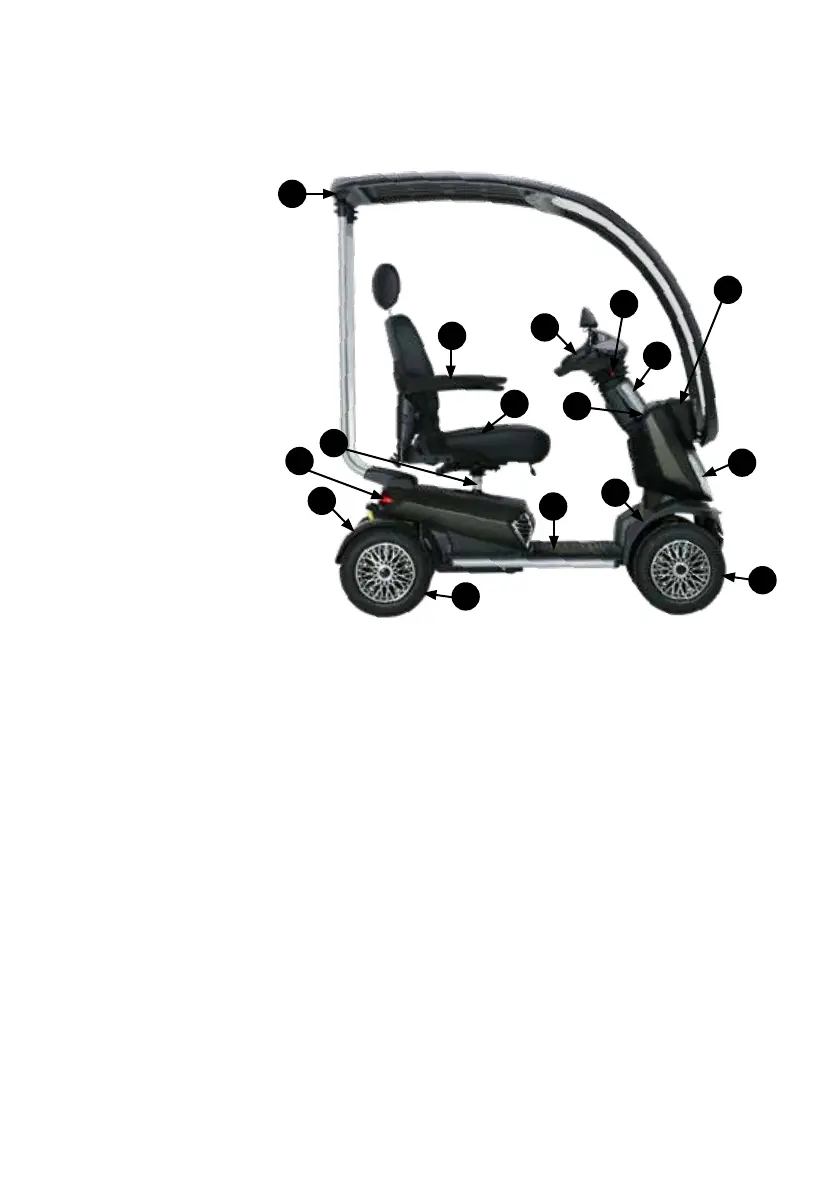
2.1. Components and construction of your scooter
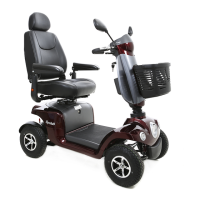
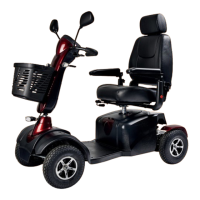
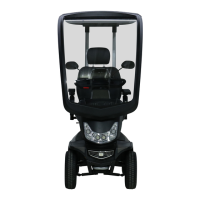
1. Canopy
2. Armrest
3. Seat
4. Steering column
5. Dashboard
6. Steering head lever
7. Ignition switch
8. Basket
9. LED front lights
10. Front wheel
11. Mudguards
12. Footrest
13. Rear wheel
14. Rear light
15. Seat column
Your scooter is equipped with various components and parts. Get to know them before continuing to study this user
guide. Designs and specications are subject to change without notice.
2.2 General explanation about your scooter
Your new Excel Outback is a scooter designed to oer maximum comfort. The comfortable chair can be adjusted
as desired and contributes to optimal seating comfort. The scooter is equipped with LED lighting and brake lights.
Furthermore, the steering column is innitely adjustable and the armrests are foldable and adjustable in width and height.
Please read this user manual completely to get the most from your scooter.
1
2
4
6
5
7
3
8
9
10
11
11
12
13
14
15


 To Next Page