EasyManua.ls Logo

Excell 150S - FNC Group Function Setting

Excell 150S
76 pages
Print Icon
To Next Page IconTo Next Page
To Previous Page IconTo Previous Page
Loading...
11
040112XX
ZSME400000005
EXCELL PRECISION CO., LTD
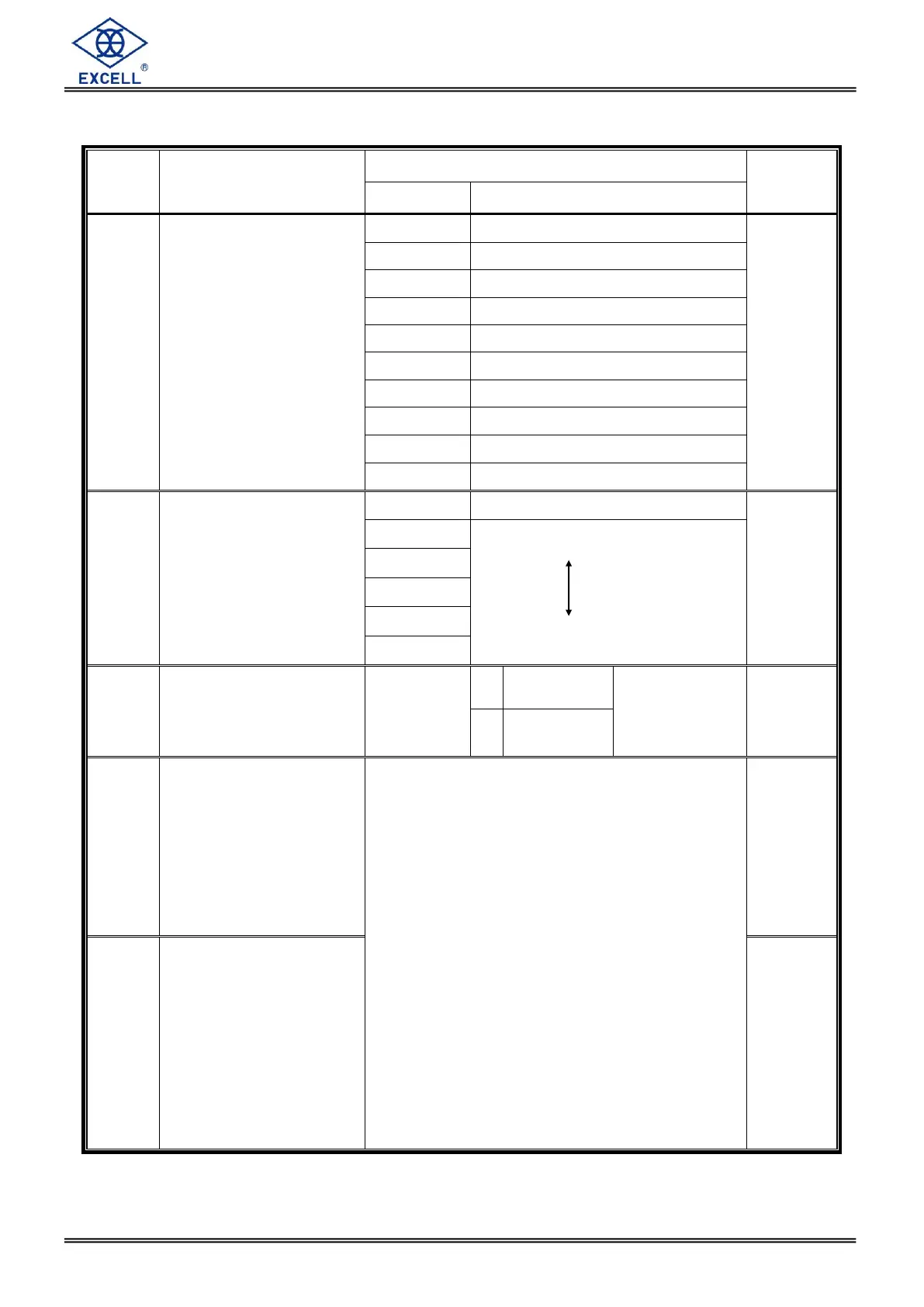
FNC Group function setting
Item
Function
Setting value
Default
Parameter
Description
FNC-01
Digital Filter I
0
5 Hz
4
1
4.17 Hz
2
2.5 Hz
3
2.08 Hz
4
1.25 Hz
5
1.04 Hz
6
0.63 Hz
7
0.52 Hz
8
0.31 Hz
9
0.26 Hz
FNC-02
Digital Filter II
0
Disabled
2
1
Less filter
Greater
2
3
4
5
FNC-03
Key Locked
000000
111111
0
Normal
(lock disable)
The bits and front
panel key
positions are
related to each
other
000000
1
Close
(lock enable)
FNC-04
“F” function setting
Parameter Description
0 Display Net / Gross weight
1 Setpoint parameter setting
2 Tare reset
3 Manual serial, parallel print output
4 Start load
5 Stop load
6 Start comparison
7 Unload command
8 Totalise weight and counts
command
9 Clear totalised weight and counts
10 Hold mode
11 Escape Hold mode(I / O DSP)
12 Convert to Gross / Net / totalised
weight / totalised Count

1
FNC-05
“F1” function setting
0

Table of Contents

Related product manuals