13
OPERATING THE COMPUTER
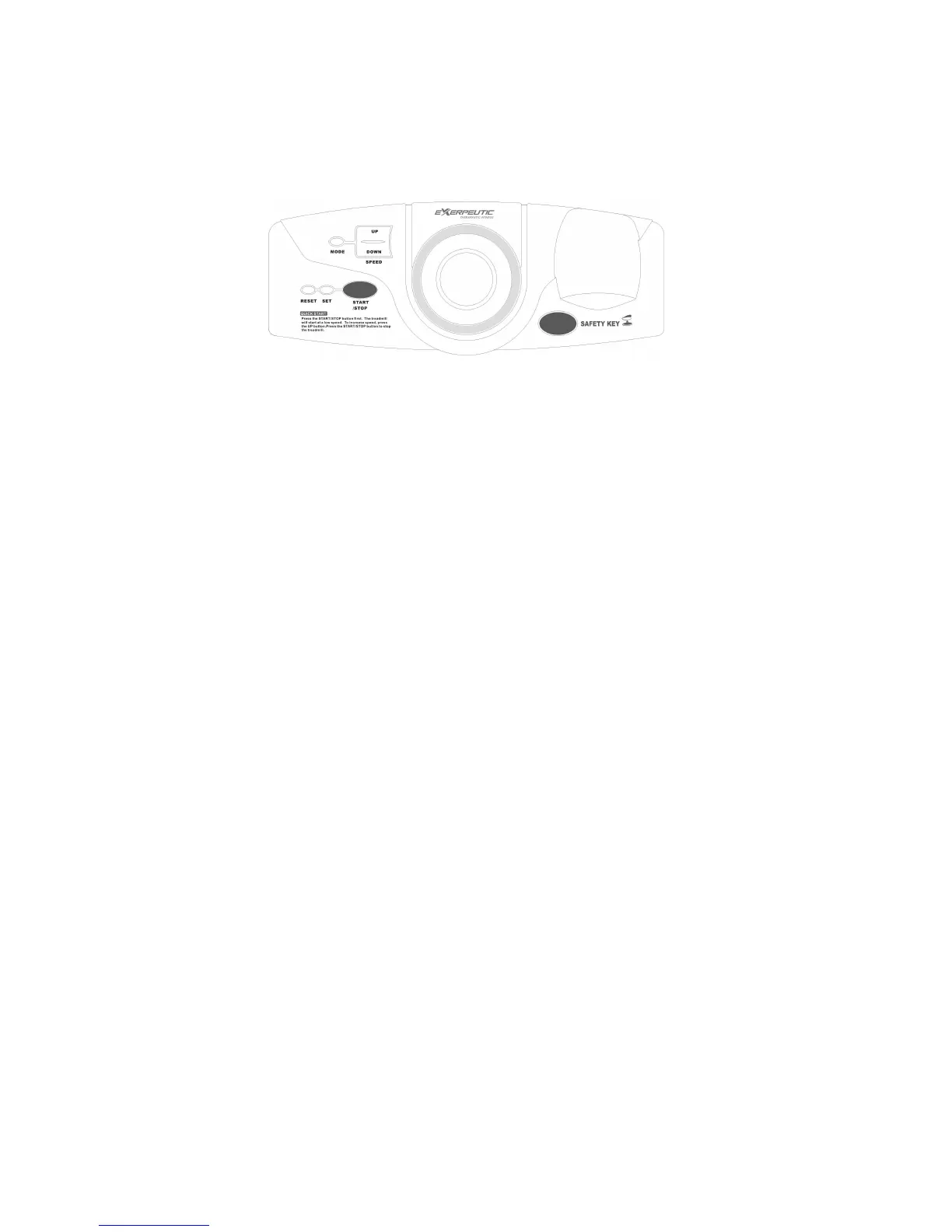
Quick Start:
Flip the Master Power Switch that is located at the front of the treadmill to the ON position.
The treadmill will self-test for 2 seconds on startup and then the speed setting will show up
after a 2 second long beep. Before beginning a workout session ensure that the Safety
Tether Key is properly placed onto the Computer Console and the Safety Clip is securely
attached to an article of your clothing. Always begin the treadmill standing on the side
rails, not on the belt.
In TIME mode you may change the CLOCK setting. To set the time, starting with hours
first, press the SET button and then press the MODE button to change the hours and once
again press SET button change the to minutes and press the MODE button to change the
minutes. The computer display will leave set up mode if no buttons are pressed for 6
seconds. After set up is done, the computer will display training mode.
Press the START/STOP button to start exercise. The belt will start moving with an initial
speed of 0.4 MPH. The window will display in your elapsed workout TIME. Pressing
MODE will then switch it to show your cumulative DISTANCE. The next mode will show
your total CALORIES burned during your workout. The computer will display your current
heart rate 4 - 5 seconds after you grip the handlebar sensors with both your hands during
exercise. While the you will get a readout while gripping only one of the sensors, for a
more precise reading please hold on to both grip sensors. You may press SPEED UP or
SPEED DOWN buttons on the computer console or right handlebar to increase or
decrease the walking speed during exercise. The treadmill’s speed range is from 0.4 MPH
to 4.0 MPH. The SPEED section will display your current speed. During training, you may
press the START/STOP button to stop the treadmill running at any time, press the
START/STOP button to start the treadmill running again. You may pull out the safety
tether key to stop the treadmill running
Button Functions:
START/STOP: Press the START/STOP button to start or stop the treadmill running.
MODE: Press MODE button to select each function (TIME, DISTANCE, CALORIES, or
PULSE) for target pre-setting.
SET: Press SET button to set data values of TIME, DISTANCE, CALORIES, or PULSE for


 To Next Page